
WP Engine is one of the best known managed WordPress hosting providers. It is built for people who want WordPress hosting without spending their time managing servers, patching security issues, creating backups, or fixing performance problems alone.
It is not a cheap shared hosting provider. You will pay more than you would with Hostinger, Bluehost, or SiteGround. In return, WP Engine includes managed WordPress updates, daily and on demand backups, a global CDN, server level caching, staging environments, security patching, developer tools, and WordPress specific support.
This makes WP Engine a practical option for established blogs, affiliate sites, growing businesses, agencies, WooCommerce stores, and publishers that depend on their websites for leads or revenue. It can also be useful for beginners who have the budget and want a simpler experience, but it is often more hosting power than a new personal blog needs.
The main question is simple. Does WP Engine provide enough value to justify its higher price?
For a serious WordPress site, the answer can be yes. For a small site with limited traffic and no business dependency, it may be hard to justify. This WP Engine review covers pricing, plan limits, features, speed, security, support, restrictions, and how it compares with Kinsta and Rocket.net.
WP Engine Review at a Glance
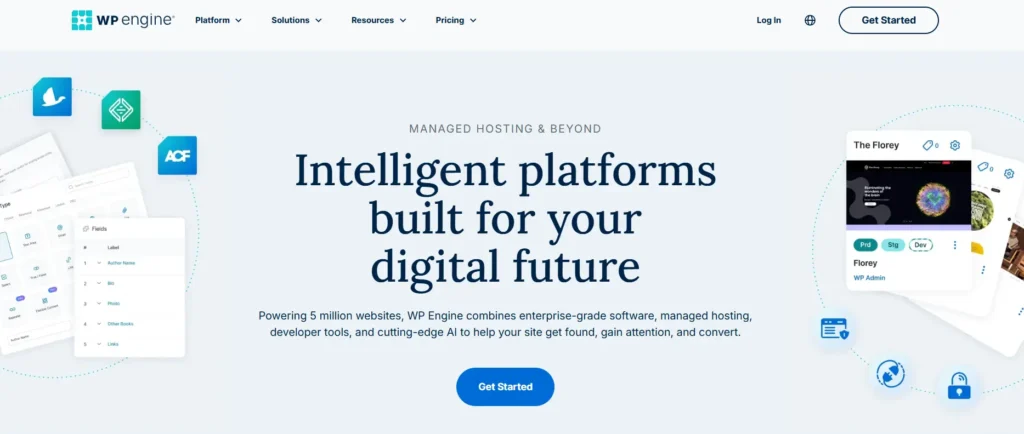
WP Engine is a premium managed WordPress hosting platform. It focuses only on WordPress, which allows the company to build its platform around WordPress performance, security, developer workflows, and support.
The Professional plan is the best fit for most established site owners. It supports three websites, includes 15 GB storage, allows about 75,000 monthly visits, and includes both chat and phone support.
| Category | WP Engine Details |
|---|---|
| Best for | Businesses, affiliate publishers, agencies, WooCommerce stores, high value WordPress sites |
| Starting price | $30 per month for the first year |
| Best value plan | Professional |
| Website limit | 1 site on Startup, 3 on Professional, 10 on Growth, 30 on Scale |
| Visitor limits | 25,000 to 400,000 estimated monthly visits |
| Storage | 10 GB to 50 GB |
| Backups | Daily and on demand backups |
| CDN | Global CDN included |
| Support | Startup includes chat, higher plans include chat and phone |
| Email hosting | Not included |
| Domain registration | Not included |
| Best feature | Staging, backups, caching, WordPress focused security, and support |
WP Engine Pricing and Plans
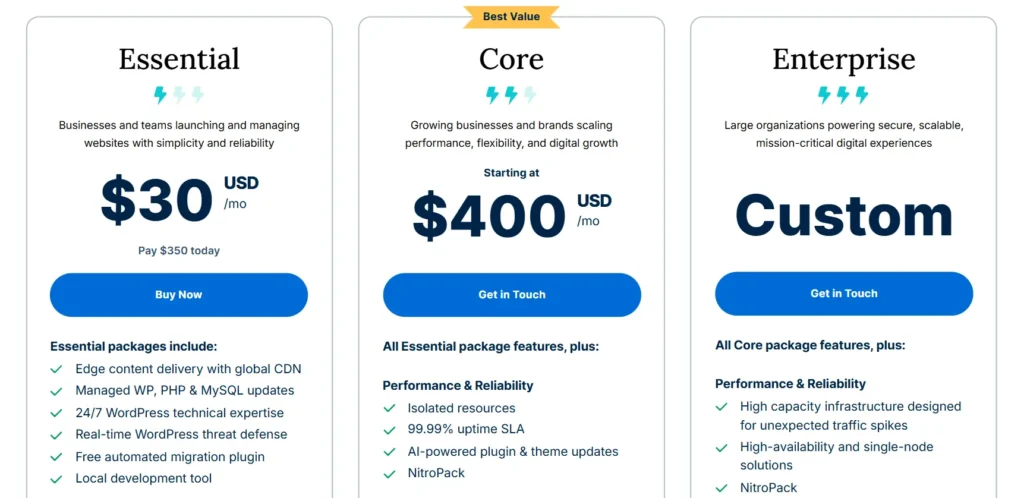
WP Engine lists its Essential plan prices as first year rates for new customers on annual billing. Taxes and usage overages can apply. WP Engine does not publish a fixed renewal price on the public pricing page, stating that renewal pricing may change.
That means you should confirm the renewal total during checkout before committing to an annual plan.
| Plan | Published Price Per Month | First Year Cost | Websites | Estimated Monthly Visits | Storage | Bandwidth Per Month | Support |
|---|---|---|---|---|---|---|---|
| Startup | $30 | $360 | 1 | 25,000 | 10 GB | 75 GB | Chat |
| Professional | $55 | $660 | 3 | 75,000 | 15 GB | 150 GB | Chat and phone |
| Growth | $109 | $1,308 | 10 | 100,000 | 20 GB | 240 GB | Chat and phone |
| Scale | $276 | $3,312 | 30 | 400,000 | 50 GB | 550 GB | Chat and phone |
| Core Hosting | Starts at $400 | Custom | Custom | Custom | Custom | Custom | Chat and phone |
WP Engine allows additional sites on shared Essential plans for $20 per month each. Visitor limits are estimates, so businesses with major traffic spikes, membership websites, or highly dynamic WooCommerce stores should speak with sales before selecting a plan.
If your plan goes over its monthly visitor allowance, WP Engine charges $2 for every additional 1,000 visitors. This is not necessarily expensive for occasional spikes, but it can become costly if your site stays above its plan limit every month.
WP Engine Startup Plan
Startup is designed for one WordPress website with up to 25,000 estimated monthly visitors. It includes 10 GB storage and 75 GB monthly bandwidth.
This plan is suitable for a professional blog, local business site, small content website, portfolio, or an early stage affiliate site. It includes the same core platform tools as higher plans, including backups, staging, CDN, caching, SSL, and WordPress support.
The main limitation is support. Startup users get chat support only, while Professional and above include phone support as well. It also only supports one site, which makes it less appealing for publishers and agencies managing several projects.
Startup is good when you have one important website and want a managed platform. It is not the best choice if you expect to launch multiple websites soon.
WP Engine Professional Plan
Professional is the best value WP Engine plan for most established businesses. It supports three websites, 75,000 estimated monthly visits, 15 GB storage, and 150 GB monthly bandwidth.
The plan also includes both chat and phone support. This can matter when your website is part of your business and you need urgent help with a migration, server issue, SSL problem, performance concern, or billing question.
Professional works well for a business owner with a main website and two smaller projects. It is also a good option for an affiliate publisher with a profitable review site, comparison site, and supporting content website.
For most users considering WP Engine, Professional is the sensible starting point. It gives enough room to grow without jumping to the much higher Growth plan.
WP Engine Growth Plan
Growth is designed for businesses managing up to 10 websites. It includes 100,000 estimated monthly visits, 20 GB storage, and 240 GB monthly bandwidth.
This plan is useful for a growing agency, a publisher with several established content sites, or a business operating a main site plus country specific, product specific, or campaign based websites.
Growth can also suit ecommerce brands with regular traffic and a heavier WordPress setup. Still, WooCommerce stores with large product catalogs, frequent sales, many logged in users, or high checkout activity should confirm their needs with WP Engine before purchasing.
WP Engine Scale Plan
Scale supports up to 30 websites, 400,000 estimated monthly visitors, 50 GB storage, and 550 GB monthly bandwidth.
It is built for agencies, publishers, large ecommerce stores, multi brand businesses, and companies with multiple WordPress properties. The cost is much higher, but it can make sense when downtime, security issues, or slow page speed would create a real business loss.
Scale is still a shared plan. Businesses that need isolated resources, a 99.99% uptime service level agreement, higher availability, and custom infrastructure should consider WP Engine Core Hosting or Enterprise plans.
WP Engine Features Explained
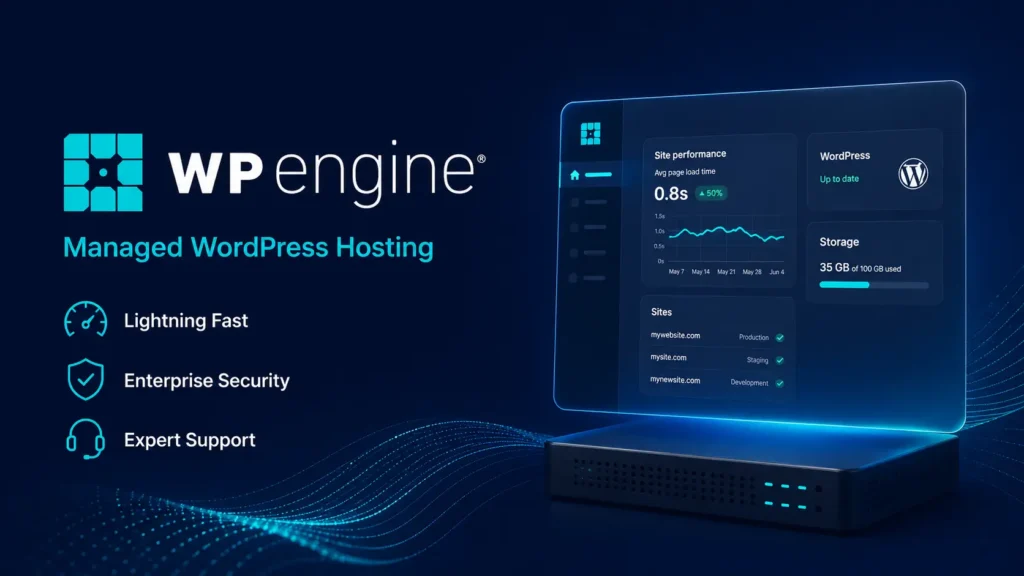
WP Engine includes more than server space. The platform is designed to reduce the technical work involved in running a WordPress website.
| Feature | Startup | Professional | Growth | Scale |
|---|---|---|---|---|
| Managed WordPress updates | Yes | Yes | Yes | Yes |
| Managed PHP updates | Yes | Yes | Yes | Yes |
| Daily backups | Yes | Yes | Yes | Yes |
| On demand backups | Yes | Yes | Yes | Yes |
| Backup retention | 30 to 60 days | 30 to 60 days | 30 to 60 days | 30 to 60 days |
| Global CDN | Yes | Yes | Yes | Yes |
| EverCache caching | Yes | Yes | Yes | Yes |
| Free SSL | Yes | Yes | Yes | Yes |
| SSH access | Yes | Yes | Yes | Yes |
| One click staging | Yes | Yes | Yes | Yes |
| Development environment | Yes | Yes | Yes | Yes |
| Transferable sites | Yes | Yes | Yes | Yes |
| Chat support | Yes | Yes | Yes | Yes |
| Phone support | No | Yes | Yes | Yes |
WordPress Management and User Portal
WP Engine uses its own User Portal instead of cPanel. The portal is where you manage sites, environments, backups, users, billing, databases, SFTP access, performance data, and plan usage.
It is clean and focused on WordPress. You will not find many unrelated features that are common on basic shared hosting accounts. This is useful for business owners who want to manage their site without sorting through technical settings they may never use.
Each WordPress site can have up to three environments:
• Production, which is the live website visitors see
• Staging, where you can test updates and design changes
• Development, where developers can work without affecting the live website
This workflow is one of the biggest advantages of WP Engine. You can test a plugin update, theme redesign, WooCommerce change, or custom code adjustment before sending it to the live site.
For agencies, transferable sites are also useful. You can build a website in a protected environment and hand it over to a client when the project is ready.
Performance and Speed
WP Engine is built for WordPress performance. It uses cloud infrastructure, a global CDN powered by Cloudflare, EverCache server level caching, and WordPress specific optimizations.
EverCache is important because it reduces the number of repeated requests your server has to process. Instead of rebuilding every page from scratch for each visitor, cached content can be delivered faster.
The global CDN helps visitors load static assets such as images, CSS, JavaScript, and cached pages from locations closer to them. This can improve load times for websites with visitors in several countries.
WP Engine also offers optional performance tools, such as front end optimization through NitroPack and application performance monitoring. These can be useful for businesses that want deeper visibility into slow plugins, database queries, and code issues.
Hosting alone will not make a poor website fast. A heavy theme, oversized images, too many plugins, poor page builder settings, excessive tracking scripts, and slow external tools can still hurt performance. WP Engine gives you a better foundation, but site optimization is still your responsibility.
Security and Backups
Security is one of WP Engine’s stronger points. All plans include security patching, plugin risk scans, SSL certificates, and Layer 3 and Layer 4 DDoS protection.
WP Engine also includes daily and on demand backups. Backups are stored for at least 30 days and no more than 60 days. This gives you several restore options if a plugin update fails, a page is deleted, malware affects the site, or a developer change causes problems.
On demand backups are especially valuable. Before changing your theme, updating plugins, editing checkout settings, or making code changes, you can create a backup manually. This makes it easier to restore the site if something goes wrong.
WP Engine offers an advanced managed firewall and deeper DDoS protection as an optional upgrade. This may be worth considering for ecommerce websites, businesses handling sensitive data, or publishers with significant traffic.
Support Experience
WP Engine provides 24 hour WordPress focused support. Startup users receive chat support, while Professional, Growth, Scale, and Core users receive both chat and phone support.
The support team can help with platform related issues, server configuration, SSL, backups, caching, migrations, database access, and WordPress environment issues. This is useful for business owners who do not have an in house developer.
However, WP Engine support does not build custom features, redesign your website, or fix all custom code problems. If your issue is caused by a custom theme, third party plugin, or bad code, support may help identify the source but you may still need a developer to fix it.
That is a fair limitation. Managed hosting support should protect and maintain the platform. It should not replace a web developer.
Plugin Restrictions You Should Know About
WP Engine has a list of disallowed plugins. These are usually restricted because they duplicate built in platform tools, create unnecessary server load, conflict with EverCache, or create security risks.
Some caching plugins may conflict with WP Engine’s built in caching. Certain backup plugins may also be restricted or discouraged because WP Engine already provides managed backups.
This is not automatically a negative. In many cases, the restriction exists because the platform already handles the same function. Still, it can be frustrating for users who rely on a particular caching, backup, or database plugin.
Before migrating a website, check the WP Engine disallowed plugin list. This is especially important for sites using custom optimization stacks, old backup tools, security plugins, or plugin based caching systems.
Email, Domains, and DNS
WP Engine does not provide email hosting. You will need a separate provider such as Google Workspace, Microsoft 365, Zoho Mail, or another business email service.
WP Engine also does not host DNS. You can connect a domain you already own, but you will manage DNS records through your domain registrar, Cloudflare, or another DNS provider.
This is different from beginner hosting providers such as Hostinger or Bluehost, which often bundle a domain and email service with their hosting plans.
For an established business, using separate email and DNS services is not a problem. In fact, it can provide better flexibility. For beginners, it means there are a few more setup steps.
WP Engine Pros and Cons
WP Engine Pros
• Strong managed WordPress platform with reliable daily and on demand backups
• Staging and development environments included on every plan
• Global CDN and server level caching included
• WordPress focused security patching and plugin risk scans
• Professional plan includes phone support
• Free migration plugin for moving WordPress websites
• Useful tools for agencies, including transferable sites and user permissions
• Built for WordPress rather than trying to support every type of website software
WP Engine Cons
• Much more expensive than basic shared hosting
• Visitor, storage, and bandwidth limits apply
• Additional visitor overages cost $2 per 1,000 visitors
• Startup only supports one site and has chat support only
• No email hosting included
• No domain registration included
• Some caching and backup plugins are restricted
• Custom code and design issues may require a developer
WP Engine vs Kinsta vs Rocket.net
WP Engine, Kinsta, and Rocket.net are all premium managed WordPress hosting providers. They are more comparable to each other than to cheap shared hosting companies.
| Provider | Entry Plan | Price | Websites | Storage | Traffic Allowance | Backups | Best For |
|---|---|---|---|---|---|---|---|
| WP Engine | Startup | $30 per month for the first year | 1 | 10 GB | 25,000 estimated visits | Daily and on demand | Businesses wanting staging, portal tools, and WordPress support |
| Kinsta | Single 20GB | $35 monthly or $350 annually | 1 | 10 GB | 20 GB server bandwidth | Daily backups | Users wanting Google Cloud infrastructure and strong developer tools |
| Rocket.net | Starter | $30 monthly or $25 monthly on annual billing | 1 | 10 GB | Unmetered visits with 50 GB bandwidth | Daily backups | Users who want simple managed WordPress hosting with stable renewal pricing |
WP Engine is a good choice for businesses that want a mature managed WordPress platform with strong staging workflows, reliable backups, development environments, and support.
Kinsta is a close competitor with a polished dashboard, free expert migrations, built in application monitoring, and Cloudflare based security tools.
Rocket.net is attractive for people who want transparent renewal pricing and do not want traffic based visitor limits. It still has bandwidth limits, so it is important to track actual usage.
Who Should Choose WP Engine?
WP Engine is a strong fit for:
• Affiliate publishers running sites that generate meaningful revenue
• Small and medium businesses that depend on their website for leads
• Agencies building and managing client WordPress websites
• Ecommerce stores that need staging, backups, security, and support
• Publishers with frequent content updates and traffic growth
• Teams that need separate production, staging, and development environments
• Website owners who prefer expert support over managing server settings alone
Who Should Avoid WP Engine?
WP Engine is not the best choice for everyone.
A new blogger with no traffic may be better off starting with Hostinger, Bluehost, SiteGround, or another lower cost host. These providers offer a cheaper way to learn WordPress and publish content.
You may also want another provider if you need email included, require a specific disallowed plugin, need full server control, want to host non WordPress applications, or need unlimited storage.
WP Engine is designed for WordPress sites that matter to a business. It is less suitable for experimental projects, simple hobby blogs, or websites that need the lowest possible monthly cost.
WP Engine Review FAQs
1. Is WP Engine good for WordPress?
Yes. WP Engine is one of the stronger managed WordPress hosting platforms because it includes daily and on demand backups, staging, development environments, caching, CDN access, managed updates, and WordPress focused support.
2. Does WP Engine include email hosting?
No. WP Engine does not provide business email hosting. You need to use a separate service such as Google Workspace, Microsoft 365, Zoho Mail, or another email provider.
3. Does WP Engine offer a free domain?
No. WP Engine does not include domain registration with its hosting plans. You can connect a domain purchased from another registrar.
4. Does WP Engine have visitor limits?
Yes. Startup includes 25,000 estimated monthly visits, Professional includes 75,000, Growth includes 100,000, and Scale includes 400,000. Extra visits cost $2 per 1,000 visitors.
5. Is WP Engine better than shared hosting?
For a serious WordPress website, usually yes. WP Engine gives you stronger WordPress tools, backups, staging, caching, support, and security features. For a new personal blog, basic shared hosting may be enough.
6. Is WP Engine worth the price?
WP Engine is worth the price when your website produces leads, sales, advertising revenue, affiliate commissions, or client value. The platform reduces technical work and gives you better recovery tools when problems occur.
Is WP Engine Worth It?
WP Engine is one of the better choices for businesses that want managed WordPress hosting without dealing with the technical burden of running a website alone.
The Professional plan is the best option for most users because it supports three sites, allows about 75,000 monthly visits, includes phone support, and provides enough room for a growing business or publisher.
The biggest downside is price. WP Engine is not built for people searching for the cheapest hosting deal. It is built for website owners who want stable WordPress hosting, useful developer tools, strong backup coverage, better security, and support when something goes wrong.
For a serious WordPress website, those features can be worth far more than the difference between cheap shared hosting and a premium managed platform.