
Choosing between WP Engine and Hostinger is difficult because both can host a fast WordPress website, but they solve very different problems.
Hostinger is built for people who want affordable hosting, a simple dashboard, email hosting, and good performance without a large monthly bill. WP Engine is premium managed WordPress hosting for businesses, agencies, stores, and publishers that want a more hands-off platform with deeper WordPress support.
In this WP Engine vs Hostinger comparison, I look at performance, TTFB potential, caching, server resources, backups, security, support, dashboards, and the real cost after the promotional period ends.
For most new bloggers, affiliate sites, portfolios, and small businesses, Hostinger offers stronger value. For revenue-generating WordPress sites where downtime, plugin conflicts, or slow performance can affect sales, WP Engine can justify its higher price.
WP Engine vs Hostinger: Quick Comparison
| Feature | WP Engine | Hostinger |
|---|---|---|
| Starting price | Around $30 per month for Startup | Starts around $2.99 per month on a 48-month Premium term |
| Renewal pricing | Higher upfront cost, but no typical shared-host renewal jump | Premium renews around $10.99 per month; Business renews around $16.99 per month |
| Hosting type | Premium managed WordPress hosting | Managed web hosting, WordPress hosting, cloud hosting, and VPS |
| Best plan for most WordPress sites | Startup or Professional | Business |
| Storage | Startup includes 10 GB local storage | Premium has 20 GB SSD; Business includes 50 GB NVMe |
| Performance stack | EverCache, WordPress-focused infrastructure, CDN options | LiteSpeed servers, LiteSpeed Cache, Object Cache, in-house CDN |
| Dashboard | WP Engine User Portal | hPanel |
| Support | Startup has chat support; Professional and higher include phone and chat | 24/7 live chat and email support |
| Email hosting | Separate email provider recommended | Mailboxes included free for the first year on qualifying plans |
| Best for | Agencies, high-value WordPress sites, ecommerce, publishers | Bloggers, affiliate sites, portfolios, and budget-conscious businesses |
WP Engine’s current Startup plan supports one site, an estimated 25,000 monthly visits, 10 GB storage, and 75 GB bandwidth. Hostinger’s Premium, Business, and Cloud Startup plans offer different storage, website, backup, and resource limits based on the tier selected.
WP Engine Review: Why It Is Built for Serious WordPress Websites
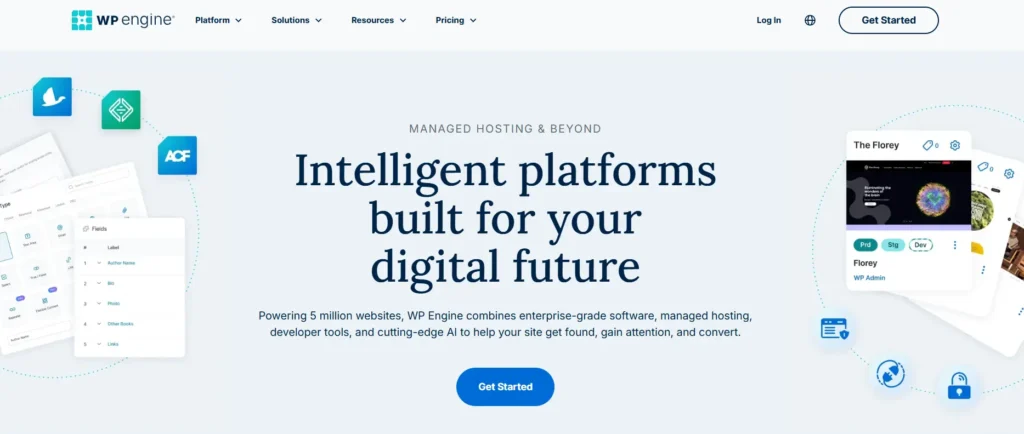
WP Engine is not cheap shared hosting with a few WordPress tools added on. It is a managed platform focused entirely on WordPress websites.
That focus matters when a website is bringing in leads, ecommerce revenue, affiliate commissions, subscriptions, or ad income. Instead of spending hours fixing caching issues, recovering broken plugins, or manually creating staging websites, WP Engine gives you a more structured environment.
WP Engine Performance and Speed
WP Engine uses its EverCache technology, WordPress-specific infrastructure, automated updates, one-click staging, and managed backups. Its shared Startup, Professional, Growth, and Scale plans are built for WordPress sites, while its Core plan uses isolated resources for higher-capacity projects.
For TTFB, WP Engine can have an advantage over low-cost hosting when a site has regular traffic, dynamic pages, heavier plugins, WooCommerce activity, or a large content database. The benefit is not only raw server power. It is the hosting environment, cache layer, support team, monitoring, and standardized WordPress workflows working together.
Its shared plans are still shared environments, so they are not the same as dedicated infrastructure. That is why users running very large stores, high-traffic publishers, or enterprise websites may need WP Engine Core or a custom plan instead of the entry-level Startup package.
WP Engine Staging and Development Tools
WP Engine is especially strong for agencies, developers, and website owners who make frequent changes.
Each site can include separate Production, Staging, and Development environments. This means you can test a theme update, plugin change, checkout customization, or speed optimization without risking the live site.
This is one reason WP Engine is popular with professional web teams. A mistake on a live WooCommerce store can cost sales. A staging environment gives you a safer place to test before publishing changes.
WP Engine Support and Security
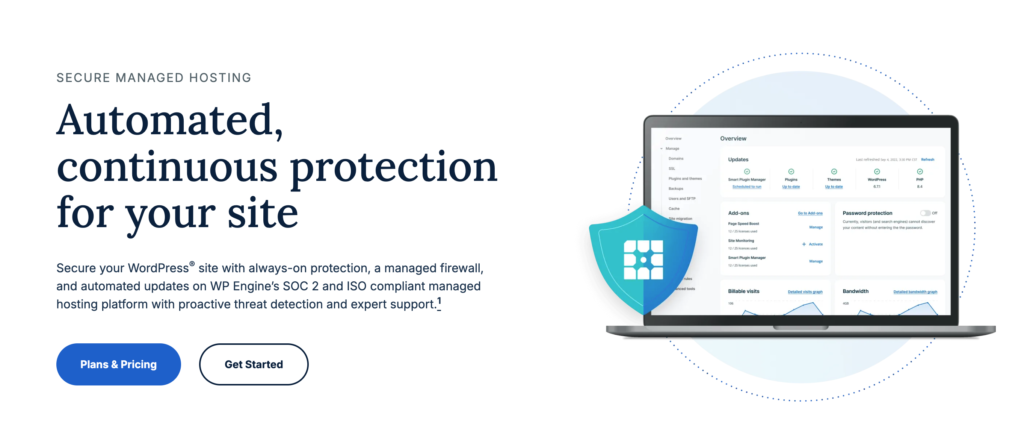
WP Engine includes auto-renewing SSL, SSH access, security patching, plugin risk scans, and Layer 3 and Layer 4 DDoS protection. Advanced managed WAF protection and advanced DDoS mitigation are available as paid add-ons on standard shared plans.
The company also maintains automatic and on-demand backups. Its plan details state that backups are retained for at least 30 days and no longer than 60 days.
Support differs by plan. Startup includes chat support, while Professional, Growth, and Scale include both phone and chat support.
WP Engine Pros
- Built specifically for WordPress websites
- Automatic WordPress and PHP updates
- Staging and development environments
- Daily backups with long retention periods
- EverCache performance layer
- Strong workflow for agencies and developers
- WordPress-focused support team
- Better option for high-value sites and online stores
- No traditional promotional pricing shock after the first term
WP Engine Cons
- Much more expensive than Hostinger
- Startup plan supports only one site
- Entry-level plans have limited storage
- Advanced WAF and managed DDoS tools cost extra
- Email hosting requires a separate provider
- Not suitable for non-WordPress applications
- May be excessive for a small personal blog or portfolio
Hostinger Review: Why It Wins on Everyday Value
Hostinger is one of the strongest options for people who want a fast WordPress website without paying premium managed hosting prices.
It is more flexible than WP Engine because you can host WordPress, basic PHP websites, email accounts, landing pages, portfolio sites, small stores, and other projects from the same dashboard. For affiliate marketers and site owners managing multiple smaller websites, that flexibility matters.
Hostinger Performance and Speed
Hostinger uses LiteSpeed Web Server technology, NVMe storage on higher plans, Object Cache, and an in-house CDN. The Business plan includes 50 GB NVMe storage, daily and on-demand backups, and CDN access.
LiteSpeed is especially useful for WordPress websites because it works closely with the LiteSpeed Cache plugin. The plugin can manage page caching, browser caching, database cleanup, image optimization, CSS and JavaScript optimization, and scheduled cache purges.
For a standard WordPress blog, affiliate review site, or business website, Hostinger can deliver strong loading times when you use a lightweight theme, optimized images, and LiteSpeed Cache correctly.
Hostinger hPanel
Hostinger uses hPanel rather than cPanel. hPanel is built for beginners and puts common website tasks in easy-to-find sections.
From hPanel, you can manage:
- WordPress installations
- Domains and DNS records
- Email accounts
- SSL certificates
- Backups
- File Manager
- PHP versions
- Cache settings
- Malware scanning
- Website staging on eligible plans
- Resource usage
Hostinger’s WordPress Overview section also lets users enable LiteSpeed Cache, Object Cache on Business plans and above, maintenance mode, and daily backups where applicable.
Hostinger Security and Backups
Hostinger includes free SSL certificates, malware scanning, 24/7 server monitoring, DDoS protection, and web application firewall protection. Its CDN also supports IP and country blocking.
Premium includes weekly backups, while Business includes daily and on-demand backups. For a website earning money through ecommerce, affiliate traffic, leads, or paid campaigns, Business is usually the safer starting plan.
Hostinger Pros
- Very affordable starting prices
- LiteSpeed server stack for WordPress
- LiteSpeed Cache integration
- NVMe storage on Business and Cloud plans
- Free CDN on Business plans and above
- Email hosting included for the first year on eligible plans
- hPanel is simple and beginner friendly
- Can host multiple websites on Business and Cloud plans
- Supports WordPress and non-WordPress projects
- Free website migration available
Hostinger Cons
- Renewal prices are much higher than introductory prices
- Premium uses SSD storage rather than NVMe storage
- Weekly backups on the Premium plan
- No phone support
- Shared hosting may struggle with very busy WooCommerce stores
- Advanced agency workflows are less polished than WP Engine
- More responsibility for plugin conflicts and WordPress optimization
WP Engine vs Hostinger: Speed, TTFB, and Uptime
The question is not simply, “Is WP Engine faster than Hostinger?”
For a lightweight blog with a fast theme and proper LiteSpeed Cache settings, Hostinger Business can be very fast. Many small websites will not need the extra infrastructure and cost of WP Engine.
WP Engine becomes more attractive when the site has larger traffic volumes, membership users, ecommerce customers, complicated plugins, dynamic content, or several people making site changes every week.
TTFB depends on more than the hosting brand. It is affected by:
- Server location
- Theme quality
- Cache configuration
- Database size
- PHP version
- Number of plugins
- WooCommerce activity
- Logged-in users
- CDN setup
- External scripts
- Image optimization
- Traffic spikes
Hostinger has an advantage for price-to-performance because LiteSpeed, Object Cache, NVMe storage, and CDN tools are available at a much lower cost. WP Engine has the edge for managed performance because its platform is designed around WordPress workflows, automated environments, caching, and support.
For a fair speed test, both hosts should use the same theme, plugins, region, CDN status, image files, and cache settings. Comparing random public speed tests is rarely useful because the websites themselves are configured differently.
WP Engine User Portal vs Hostinger hPanel
WP Engine and Hostinger both avoid the traditional cPanel experience, but they serve different users.
Choose WP Engine User Portal if you want:
- Production, Staging, and Development environments
- Easier deployment workflows
- Managed backups and restores
- Team and agency website management
- WordPress-specific support tools
- A cleaner process for testing changes safely
Choose Hostinger hPanel if you want:
- A beginner-friendly website dashboard
- Domain, hosting, email, and WordPress management in one place
- Easier setup for multiple small sites
- Simple cache, backup, and security controls
- Lower cost for personal and business projects
WP Engine is better for professional WordPress workflows. Hostinger is better for everyday site management.
Customer Support: Which Host Is More Helpful?
Picture a common problem. A plugin update breaks your website during a paid campaign, the checkout page stops loading, or your WordPress dashboard starts showing a critical error.
Hostinger provides 24/7 multilingual support through live chat and email. It is useful for setup, domain changes, WordPress installation, SSL issues, migrations, and typical hosting problems.
WP Engine is more suitable when the issue is deeply related to WordPress performance, plugin behavior, staging, deployment, caching, or a professional website workflow. Professional and higher plans include phone and chat support, while Startup users receive chat support.
Hostinger support is good for general hosting customers. WP Engine support is better suited to users who need a WordPress specialist to understand a more complex site issue.
Security, Backups, and Email Hosting
WP Engine has the stronger managed backup setup. It includes automatic and on-demand backups with a stated retention period of 30 to 60 days. It also provides core security patching and plugin risk scans.
Hostinger gives users solid protection for the price, including SSL, malware scanning, DDoS protection, a WAF, and backups. However, the level of backup coverage depends on the plan. Premium includes weekly backups, while Business includes daily and on-demand backups.
Email is another major difference. Hostinger includes email mailboxes free for the first year on its listed plans. WP Engine recommends using a third-party email provider for stronger deliverability, scalability, and monitoring.
Pricing and Renewal Secrets
Hostinger wins easily on entry-level price.
Its Premium plan currently starts at $2.99 per month when purchased for 48 months and renews at $10.99 per month. Business starts at $3.99 per month on the same term and renews at $16.99 per month. Cloud Startup starts at $7.99 per month and renews at $25.99 per month.
WP Engine Startup starts at around $30 per month. Professional starts around $55, Growth around $109, and Scale around $276 per month. Its current Startup plan also shows promotional annual pricing of $350 for the first year.
Hostinger has the usual low introductory price followed by a higher renewal price. WP Engine costs more from the beginning, but the pricing is easier to budget for because it does not rely on a huge first-term discount.
The important decision is not whether WP Engine costs more. It clearly does. The question is whether the extra cost saves enough time, reduces enough risk, or improves enough revenue to make it worthwhile.
Best For Scenarios
| Situation | Better Choice | Why |
|---|---|---|
| New WordPress blogger | Hostinger | Lower cost and simple hPanel setup |
| Affiliate website | Hostinger Business | LiteSpeed Cache, NVMe storage, CDN, and daily backups |
| High-revenue affiliate site | WP Engine | Better WordPress workflow, staging, backups, and support |
| Portfolio website | Hostinger Premium | Affordable and more than enough for a small site |
| Small business website | Hostinger Business | Good performance with email and multiple sites |
| WooCommerce startup | Hostinger Business | Lower cost while testing the store |
| Busy WooCommerce store | WP Engine | Better managed environment and safer staging workflow |
| Digital agency | WP Engine | Staging, development environments, and professional management tools |
| Multi-site publisher | Hostinger Cloud or WP Engine Growth | Hostinger for value, WP Engine for managed scaling |
| Non-WordPress website | Hostinger | More flexible hosting environment |
Final Verdict: WP Engine vs Hostinger
For most people, Hostinger is the better overall value.
It is cheaper, easier to start with, supports multiple websites, includes email options, uses LiteSpeed technology, and gives WordPress users enough speed tools to build a fast site without paying premium managed hosting prices.
For agencies, established ecommerce businesses, high-traffic publishers, membership websites, and serious WordPress projects, WP Engine is the better premium platform.
It costs much more, but it offers stronger WordPress workflows, better staging environments, longer backup retention, deeper managed support, and a more structured environment for business-critical sites.
Choose Hostinger when your main goals are affordability, speed, flexibility, and managing several websites from one account.
Choose WP Engine when your website is valuable enough that managed WordPress support, safer deployments, professional staging, and stronger operational workflows are worth paying for.
For the best WordPress hosting in 2026, Hostinger is the smarter choice for value. WP Engine is the stronger choice when your WordPress site has become a serious business asset.
WP Engine vs Hostinger FAQs
Is WP Engine faster than Hostinger?
WP Engine can perform better for busy WordPress websites because it is built around managed WordPress infrastructure, EverCache, staging environments, and professional support. Hostinger can still be very fast for smaller websites when LiteSpeed Cache, CDN, and Object Cache are configured correctly.
Is WP Engine worth the money?
WP Engine is worth it for businesses, agencies, ecommerce stores, publishers, and high-value WordPress sites. For a small blog, portfolio, or new affiliate site, Hostinger usually provides better value.
Does Hostinger use cPanel?
No. Hostinger uses hPanel, its custom website and hosting dashboard. hPanel manages WordPress, domains, email, backups, files, cache controls, and security settings.
Does WP Engine include email hosting?
WP Engine recommends using a separate third-party email provider for stronger deliverability and scalability. Hostinger includes email mailboxes free for the first year on eligible plans.
Which host is better for WooCommerce?
Hostinger Business is a good option for newer and smaller WooCommerce stores that need lower costs. WP Engine is better for established stores where checkout reliability, staging workflows, backup depth, and managed support matter more.
Which is better for affiliate websites?
Hostinger Business is usually the better choice for most affiliate sites because it offers LiteSpeed, NVMe storage, CDN access, daily backups, and multi-site hosting at a much lower price. WP Engine makes sense for high-traffic affiliate sites generating enough income to justify premium managed hosting.