
Choosing web hosting is frustrating because the lowest advertised price rarely tells the full story. A plan may look cheap at checkout, but the storage type, backup frequency, control panel, support quality, and renewal rate can change the value completely.
This Hostinger vs DreamHost comparison focuses on what matters after your website goes live: page speed, TTFB potential, caching, NVMe storage, uptime commitments, WordPress tools, daily backups, support, and long-term pricing.
Hostinger is usually the better option for users who want LiteSpeed servers, a global infrastructure footprint, a simple hPanel dashboard, and strong value for WordPress and affiliate websites. DreamHost is a serious alternative for users who want daily backups on entry plans, generous website limits, unmetered bandwidth, and a 100% uptime guarantee.
Hostinger vs DreamHost: Quick Comparison
| Feature | Hostinger | DreamHost |
|---|---|---|
| Starting price | Premium starts at $2.99 per month on a 48-month term | Web Hosting Launch starts at $1.99 per month on a 48-month term |
| Renewal price | Premium renews at $10.99 per month; Business at $16.99 per month | Launch renews at $7.99 per month; Growth at $8.99 per month |
| Storage | Premium: 20 GB SSD; Business: 50 GB NVMe | Launch: 25 GB NVMe; Growth: 50 GB NVMe |
| Websites | Premium: up to 3; Business: up to 50 | Launch: up to 25; Growth: up to 50 |
| Performance stack | LiteSpeed web servers, LiteSpeed Cache, Object Cache, CDN | NVMe storage, PHP OPcache, CDN options, DreamPress upgrade path |
| Backups | Weekly on Premium; daily and on-demand on Business | Daily automated backups on all current web-hosting tiers |
| Control panel | hPanel | DreamHost Panel |
| Support | 24/7 chat support | 24/7 support, knowledge base, and community forum |
| Uptime guarantee | 99.9% uptime guarantee | 100% uptime guarantee |
| Best for | Bloggers, affiliate sites, small stores, global traffic | Content sites, small businesses, users wanting daily backups at a low cost |
The prices and plan details above reflect the providers’ current US offers and long-term billing options. Promotional rates and renewal prices change by term, currency, and location, so always confirm the final checkout total before buying.
Hostinger Review: Why It Is Better for Speed-Focused Websites
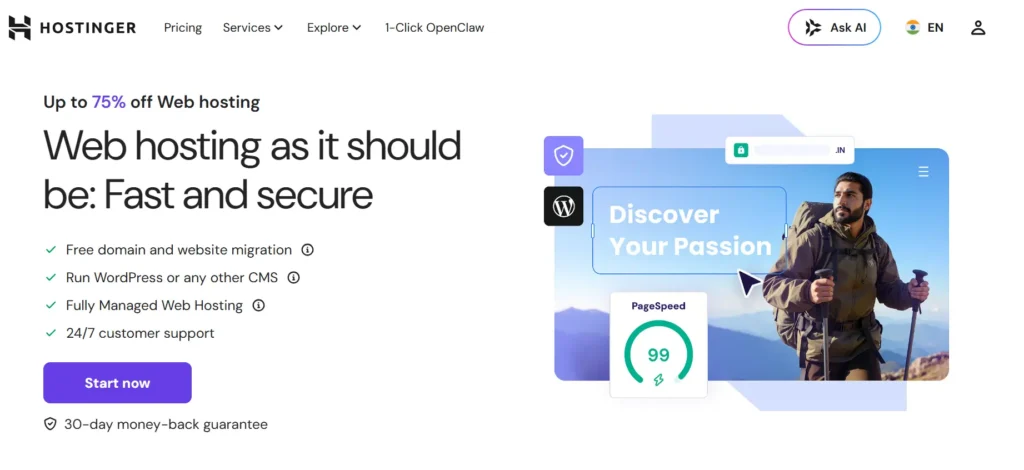
Hostinger has become one of the strongest names in the best cheap hosting 2026 category because its entry plans include more speed-focused technology than many traditional shared hosts.
The biggest difference is its LiteSpeed environment. Hostinger uses LiteSpeed web servers for Web and Cloud hosting, along with LiteSpeed Cache, Object Cache, NVMe storage on higher plans, and an in-house CDN.
Hostinger Performance and TTFB
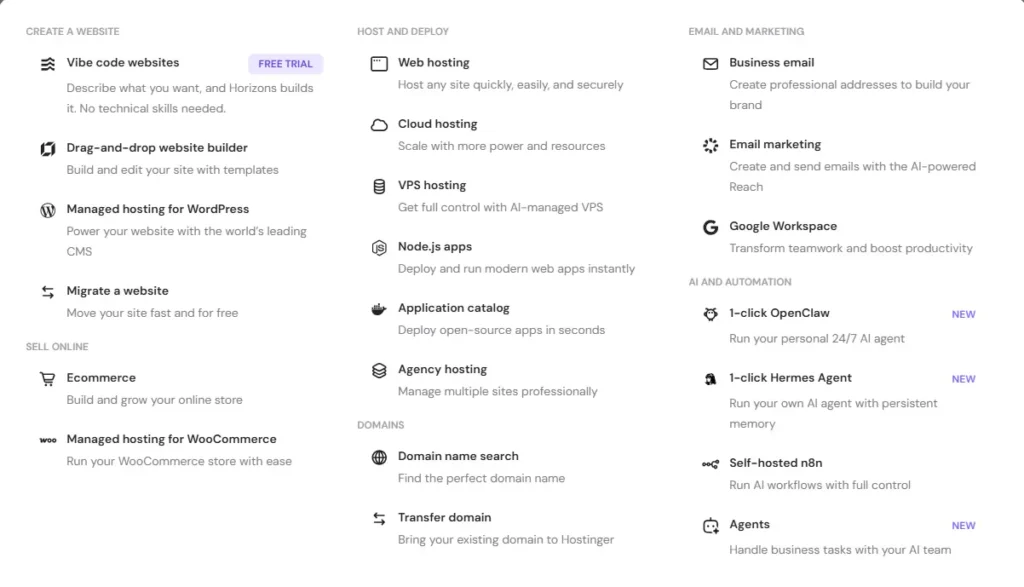
For WordPress sites, the server stack matters. LiteSpeed Cache can work at the server level, which is different from relying only on a basic plugin-based cache.
This helps reduce repeated PHP and database work for cached pages. It can improve TTFB, especially for content-heavy blogs, affiliate websites, review sites, and smaller WooCommerce stores with mostly anonymous visitors.
Hostinger’s Business plan is the more practical choice for websites that earn money. It includes 50 GB NVMe storage, daily and on-demand backups, a free CDN, and support for up to 50 websites.
Premium is suitable for smaller sites, but it uses standard SSD storage rather than NVMe and includes weekly backups. That is enough for a portfolio or early-stage blog, but Business offers better protection and more consistent performance headroom.
Hostinger also lists 13 data centers worldwide. Choosing a location near your main visitors can reduce latency before the CDN even serves cached files.
Hostinger hPanel
Hostinger does not use cPanel. It uses hPanel, its own custom dashboard for domains, WordPress, email, backups, databases, DNS, files, SSL, and performance tools.
hPanel is easier than cPanel for most beginners because it is built around common tasks rather than dozens of technical icons. Its WordPress Overview area gives users access to updates, maintenance tools, cache options, security features, and site settings.
For people managing affiliate sites or multiple niche websites, hPanel is practical because it makes it easy to jump between domains, check backup status, clear cache, manage PHP versions, and monitor basic resource use.
Hostinger Security and Backups
Hostinger includes free SSL certificates, a web application firewall, DDoS protection, malware-related protections, and 24/7 monitoring. Its technology page also lists Cloudflare integration and an in-house WAF within its hosting stack.
Backup coverage depends on the plan. Premium includes weekly automatic backups, while Business and Cloud Startup include daily and on-demand backups. For an ecommerce store, business website, or affiliate site receiving paid traffic, daily backups are a major reason to skip the entry plan.
Hostinger Pros
- LiteSpeed web servers and LiteSpeed Cache support
- NVMe storage on Business and Cloud plans
- Free CDN on Business and higher plans
- Beginner-friendly hPanel dashboard
- Global data center options
- Daily and on-demand backups on Business
- Low promotional pricing
- Useful for WordPress, affiliate websites, and multiple smaller sites
- Free domain and email benefits on qualifying terms
Hostinger Cons
- Premium has standard SSD storage, not NVMe
- Weekly backups on the Premium plan
- No phone support
- Renewal prices rise sharply after the first term
- Shared hosting can become restrictive for large WooCommerce stores
- Advanced staging and performance features require higher plans
DreamHost Review: Why It Is More Competitive Than Many People Expect
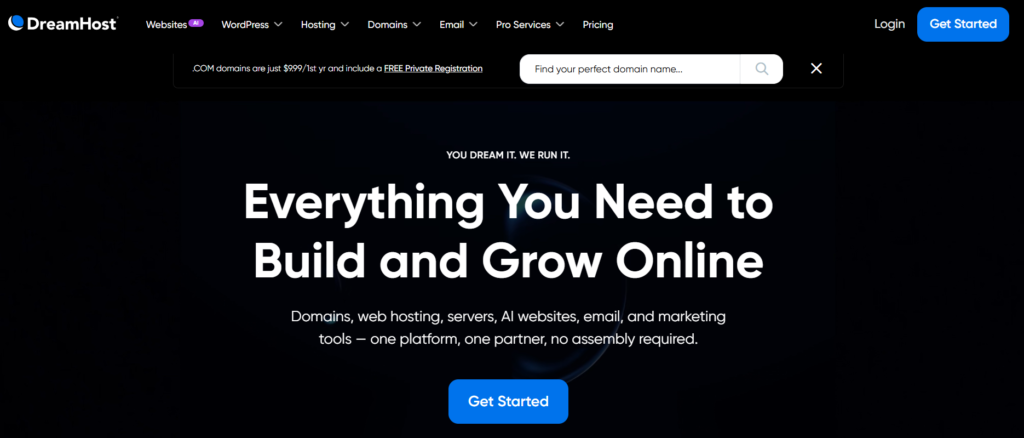
DreamHost has changed its web-hosting plans significantly. Older DreamHost reviews often discuss Shared Starter and Shared Unlimited, but those plans are no longer sold to new users.
Its current Web Hosting plans are Launch, Growth, and Scale. All three include NVMe SSD storage, unmetered bandwidth, daily automated backups, unlimited SSL certificates, and a free domain for the first year on eligible terms.
DreamHost Performance and Storage
DreamHost’s strongest improvement is the use of NVMe SSD storage across its web-hosting range. Launch includes 25 GB NVMe storage, Growth includes 50 GB, and Scale includes 100 GB.
NVMe storage can help with faster database reads, faster file operations, smoother WordPress admin performance, and quicker cache generation. It matters most for database-heavy sites, sites with many plugins, WooCommerce stores, and websites with regular content updates.
DreamHost does not position its standard web hosting around LiteSpeed or a built-in server-level WordPress cache in the same way Hostinger does. Its official performance documentation recommends options such as PHP OPcache, WordPress caching plugins, and a CDN through Bunny CDN or another provider such as Cloudflare.
That does not make DreamHost slow. A properly configured WordPress website using a good theme, image optimization, a cache plugin, and CDN can load quickly. But Hostinger gives users a more performance-focused WordPress stack out of the box.
DreamHost Panel
Like Hostinger, DreamHost does not use cPanel. It has the DreamHost Panel, an in-house dashboard designed for managing domains, websites, email, security, performance, and account settings from one place.
The panel also includes analytics, traffic information, security monitoring, and error-log tools. DreamHost positions it as an all-in-one management dashboard rather than a traditional hosting control panel.
For beginners, DreamHost Panel is clean and straightforward. However, Hostinger hPanel feels slightly more polished for users who mainly manage WordPress websites and want quick access to cache, staging, migration, and WordPress-specific controls.
DreamHost Backups and Security
DreamHost has a real advantage on entry-level backup coverage. Its Launch, Growth, and Scale web-hosting plans all include daily automated backups.
DreamHost also lists free SSL certificates, daily backups, DDoS protection, and malware scanning as included security features.
This makes DreamHost Launch more appealing than Hostinger Premium for a business website that needs daily recovery points but does not yet require Hostinger Business-level resources.
DreamPress: DreamHost’s Managed WordPress Upgrade
DreamHost also offers DreamPress, its managed WordPress hosting platform. DreamPress is separate from normal web hosting and includes managed WordPress features such as one-click staging, on-demand backups, locked backups, a free Essential CDN, failover protection, and WordPress-focused support.
DreamPress is useful for websites that outgrow standard shared hosting but are not ready for enterprise managed WordPress pricing. It gives DreamHost users a more direct upgrade path for a growing WooCommerce store, membership site, or high-traffic content website.
DreamHost Pros
- NVMe storage on all current web-hosting plans
- Daily automated backups even on Launch
- Up to 25 websites on the entry plan
- Unmetered bandwidth
- Free SSL certificates
- Lower renewal price than Hostinger Premium on long-term terms
- 100% uptime guarantee
- Easy DreamHost Panel
- DreamPress available for managed WordPress upgrades
- Free Essential CDN on DreamPress plans
DreamHost Cons
- Standard hosting does not use LiteSpeed servers
- CDN is not included with standard web-hosting plans
- WordPress cache setup is less streamlined
- Email is free for only the first three months on standard web hosting
- Fewer WordPress performance tools at the basic level
- DreamPress costs more than standard shared hosting
- Less appealing for users who want built-in LiteSpeed Cache and Object Cache
Hostinger vs DreamHost: Speed, TTFB, and Uptime
Is Hostinger faster than DreamHost? For most standard WordPress websites, Hostinger has the stronger speed advantage because LiteSpeed web servers, LiteSpeed Cache, Object Cache, NVMe storage, and its CDN can work together from one dashboard.
DreamHost can still deliver good results, especially with its NVMe storage, PHP OPcache, a WordPress cache plugin, and Bunny CDN or Cloudflare. However, the user usually has to make more optimization decisions manually on standard web hosting.
TTFB is not a fixed number. It changes based on server location, traffic levels, PHP version, database size, cache settings, theme quality, plugin load, CDN setup, and whether the visitor is logged in.
For a fair test, both hosts should use the same WordPress theme, plugins, images, CDN status, cache configuration, and server region. Comparing random speed tests from different websites is not a reliable way to choose a host.
DreamHost advertises a 100% uptime guarantee, while Hostinger advertises a 99.9% uptime guarantee. An uptime guarantee is an SLA commitment, not proof that one provider will always have better real-world uptime for every site.
hPanel vs DreamHost Panel
Choose Hostinger hPanel when you want:
- LiteSpeed Cache and Object Cache controls
- Easier WordPress management
- A built-in CDN on Business and higher plans
- Fast access to WordPress settings and performance tools
- Better workflow for several affiliate or content websites
Choose DreamHost Panel when you want:
- A simple custom dashboard
- Built-in traffic and security monitoring
- A clean alternative to cPanel
- Easy domain, website, and email management
- Daily backups without upgrading to a higher plan
Both panels are easier for beginners than traditional cPanel. Hostinger is more WordPress-performance-focused, while DreamHost is better for users who want simple hosting management and daily backups from the beginning.
Customer Support: Which Is Better?
Picture a familiar situation. You update a plugin before launching a campaign, and your website starts showing an error or loading slowly.
Hostinger offers 24/7 support through chat. Its support system is well suited for account setup, migrations, WordPress installation, domains, SSL, email configuration, backups, and general hosting problems.
DreamHost also provides 24/7 support, a knowledge base, and a community forum. It positions its in-house technical team as available for users across its hosting products.
Neither host is the best choice for someone who expects extensive phone-based support. Their strongest support experience is through online channels. For most simple WordPress problems, both are capable, but Hostinger feels more helpful when you are working through WordPress cache, migration, and performance-related issues.
Pricing and Renewal Secrets
Hostinger Premium starts at $2.99 per month on a 48-month term and renews at $10.99 per month. Business starts at $3.99 per month and renews at $16.99 per month.
DreamHost Launch starts at $1.99 per month on a four-year term and renews at $7.99 per month. Growth starts at $3.49 per month and renews at $8.99 per month.
DreamHost is cheaper at renewal for entry and mid-tier hosting. Hostinger Business costs more after renewal, but it includes stronger WordPress performance tools, a free CDN, daily on-demand backups, more mailboxes, and a LiteSpeed stack.
The smartest comparison is not Premium versus Launch. It is usually Hostinger Business versus DreamHost Growth.
Hostinger Business is better for speed-focused WordPress projects. DreamHost Growth is better for users who want 50 websites, daily backups, NVMe storage, and a lower renewal rate.
Best For Scenarios
| Situation | Better Choice | Why |
|---|---|---|
| New blogger | DreamHost Launch | Lower renewal cost, NVMe storage, and daily backups |
| WordPress affiliate site | Hostinger Business | LiteSpeed Cache, CDN, Object Cache, and NVMe storage |
| Portfolio website | DreamHost Launch | Affordable and supports up to 25 websites |
| Small business website | Hostinger Business | Faster WordPress stack and useful growth tools |
| Content publisher with many small sites | DreamHost Growth | Up to 50 websites with daily backups |
| Ecommerce startup | Hostinger Business | Better caching, CDN, and daily on-demand backups |
| Growing WooCommerce store | DreamPress or Hostinger Cloud | Depends on whether managed WordPress or extra resources matter more |
| International audience | Hostinger | More published global data center options |
| Website owner who values daily backups | DreamHost | Daily automated backups on all web-hosting plans |
Final Verdict: Hostinger vs DreamHost
For most WordPress users who care about speed, Hostinger is the better overall choice.
Its LiteSpeed server stack, LiteSpeed Cache, Object Cache, NVMe storage on Business plans, CDN, global data center options, and clean hPanel dashboard make it a strong choice for affiliate websites, blogs, small stores, and business sites.
DreamHost is not far behind. It is the better choice for users who want daily backups, NVMe storage, more website slots, unmetered bandwidth, and lower long-term renewal pricing.
Choose Hostinger when speed, caching, WordPress tools, and global performance matter most.
Choose DreamHost when daily backups, NVMe storage from the entry plan, website limits, and lower renewal costs matter more.
For the best cheap hosting 2026 comparison, Hostinger wins on performance tools. DreamHost wins on backup value and long-term pricing.
Hostinger vs DreamHost FAQs
Is Hostinger faster than DreamHost?
Hostinger is usually easier to optimize for WordPress speed because it uses LiteSpeed web servers, LiteSpeed Cache, Object Cache, and a built-in CDN on Business plans and above. DreamHost can still be fast, but its standard plans depend more on plugins and separate CDN setup.
Does DreamHost use cPanel?
No. DreamHost uses its own DreamHost Panel for domains, websites, email, security, analytics, and performance tools.
Does Hostinger use cPanel?
No. Hostinger uses hPanel, its custom dashboard for hosting, WordPress, domains, backups, emails, SSL, DNS, files, and caching tools.
Which host is better for WordPress?
Hostinger is better for most WordPress users who want a fast setup with LiteSpeed Cache and built-in performance tools. DreamHost is a good choice for users who value daily backups and may later upgrade to DreamPress managed WordPress hosting.
Which host includes daily backups?
DreamHost includes daily automated backups on Launch, Growth, and Scale web-hosting plans. Hostinger includes daily and on-demand backups on Business and Cloud plans, while Premium includes weekly backups.
Is DreamHost cheaper than Hostinger?
DreamHost has a lower entry-level promotional price and lower listed renewal price on its Launch and Growth plans. Hostinger Business costs more, but it includes more WordPress performance features, including LiteSpeed, a CDN, Object Cache, and on-demand backups.