
Choosing between Hostinger and Cloudways can be confusing because both promise fast websites, strong security, and easy WordPress hosting. The difference is that Hostinger is designed to deliver value at a low monthly cost, while Cloudways is built for users who want managed cloud resources, greater scalability, and less server work.
This Hostinger vs Cloudways comparison looks at what matters after your website is live: LiteSpeed performance, TTFB, NVMe storage, caching, backups, CDN options, support, dashboards, scaling, and long-term pricing.
Hostinger is the better fit for beginners, bloggers, affiliate sites, portfolios, and small businesses that want strong performance without paying cloud-hosting prices. Cloudways is better for busy WordPress sites, agencies, WooCommerce stores, and businesses that need more control over server resources without managing Linux servers directly.
Hostinger vs Cloudways: Quick Comparison
| Feature | Hostinger | Cloudways |
|---|---|---|
| Starting price | Premium starts at $2.99 per month on a 48-month term | Flexible hosting starts at $11 per month with DigitalOcean |
| Best-value plan | Business at $3.99 per month on a 48-month term | DigitalOcean Micro at $11 per month |
| Renewal pricing | Business renews at $16.99 per month | Pay-as-you-go monthly or hourly billing |
| Hosting type | Managed shared and cloud hosting | Managed cloud hosting platform |
| Storage | Business includes 50 GB NVMe storage | Storage depends on the cloud provider and server size |
| Server resources | Shared resources on Business; dedicated allocations on Cloud plans | Dedicated cloud-server resources based on your selected provider |
| Speed stack | LiteSpeed, LiteSpeed Cache, Object Cache, in-house CDN | NGINX, PHP-FPM, Varnish, Memcached, Redis options, Lightning Stack |
| Websites | Up to 50 websites on Business | Unlimited applications and websites per server, within available resources |
| Dashboard | hPanel | Cloudways Platform dashboard |
| Backups | Daily and on-demand backups on Business | Automated and on-demand backup tools |
| Support | 24/7 live chat support | 24/7 live chat and ticket support |
| Best for | Bloggers, affiliate sites, small businesses | Agencies, ecommerce stores, publishers, developers |
Hostinger Business includes 50 GB NVMe storage, daily and on-demand backups, a free CDN, and support for up to 50 websites. Cloudways’ DigitalOcean Micro plan starts with 1 vCPU, 2 GB RAM, 50 GB storage, and 2 TB bandwidth, while allowing multiple applications on the same server.
Hostinger Review: Why It Is Better for Budget WordPress Hosting
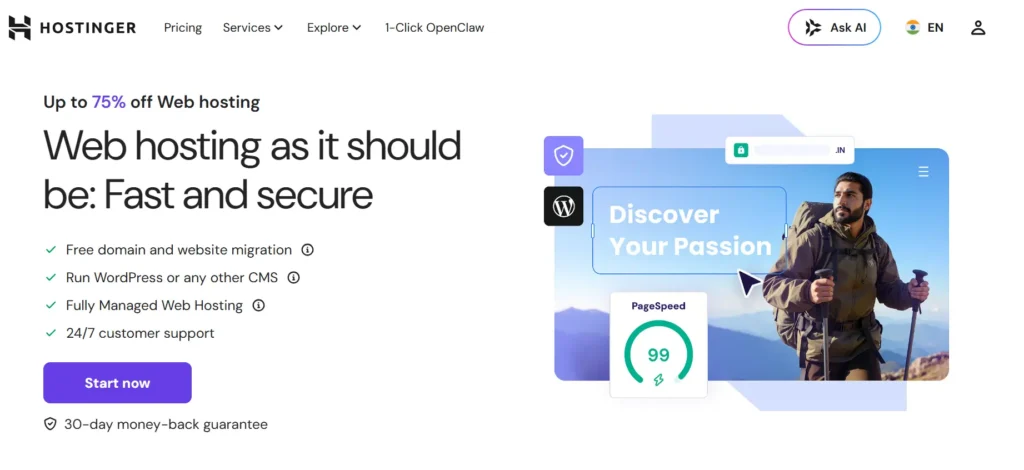
Hostinger is one of the strongest choices for users looking for fast, affordable WordPress hosting. It is not a raw cloud server platform. Instead, it gives you a managed environment where most common hosting tasks are already handled.
This makes it easier to launch WordPress, manage domains, create email accounts, activate SSL, restore backups, and improve site speed without needing server administration knowledge.
Hostinger Performance and LiteSpeed Technology
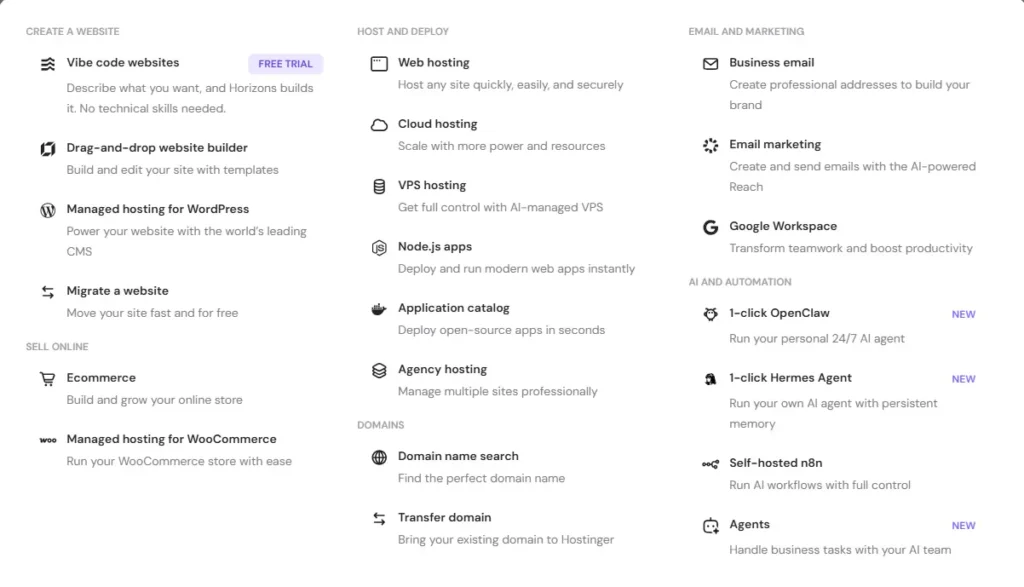
Hostinger’s main technical advantage is LiteSpeed Web Server. LiteSpeed is designed to handle high numbers of concurrent connections efficiently and works closely with the LiteSpeed Cache plugin for WordPress.
LiteSpeed Cache can manage page caching, browser caching, database optimization, CSS and JavaScript optimization, image optimization, and cache purging. For a normal content site, affiliate site, review website, or blog, this can reduce repeated server work and improve TTFB.
Hostinger also lets Business-plan users enable Object Cache. Object caching can reduce database load, which is helpful for WordPress sites with more plugins, larger databases, WooCommerce products, or repeated searches.
The Hostinger Business plan is the practical choice for websites that make money. It includes 50 GB NVMe storage, daily and on-demand backups, and a free CDN. Premium is cheaper, but it has 20 GB standard SSD storage and weekly backups.
Hostinger hPanel
Hostinger uses hPanel instead of cPanel. It is designed for people who want a straightforward dashboard rather than a long list of technical tools.
From hPanel, you can manage:
- WordPress installations and updates
- Domains and DNS records
- SSL certificates
- Email mailboxes
- File Manager and databases
- PHP versions
- LiteSpeed Cache settings
- Backups and restores
- Website staging on eligible plans
- CDN settings
- Resource usage
For beginners, hPanel is easier than Cloudways because most actions are visible from one dashboard. It is especially useful for people managing multiple affiliate websites or small client sites.
Hostinger Security and Backups
Hostinger includes free SSL certificates, DDoS protection, server monitoring, security updates, and a web application firewall within its managed hosting environment. Its Business plan also includes daily and on-demand backups, which is important for websites receiving paid traffic or publishing content regularly.
One thing to remember is that Hostinger Business is still shared hosting. It is well optimized, but your site does not receive the same dedicated server environment that Cloudways provides.
Hostinger Pros
- Affordable promotional pricing
- LiteSpeed Web Server and LiteSpeed Cache
- Object Cache on Business plans and above
- NVMe storage on Business and Cloud plans
- Free CDN on Business plans and above
- Daily and on-demand backups on Business
- Free domain on eligible terms
- Email mailboxes included for the first year
- Easy hPanel dashboard
- Good for WordPress, affiliate sites, blogs, and portfolios
Hostinger Cons
- High renewal pricing after the promotional term
- Premium plan only includes weekly backups
- Shared resources on standard web hosting plans
- No phone support
- Large WooCommerce stores may outgrow Business hosting
- Less flexibility for custom server setups
- Not ideal for advanced Laravel, Node.js, or custom application workflows
Cloudways Review: Why It Is Better for Managed Cloud Hosting
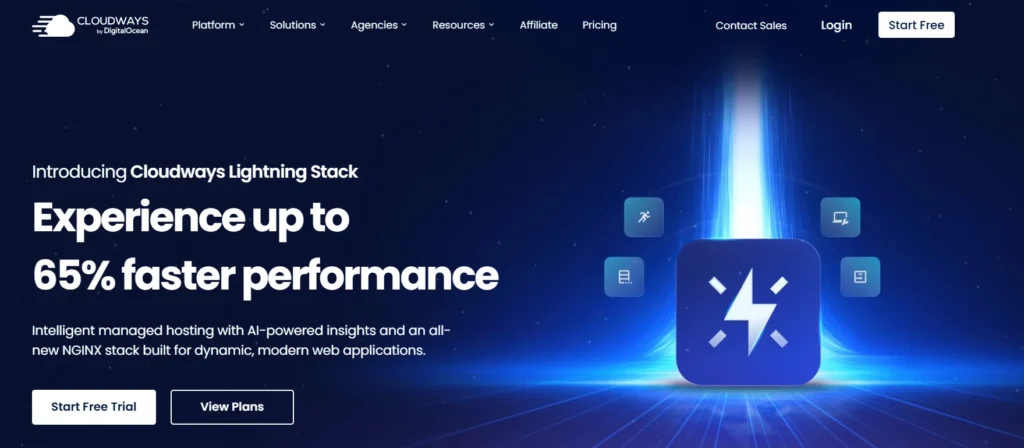
Cloudways is not traditional shared hosting. It is a managed cloud hosting platform that lets users deploy websites on infrastructure from DigitalOcean, Vultr, Linode, AWS, and Google Cloud.
You choose the cloud provider and server size, while Cloudways manages much of the server setup, web stack, firewall, backups, monitoring, caching, and support.
This makes Cloudways attractive for people who want dedicated cloud resources but do not want to configure a raw DigitalOcean or Vultr server themselves.
Cloudways Performance and Lightning Stack

Cloudways has traditionally used a performance stack built around NGINX, Apache, Varnish, PHP, MySQL or MariaDB, and Memcached. Its current documentation lists these packages as part of its standard server setup.
The company also promotes its newer Lightning Stack, which uses NGINX and PHP-FPM for improved handling of modern, dynamic web applications. Cloudways states that the stack is intended to improve request handling, scalability, and performance for applications such as WordPress, Magento, Laravel, and custom PHP websites.
Cloudways gives you more flexibility than Hostinger because you can choose infrastructure based on your needs.
For example, you can choose:
- DigitalOcean for affordable cloud resources
- Vultr for more location and high-frequency server choices
- Linode for balanced cloud performance
- AWS for larger infrastructure flexibility
- Google Cloud for enterprise-level cloud resources
Cloudways also allows you to scale your server as your traffic grows. This is useful when traffic spikes during product launches, seasonal sales, viral content, or high-performing affiliate campaigns.
Cloudways Dashboard
Cloudways does not use cPanel or hPanel. It has its own application-focused dashboard.
From the Cloudways Platform, you can:
- Launch WordPress, WooCommerce, Laravel, Magento, and PHP applications
- Create staging environments
- Clone servers and applications
- Manage SSL certificates
- Enable or clear Varnish cache
- Configure Redis and Memcached
- Set backup schedules
- Restore backups
- Monitor CPU, RAM, storage, and traffic
- Add team members
- Use SSH and SFTP
- Deploy with Git
- Scale server resources
The dashboard is more advanced than hPanel. It gives you more control, but it also has a steeper learning curve.
Cloudways is easier than managing a raw cloud server, but it is not as simple as Hostinger for a first-time website owner.
Cloudways Security and Backups
Cloudways includes server-level firewall protection, free SSL certificates, two-factor authentication, isolated application environments, automated backups, on-demand backups, monitoring, and security tools.
Some advanced features are optional paid add-ons. Cloudflare Enterprise CDN, SafeUpdates for WordPress, advanced malware protection, and priority support can increase the monthly cost.
This is an important difference. Hostinger includes more of its basic speed and backup tools in the Business plan. Cloudways gives you more control and a stronger cloud environment, but the total bill can grow as you add premium services.
Cloudways Pros
- Dedicated cloud server resources
- Choice of DigitalOcean, Vultr, Linode, AWS, and Google Cloud
- Scalable server resources
- Managed NGINX, Varnish, PHP-FPM, and caching stack
- Unlimited applications per server
- Staging and cloning tools
- Automated and on-demand backups
- Server monitoring and firewall protection
- Good for agencies and WooCommerce stores
- Pay-as-you-go billing
- Three-day free trial without a credit card
Cloudways Cons
- More expensive than Hostinger
- No bundled email hosting
- Advanced features can increase monthly costs
- Dashboard takes longer to learn
- No root access
- Performance depends partly on the cloud provider and selected server
- Basic users may not need the extra control
- You still need to manage WordPress plugins, themes, and website-level security
Hostinger vs Cloudways: Speed, TTFB, and Stress Testing
Is Hostinger faster than Cloudways?
For a basic WordPress blog, Hostinger Business can be extremely fast. LiteSpeed Cache, Object Cache, NVMe storage, and the free CDN give it a strong price-to-performance advantage.
For a busy WooCommerce store, large affiliate website, membership site, or content publisher with frequent traffic spikes, Cloudways can be the stronger option. Its dedicated server resources and managed cloud infrastructure give you more consistency when traffic rises.
TTFB depends on many variables:
- Server location
- WordPress theme
- Cache configuration
- Database size
- Number of active plugins
- WooCommerce activity
- Logged-in users
- Image optimization
- CDN setup
- External scripts
- Traffic spikes
Hostinger has data centers across Europe, Asia, North America, and South America. Cloudways can access more than 150 locations through its cloud-provider network, depending on the provider you choose.
For a fair Hostinger vs Cloudways speed test, both platforms should use the same WordPress theme, plugins, server region, CDN status, images, and cache settings. Comparing random public speed tests rarely gives useful answers because every website is configured differently.
hPanel vs Cloudways Dashboard
Choose Hostinger hPanel if you want:
- A simple dashboard for hosting, domains, email, and WordPress
- LiteSpeed Cache controls
- Built-in CDN access
- Easy backup restoration
- A lower-cost way to manage several websites
- Less technical setup
Choose Cloudways if you want:
- Dedicated server resources
- Control over server size and cloud provider
- Staging and cloning tools
- Redis, Memcached, Varnish, and PHP controls
- Server monitoring
- Better agency workflows
- Support for WordPress, Magento, Laravel, and custom PHP apps
Hostinger is easier. Cloudways is more flexible.
Customer Support: Which Host Is Better?
Imagine a plugin update breaks your website during a paid campaign. Your checkout page fails, affiliate links stop working, or a slow database query makes the site unusable.
Hostinger gives users 24/7 multilingual support through live chat. It is helpful for WordPress installation, domain issues, SSL, backups, migrations, DNS, emails, and common hosting problems.
Cloudways also includes 24/7 live chat and ticket support on all plans. Its support is more suited to server configuration, cache layers, cloud-server performance, staging, and application-level hosting issues.
For beginners, Hostinger support is usually easier to use because the platform itself is simpler. For agencies and technical site owners, Cloudways support is more valuable because it covers a more advanced cloud environment.
Pricing and Renewal Secrets
Hostinger wins clearly on initial pricing.
Its Premium plan starts at $2.99 per month on a 48-month term and renews at $10.99 per month. Business starts at $3.99 per month and renews at $16.99 per month. Cloud Startup starts at $7.99 per month and renews at $25.99 per month.
Cloudways starts at $11 per month through DigitalOcean. Its pricing is monthly and hourly, so there is no traditional four-year purchase or major renewal increase.
That does not automatically make Cloudways cheaper long term. You pay more every month, and optional upgrades can increase the bill.
The real comparison is this:
- Hostinger Business is better for low-cost WordPress performance.
- Hostinger Cloud Startup is good for users needing more resources without leaving Hostinger.
- Cloudways is better when you need dedicated cloud resources, scaling, staging, and more advanced server control.
Best For Scenarios
| Situation | Better Choice | Why |
|---|---|---|
| New blogger | Hostinger | Easier dashboard and lower starting cost |
| Affiliate website | Hostinger Business | LiteSpeed Cache, CDN, NVMe storage, and daily backups |
| High-revenue affiliate website | Cloudways | Dedicated resources and easier scaling |
| Portfolio website | Hostinger Premium | Affordable and simple to manage |
| Small business website | Hostinger Business | Strong performance without cloud pricing |
| WooCommerce startup | Hostinger Business | Good value while validating the business |
| Busy WooCommerce store | Cloudways | Better resource control, staging, and scalability |
| Digital agency | Cloudways | Cloning, staging, team tools, and multiple applications |
| Laravel or custom PHP app | Cloudways | Better application deployment and server flexibility |
| Website needing email hosting | Hostinger | Mailboxes included for the first year on eligible plans |
| Website with sudden traffic spikes | Cloudways | Easier cloud resource scaling |
Final Verdict: Hostinger vs Cloudways
For most bloggers, affiliate marketers, portfolio owners, and smaller businesses, Hostinger is the better overall choice.
It delivers a strong WordPress performance stack with LiteSpeed, LiteSpeed Cache, Object Cache, NVMe storage, daily backups, CDN access, email hosting, and a beginner-friendly dashboard at a much lower monthly cost.
For agencies, larger WooCommerce stores, high-traffic publishers, and businesses that need more server power, Cloudways is the stronger platform.
Cloudways costs more, but it gives you dedicated cloud resources, stronger scaling options, staging tools, application cloning, advanced caching layers, and a choice of cloud providers.
Choose Hostinger when affordability, ease of use, and fast WordPress hosting are your main priorities.
Choose Cloudways when your website is growing fast and you need managed cloud resources without becoming a server administrator.
For the best cheap hosting in 2026, Hostinger is the smarter choice. For managed cloud hosting with more control and growth potential, Cloudways is the better investment.
Hostinger vs Cloudways FAQs
Is Hostinger faster than Cloudways?
Hostinger can be faster for smaller WordPress websites because LiteSpeed Cache, Object Cache, NVMe storage, and CDN tools are already included on Business plans. Cloudways is often stronger for high-traffic or dynamic websites because it provides dedicated cloud-server resources and more advanced caching options.
Is Cloudways worth more than Hostinger?
Cloudways is worth the higher cost for agencies, WooCommerce stores, high-traffic sites, and businesses that need cloud scalability. For a small blog, portfolio, or new affiliate site, Hostinger usually provides better value.
Does Cloudways use cPanel?
No. Cloudways uses its own dashboard for server management, applications, backups, staging, SSL, monitoring, and cache controls. Hostinger uses hPanel instead of cPanel.
Does Cloudways include email hosting?
Cloudways does not include standard email hosting with its base plans. It offers email services as optional add-ons, while Hostinger includes a limited number of mailboxes free for the first year on eligible plans.
Which is better for WooCommerce, Hostinger or Cloudways?
Hostinger Business is a good choice for a smaller WooCommerce store. Cloudways is better for busy stores with frequent orders, more plugins, logged-in users, larger databases, and traffic spikes.
Can I move from Hostinger to Cloudways?
Yes. Cloudways offers a free first website migration handled by its migration team. Hostinger also offers free website migration for users moving to its platform.