
Choosing a host is frustrating because every provider claims to be fast, reliable, and beginner friendly. The real question is whether the host gives you good performance after the discount ends, whether the dashboard saves time, and whether your website stays stable when traffic starts growing.
In this Hostinger vs Bluehost comparison, I look at the areas that matter most for bloggers, affiliate sites, business websites, portfolios, and small online stores: speed, storage, uptime, support, security, control panels, and renewal pricing.
Both brands are popular budget hosting choices. However, Hostinger is usually the stronger choice for users who care about a fast WordPress setup, LiteSpeed technology, flexible server locations, and lower overall costs. Bluehost still has a place for beginners who prefer cPanel, phone support, and a more traditional hosting experience.
Hostinger vs Bluehost: Quick Comparison
| Feature | Hostinger | Bluehost |
|---|---|---|
| Starting price | Promotional shared-hosting pricing starts around $3.99 per month on a 12-month term | Starter plan begins at $3.99 per month on a 36-month term |
| Renewal pricing | Premium renews around $10.99 per month and Business around $16.99 per month | Starter renews at $9.99 per month on a 36-month renewal term, while Business renews at $13.99 per month |
| Speed setup | LiteSpeed web servers, LiteSpeed Cache, caching tools, CDN on qualifying plans | NVMe storage, static caching, object caching, and free CDN |
| Storage type | NVMe SSD storage on current web-hosting plans | NVMe SSD storage on current shared plans |
| Control panel | Custom hPanel | Bluehost dashboard plus cPanel access |
| Support | 24/7 chat and knowledge base | 24/7 chat, with phone support included on higher plans |
| Backups | Weekly backups on web hosting, daily backups on Business and higher plans | Weekly backups listed on shared plans; daily backups on select WooCommerce plans |
| Best for | Budget WordPress sites, affiliate sites, blogs, global audiences | Beginners who prefer cPanel and access to phone support |
Hostinger’s public plan materials highlight LiteSpeed hosting, NVMe storage, managed WordPress tools, and a 99.9% uptime guarantee. Bluehost’s current shared plans advertise NVMe storage, CDN access, managed WordPress updates, caching, weekly backups, malware scanning, a web application firewall, and DDoS protection.
Hostinger Review: Why It Is Winning for Budget Hosting
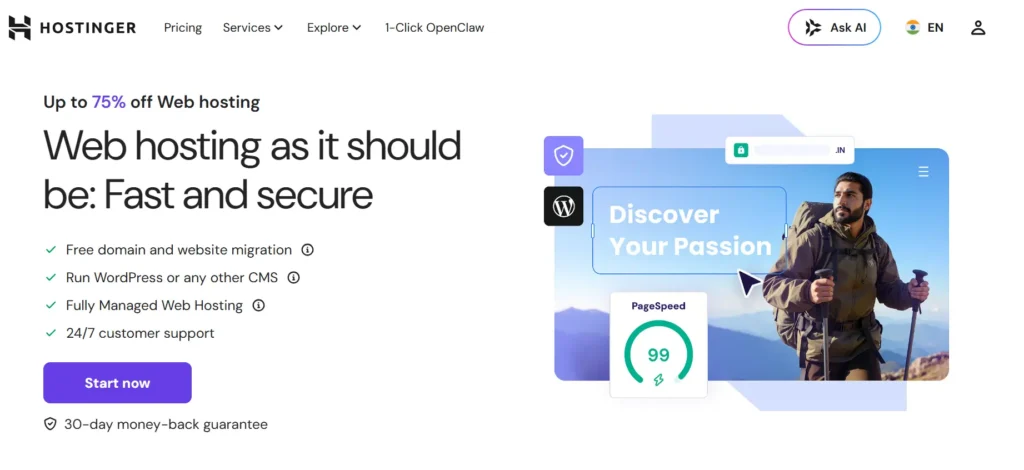
Hostinger has become one of the strongest names in the best cheap hosting 2026 category because it does not feel as limited as many low-cost providers. Its plans are built around fast WordPress performance, a clean dashboard, and useful tools that reduce the number of paid plugins beginners need.
The biggest technical advantage is the use of LiteSpeed web servers. LiteSpeed is not just a marketing label. For WordPress websites, it works especially well with the LiteSpeed Cache plugin, which supports page caching, image optimization, database cleanup, object caching, and other speed improvements from one place.
Hostinger automatically installs LiteSpeed Cache for WordPress users, making it easier to get a reasonable performance baseline without manually setting up multiple caching plugins.
Hostinger Performance and Speed
Is Hostinger faster than Bluehost? For a typical WordPress blog or affiliate site, Hostinger often has the better starting setup because LiteSpeed Cache is tightly connected to its server environment.
TTFB, or Time to First Byte, is one of the most useful numbers to watch when testing a host. It measures how quickly the server starts responding before the full page loads. A low TTFB does not guarantee a fast website, but a poor TTFB usually creates a slow experience even when you optimize images and use a lightweight theme.
A fair host comparison should use:
- The same WordPress theme
- The same plugins
- The same server region
- The same CDN status
- Warm-cache and cold-cache testing
- The same traffic simulation
That is why no honest Hostinger review or Bluehost review should promise one fixed TTFB number for every website. An uncached WooCommerce store, a heavy Elementor site, and a simple GeneratePress blog will produce very different results.
Hostinger gives users more location flexibility. Its infrastructure includes data centers in the United States, the United Kingdom, France, Germany, the Netherlands, Lithuania, India, Singapore, Indonesia, and Brazil. Choosing a location close to your main visitors can reduce latency before CDN caching even starts.
Hostinger hPanel
Hostinger uses hPanel instead of cPanel. At first, users who are used to traditional hosting dashboards may find this unusual. After a few days, hPanel is usually easier for beginners because it is organized around actual website tasks rather than showing dozens of technical icons.
From hPanel, you can manage:
- WordPress installations
- Domains and DNS records
- Email accounts
- File Manager and FTP
- Backups and restores
- Cache settings
- PHP versions
- SSL certificates
- Staging environments on eligible plans
- Website performance and security tools
The WordPress Overview section is especially useful because it puts updates, plugins, themes, cache controls, and WordPress settings in one area.
Hostinger Security and Backups
Hostinger includes SSL certificates, DDoS protection, web application firewall coverage, and automated backups. Business hosting and higher plans are more suitable for revenue-generating websites because they include daily backups rather than weekly backups.
All web and cloud hosting plans receive automated weekly backups. Business plans and above receive daily backups, which matters if you publish content regularly or accept customer orders.
Its CDN also includes an Under Attack mode that can show browser challenges during suspected DDoS attacks. That is useful for websites running paid traffic, affiliate campaigns, or promotions that may attract invalid traffic spikes.
Hostinger Pros
- LiteSpeed web servers and LiteSpeed Cache support
- NVMe storage on current web hosting plans
- hPanel is easier for many beginners
- Wide selection of server locations
- Competitive entry pricing
- Daily backups available on Business plans and higher
- Good choice for WordPress blogs and affiliate websites
- CDN and extra security tools on qualifying plans
Hostinger Cons
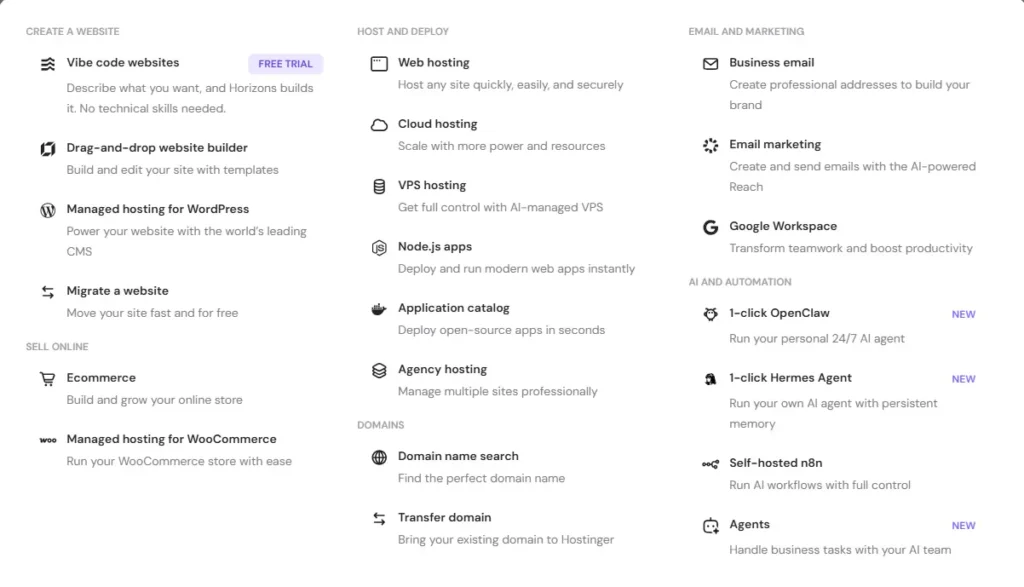
- No traditional cPanel on standard hosting plans
- Phone support is not the main support channel
- Renewal prices are much higher than promotional rates
- Some performance features require Business hosting or above
- Large WooCommerce stores may eventually need cloud hosting or VPS
Bluehost Review: Where Bluehost Still Makes Sense
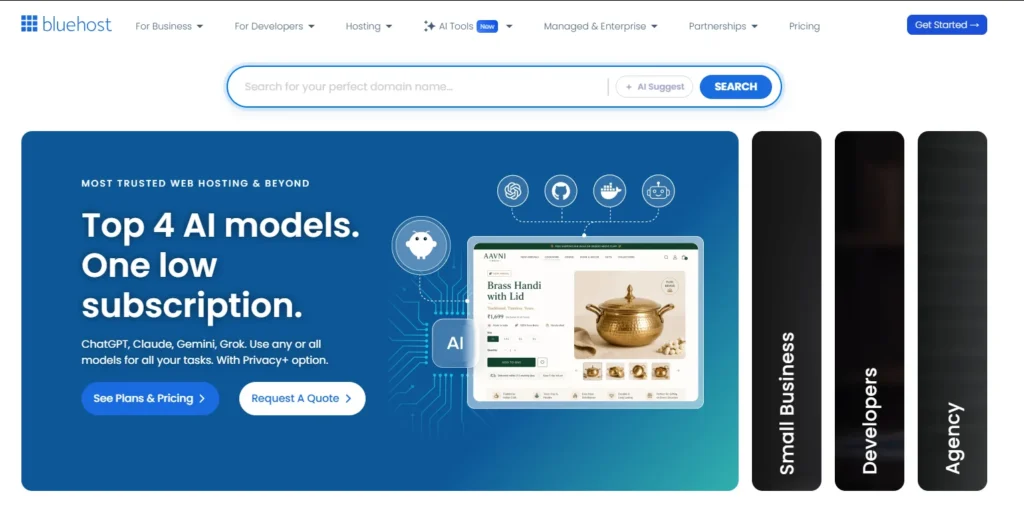
Bluehost is one of the oldest mainstream hosting brands, and it continues to appeal to people who want a familiar setup. It has improved its entry-level platform with NVMe storage, free CDN access, managed WordPress updates, caching, and broader security features.
The current Starter plan includes support for up to 10 websites, 10 GB NVMe SSD storage, free domain registration for the first year, free CDN, SSL, malware scanning, a web application firewall, DDoS protection, weekly backups, SSH, WP-CLI, and WordPress staging tools.
That is a stronger entry-level package than the older Bluehost plans many reviews still describe.
Bluehost Performance and Storage
Bluehost now uses NVMe SSD storage on its shared plans. NVMe storage helps with faster disk access, which can improve database queries, file operations, WordPress admin responsiveness, and cache generation.
Bluehost also lists static caching and object caching on its shared plans. These features can reduce repeated server work, especially on WordPress sites with many recurring visitors.
Still, Hostinger has the stronger performance story for WordPress users because LiteSpeed Cache is one of the simplest ways to get full-page caching, browser caching, image optimization, and server-level cache handling in one setup.
Bluehost Dashboard and cPanel
Bluehost uses its own modern dashboard but continues to provide cPanel access. This is a major reason some users still prefer it.
cPanel is familiar to developers, freelancers, and users moving from another traditional shared host. It gives direct access to email settings, file management, databases, PHP tools, cron jobs, redirects, and more advanced server controls.
Bluehost users can access cPanel directly from their hosting dashboard.
For someone who has managed websites for years, cPanel may feel more flexible. For a first-time website owner, hPanel is usually less intimidating.
Bluehost Customer Support
Picture a common hosting problem. You update a plugin, your checkout page fails, and you have a paid campaign running. You do not want to search five help articles before speaking to someone.
This is where Bluehost has an advantage for users who value phone support. Its Business and eCommerce plans include phone support, alongside 24/7 chat. The lower Starter plan lists chat support but not phone support.
Hostinger’s chat-based support works well for common tasks such as DNS changes, WordPress installation, SSL issues, and migration questions. But users who simply prefer calling a human may feel more comfortable with Bluehost’s higher-tier plans.
Bluehost Security and Backups
Bluehost’s current shared hosting page lists free Let’s Encrypt SSL, malware scanning, malware detection and removal, WAF protection, DDoS protection, and weekly backups. Higher plans add AI-powered malware detection and removal, as well as domain privacy for the first year.
This is a good security stack for a beginner website. Still, I would not rely only on your hosting provider’s backup system. Keep a separate offsite backup through a WordPress backup plugin or cloud storage account. Hosting backups are helpful, but independent backups give you more control.
Bluehost Pros
- cPanel access for traditional hosting users
- NVMe SSD storage on current shared plans
- Free CDN, SSL, and WordPress tools
- Phone support available on Business and eCommerce plans
- Free domain for the first year on qualifying terms
- Useful WooCommerce and commerce-focused plans
- 99.99% uptime guarantee for shared hosting
Bluehost Cons
- Entry plan has only 10 GB storage
- Phone support is not included with the Starter plan
- Renewal costs rise sharply after the initial term
- Performance setup is not as LiteSpeed-focused as Hostinger
- Best introductory price requires a long billing commitment
Hostinger vs Bluehost: Speed, Uptime, and Stress Testing
Bluehost advertises a 99.99% uptime guarantee for shared hosting. Hostinger advertises a 99.9% uptime guarantee. On paper, Bluehost has the stronger SLA.
But uptime is only one part of the picture. A website can technically be online while still feeling slow because of high server response times, overloaded shared resources, slow database calls, or poorly configured caching.
For speed-focused WordPress sites, Hostinger has the better overall setup because of:
- LiteSpeed web servers
- LiteSpeed Cache integration
- Global data center selection
- CDN availability on Business plans and above
- Object caching on higher plans
- NVMe storage
Bluehost can still perform well for a basic website, especially when the CDN and caching features are enabled. But Hostinger gives more performance tools to users who want to optimize without moving immediately to expensive managed WordPress hosting.
Hostinger hPanel vs Bluehost cPanel
This comparison comes down to experience level.
Choose Hostinger hPanel if you want:
- A cleaner beginner dashboard
- Simple WordPress controls
- Easy backup and cache management
- Less technical clutter
- Faster access to common tasks
Choose Bluehost cPanel if you want:
- A familiar industry-standard panel
- More direct control over server settings
- Easier migration from another cPanel host
- Traditional email, database, and file management tools
- A setup commonly used by freelancers and developers
hPanel is easier. cPanel is more familiar and slightly more flexible for experienced users.
Pricing and Renewal Secrets
The biggest hosting mistake is looking only at the first promotional price.
Hostinger’s promotional pricing can start around $3.99 per month on a 12-month term, but its Premium renewal rate is around $10.99 per month and Business renewal is around $16.99 per month.
Bluehost starts at $3.99 per month on a 36-month Starter term and renews at $9.99 per month for a 36-month renewal period. Its Business plan starts at $6.99 per month and renews at $13.99 per month on the same renewal term. Shorter renewal terms cost more.
Neither company is hiding the fact that renewals cost more. The problem is that many buyers do not notice the renewal amount until the second or third year.
For the best value:
- Buy the longest term only if you are confident in the project
- Screenshot the renewal price before checkout
- Avoid unnecessary add-ons at signup
- Use a separate backup solution
- Upgrade only when resource usage proves you need it
Hostinger is usually more transparent in the day-to-day experience because its plans make it easier to see what is included and which features need a higher tier. Bluehost is still competitive, but its Starter plan can feel restrictive once you need phone support, more storage, or stronger security features.
Best For Scenarios
| Situation | Better Choice | Why |
|---|---|---|
| New blogger | Hostinger | Lower-cost performance stack and easier hPanel dashboard |
| Affiliate website | Hostinger | LiteSpeed Cache, NVMe storage, CDN options, and server-location flexibility |
| Portfolio website | Hostinger | Simple setup, low cost, fast loading pages |
| WordPress beginner who wants phone help | Bluehost | Phone support on Business and eCommerce plans |
| Developer moving from cPanel hosting | Bluehost | Familiar cPanel workflow |
| Small WooCommerce store | Hostinger Business or Bluehost eCommerce | Hostinger for speed, Bluehost for bundled commerce tools |
| Growing business site | Hostinger Cloud or Bluehost Business | Choose based on traffic, support needs, and technical preferences |
| Website with international visitors | Hostinger | Wider published data center coverage |
Final Verdict: Hostinger vs Bluehost
For most people, Hostinger is the better overall choice in 2026.
It offers a stronger WordPress performance setup, LiteSpeed servers, LiteSpeed Cache integration, global server locations, an easy hPanel dashboard, and a better path for bloggers, affiliate marketers, portfolio owners, and small businesses that care about loading speed.
Bluehost is still a good option. It makes sense for users who want cPanel, access to phone support on higher plans, and bundled tools for a beginner WordPress or WooCommerce website.
Choose Hostinger if speed, value, LiteSpeed caching, and ease of use matter most.
Choose Bluehost if you prefer cPanel, want phone support, or are more comfortable with a traditional hosting dashboard.
For the best cheap hosting 2026, Hostinger is the stronger recommendation for most WordPress users. Bluehost remains a practical alternative, but Hostinger gives you more performance-focused value at the budget end of the market.
Hostinger vs Bluehost FAQs
Is Hostinger faster than Bluehost?
For many WordPress websites, Hostinger has the better speed foundation because it uses LiteSpeed web servers and supports LiteSpeed Cache. Bluehost has NVMe storage, CDN access, static caching, and object caching, but Hostinger is usually easier to optimize for faster server response times.
Is Bluehost better than Hostinger for beginners?
Bluehost is good for beginners who want cPanel and phone support. Hostinger is better for beginners who want a cleaner dashboard, easier WordPress controls, and a performance-focused setup without technical complexity.
Does Hostinger use cPanel?
No. Hostinger uses hPanel on its standard hosting plans. hPanel is custom built and designed to simplify website management for beginners.
Does Bluehost include cPanel?
Yes. Bluehost provides a modern account dashboard with access to cPanel for hosting management. This can be useful for users moving from another traditional shared hosting provider.
Which host is better for WooCommerce?
Hostinger Business is better for a smaller WooCommerce site that needs speed, daily backups, and LiteSpeed optimization. Bluehost eCommerce plans are worth considering if you want built-in commerce tools such as subscriptions, memberships, and payment features.
Are Hostinger and Bluehost renewal prices high?
Yes. Both companies use discounted introductory pricing followed by higher renewal pricing. Always check the renewal amount before purchasing, especially when selecting annual or multi-year billing.