
Choosing a web host is simple until you start comparing plans. Every provider claims fast loading times, strong security, and beginner friendly tools. The difference usually appears after checkout, when you see renewal pricing, storage limits, backup rules, and the work required to manage a growing site.
Hostinger stands out because it puts many useful features into affordable plans. It is built for bloggers, small businesses, portfolio sites, affiliate websites, and people launching their first WordPress project.
You get a free domain for the first year on qualifying plans, free SSL, website migration, a simple control panel, email mailboxes for the first year, and WordPress tools without paying for a separate managed hosting package.
The catch is that the lowest prices require a long prepaid term. That does not make Hostinger a bad deal, but it is something every buyer should understand before choosing a plan.
This Hostinger review looks closely at pricing, features, WordPress management, backups, support, and the situations where another provider may make more sense.
Hostinger Review: Quick Verdict
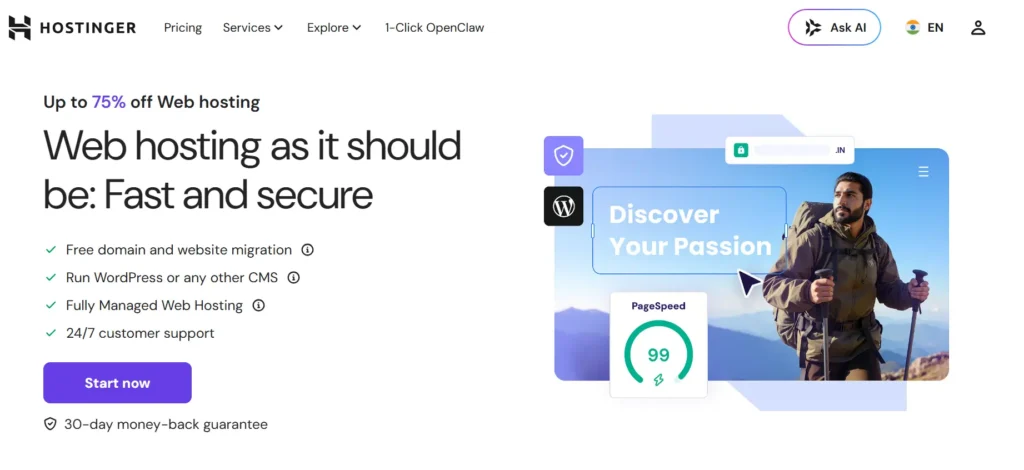
Hostinger is one of the strongest choices for people who want affordable hosting without starting on a bare bones plan. Its Business plan is the best fit for most serious website owners because it adds NVMe storage, daily and on demand backups, a CDN, and more room for multiple sites.
Choose Hostinger if you want to launch WordPress quickly, host several smaller sites on one account, or avoid the higher entry cost of premium managed WordPress providers. Choose a VPS or a more specialized platform if you need root control, heavy custom applications, or a busy ecommerce store with unpredictable traffic.
| Category | Hostinger at a glance |
|---|---|
| Best for | Beginners, bloggers, affiliate sites, portfolios, small businesses, and growing WordPress sites |
| Starting web hosting price | $2.99 per month on the 48 month Premium term |
| Best value plan | Business |
| Free domain | Included for the first year on qualifying terms and eligible extensions |
| Backups | Weekly on Premium, daily and on demand on Business and Cloud Startup |
| Website limit | 3 on Premium, 50 on Business, 100 on Cloud Startup |
| Support | 24/7 online support, with no phone support |
| Refund window | 30 days for eligible hosting purchases |
Hostinger Pricing and Plans
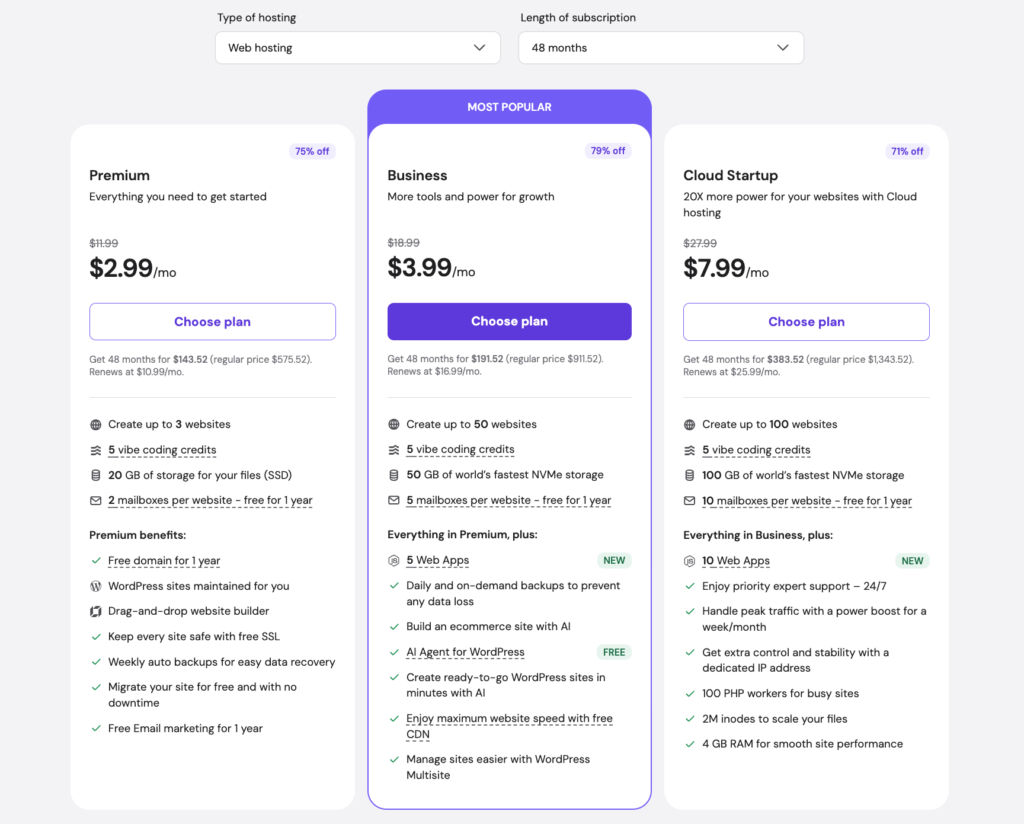
Hostinger uses promotional pricing, which means the number shown as a monthly price is based on a longer subscription paid upfront. The current figures below use the 48 month term and exclude taxes. Prices can differ by country, currency, billing term, and sale period, so readers should always confirm the total shown at checkout.
| Plan | Intro price per month | Upfront total for 48 months | Renewal price per month | Websites | Storage | Email included for first year | Best for |
|---|---|---|---|---|---|---|---|
| Premium | $2.99 | $143.52 | $10.99 | Up to 3 | 20 GB SSD | 2 mailboxes per website | New sites, blogs, portfolios |
| Business | $3.99 | $191.52 | $16.99 | Up to 50 | 50 GB NVMe | 5 mailboxes per website | Growing WordPress sites, small businesses, affiliate publishers |
| Cloud Startup | $7.99 | $383.52 | $25.99 | Up to 100 | 100 GB NVMe | 10 mailboxes per website | Larger sites, agencies, traffic growth |
Hostinger Premium
Premium is the entry point for people who need more than a single basic site. It supports up to three websites and includes 20 GB of SSD storage, two mailboxes per website for the first year, a free domain for the first year on qualifying terms, free SSL, weekly backups, and free migration.
This plan works well for a personal portfolio, brochure site, small content blog, or a first WordPress project. It gives beginners a practical set of tools without forcing them into a more expensive plan on day one.
Still, the weekly backup schedule is the main reason many business owners should look at Business instead. A site that publishes often, takes enquiries, or accepts orders has more to lose between two weekly restore points.
Hostinger Business
Business is the plan most people should choose. The difference between Premium and Business is not just a larger website limit. Business includes 50 GB of NVMe storage, up to 50 websites, five email mailboxes per website for the first year, daily and on demand backups, a free CDN, WordPress Multisite support, and up to five managed Node.js apps.
For an online store, a content heavy affiliate site, or a business site that receives regular leads, daily backups are valuable. The ability to create an on demand backup before a plugin update, design change, or migration can save a lot of trouble. The CDN is also useful for audiences located far from your main server region.
The Business plan costs only $48 more than Premium over the full 48 month introductory term. For most site owners, that difference is justified by the backup protection and more capable storage.
Hostinger Cloud Startup
Cloud Startup is for people who have outgrown shared hosting but do not want to manage a VPS. It supports up to 100 websites, has 100 GB of NVMe storage, 10 email mailboxes per website for the first year, a dedicated IP address, priority expert support, 4 GB of RAM, 100 PHP workers, and an inode limit of two million.
This plan is a sensible step for an agency with several client sites, an established publisher, or a store that expects busier periods. It can also suit users whose sites need more stable resources than a standard shared plan can provide.
Do not choose Cloud Startup only because it sounds more powerful. A small company website or a new blog will not use its extra capacity. The Business plan remains the more cost effective choice for most users.
What Features Do You Get With Hostinger?
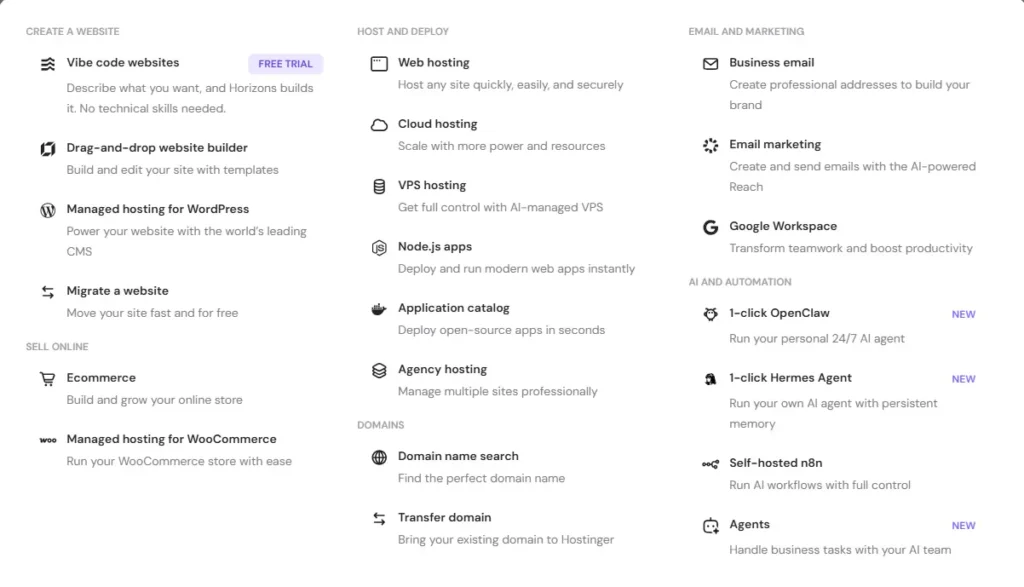
Hostinger includes more than server space. The web hosting plans are designed to help non technical users build, publish, secure, and manage a site from one account.
| Feature | Premium | Business | Cloud Startup |
|---|---|---|---|
| Free SSL | Yes | Yes | Yes |
| Free domain for first year | Yes on qualifying terms | Yes on qualifying terms | Yes on qualifying terms |
| Website migration | Yes | Yes | Yes |
| WordPress management | Yes | Yes | Yes |
| Website builder | Yes | Yes | Yes |
| Weekly backups | Yes | Yes | Yes |
| Daily backups | No | Yes | Yes |
| On demand backups | No | Yes | Yes |
| Free CDN | No | Yes | Yes |
| Managed Node.js apps | No | Up to 5 | Up to 10 |
| Dedicated IP | No | No | Yes |
| Priority expert support | No | No | Yes |
WordPress Setup and Management
WordPress is one of Hostinger’s strongest areas. You can install WordPress during setup, connect a domain, select a server location, and start building without dealing with manual database creation. Hostinger also gives you a WordPress Overview area inside hPanel, where you can review updates and manage themes and plugins without constantly moving between separate dashboards.
This is helpful for beginners, but it also saves time for experienced users managing several small sites. You can use the normal WordPress dashboard when you want full control, while hPanel keeps hosting tasks, domains, files, backups, email, and security settings in one place.
Hostinger also documents a WordPress staging process in hPanel. Staging is useful when you want to test a major design change, new plugin, or custom code away from your live site. Before relying on it for a production workflow, check your specific plan and account options because availability can vary by service and account setup.
Website Builder and Ecommerce Tools
Not everybody wants WordPress. Hostinger includes a drag and drop website builder for users who want a simple portfolio, landing page, service website, or small online store. You can choose a template, edit sections visually, connect a domain, and publish without dealing with themes, plugin updates, or hosting files.
The Business plan adds ecommerce focused tools, making it a better starting point for a small store. That said, WordPress with WooCommerce is usually the more flexible option when you expect to need a large catalog, advanced shipping rules, complicated payments, subscriptions, or custom integrations.
The builder is best for speed and simplicity. WordPress is better when content, plugins, and long term flexibility matter more.
hPanel and Developer Tools
Hostinger uses hPanel on most of its web and cloud hosting plans rather than standard cPanel. hPanel is clean and easy to learn. You can manage domains, DNS, files, databases, email, backups, SSL, redirects, PHP settings, and security features from the same screen.
For a beginner, hPanel is usually easier than cPanel because it removes some of the clutter. For a user who has spent years with cPanel, there can be a short adjustment period. The basic tasks are familiar, but menu names and locations are different.
Hostinger also offers tools that make the platform workable for developers and advanced users. Depending on your plan, this includes SSH and SFTP access, PHP version controls, database management, Git access, cron jobs, and Node.js applications. Business includes up to five managed Node.js apps, while Cloud Startup includes up to ten.
Hostinger Performance and Server Locations
A hosting plan cannot fix an unoptimized website. Large image files, too many plugins, poor themes, unnecessary tracking scripts, and slow external tools can make even an expensive server feel slow. Still, Hostinger gives you a useful performance foundation through SSD or NVMe storage, caching support, and a CDN on Business and Cloud Startup.
The practical advantage of Business is the move from SSD to NVMe storage, plus the included CDN and daily backup system. It is a better fit for websites that publish frequently, use larger media libraries, or have visitors from several countries.
Hostinger has web and cloud server locations in France, Germany, Lithuania, the Netherlands, the United Kingdom, India, Indonesia, Malaysia, the United States, and Brazil. You can choose a location close to your main audience when setting up your hosting. Active web and cloud plans can also be moved to another server location from hPanel, subject to availability.
For an India focused site, an India region is usually the logical first choice. For a site serving mostly American visitors, choose a United States location. This does not replace a CDN, but it helps reduce the distance between your visitors and the origin server.
Security, SSL, and Backups
Hostinger includes free SSL on its web hosting plans, which is essential for visitor privacy, browser trust, and basic search visibility. It also offers backup options that improve as you move up the plan range.
Premium includes weekly automatic backups. Business and Cloud Startup include daily automatic backups and on demand backups. On demand backups are especially useful before updating WordPress, changing a theme, testing a new plugin, or making large edits to an ecommerce site.
Backups are valuable, but they should not be your only recovery plan. Keep an independent copy of critical site files and databases, especially before major updates or site moves. Hosting backups can help restore a site, but a separate copy gives you more control when something goes wrong.
Hostinger Customer Support
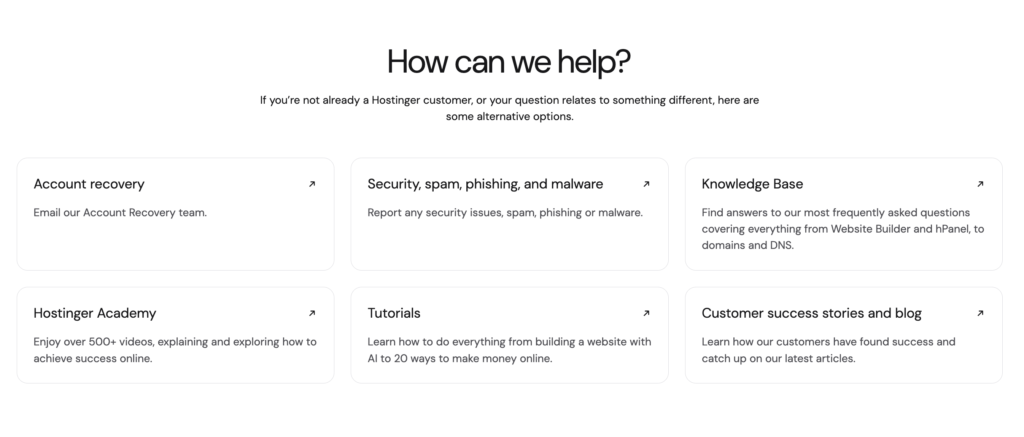
Hostinger provides 24/7 online support and has a broad support center with guides for WordPress, domains, email, files, databases, backups, SSL, PHP, and server settings. It also has an AI assistant called Kodee inside parts of the platform to help with basic questions and account tasks.
The main limitation is phone support. Hostinger does not offer it. This is not a deal breaker for users who are comfortable with live chat, email, help guides, and screenshots. It can be frustrating for someone who wants to speak directly with a technician during a complex outage.
Business and Cloud Startup users should find the online support setup more than adequate for normal website work. People who strongly prefer phone based help may be happier with a host that offers it.
Hostinger Pros and Cons
Pros
• Low introductory pricing when you choose a longer billing term
• Useful starter features such as SSL, migration, a free domain for the first year, website builder access, and email mailboxes
• Business plan includes daily and on demand backups, CDN, NVMe storage, and room for up to 50 sites
• hPanel is clean and easy for new users
• WordPress setup and management tools reduce the work involved in starting a site
• Server locations cover Europe, Asia, North America, and Brazil
• Cloud Startup provides a manageable upgrade path before a VPS
Cons
• Best advertised prices require long prepaid terms
• Renewal prices are much higher than introductory prices
• Premium only includes weekly backups
• No phone support
• Standard web and cloud plans use hPanel instead of cPanel
• Heavy custom applications and very busy stores may need a VPS or a specialist cloud platform
Hostinger vs Similar Hosting Providers
The right host depends on what you value most. Hostinger is strongest for feature value and multi site capacity at its introductory price. SiteGround is aimed more toward users who want a managed WordPress experience and are comfortable with higher renewal costs. Namecheap is useful for basic sites with straightforward annual pricing.
| Provider and entry plan | Introductory price | Renewal price | Websites | Storage | Best for |
|---|---|---|---|---|---|
| Hostinger Premium | $2.99 per month on 48 months | $10.99 per month | Up to 3 | 20 GB SSD | Beginners who want an all in one website setup |
| Hostinger Business | $3.99 per month on 48 months | $16.99 per month | Up to 50 | 50 GB NVMe | Growing WordPress sites and small business owners |
| SiteGround StartUp | $2.99 per month on 12 months | $17.99 per month | 1 | 10 GB | One WordPress site with managed tools |
| Namecheap Stellar | $22.92 for the first year | $55.88 per year | Up to 3 | 20 GB SSD | Budget users who prefer a one year purchase |
Hostinger Business is the best option here for someone managing multiple websites. SiteGround StartUp is attractive when you only need one site and value its management tools, but the renewal rate is higher. Namecheap Stellar is cheaper for a simple site on annual billing, but it does not offer the same level of backup features as Hostinger Business.
Who Should Choose Hostinger?
Hostinger is a smart choice for a new blogger who wants to learn WordPress without spending much, a freelancer building a portfolio, a small local business that needs a professional site, or an affiliate publisher who plans to run several niche sites.
The Business plan is especially good for users who want to build more than one site and need daily backups. It offers enough capacity for many small and medium WordPress sites, while the free CDN and NVMe storage make it a stronger choice than the entry plan.
Cloud Startup is better for an agency, a growing ecommerce site, or a publisher that needs extra resources without managing a server manually. It is also a practical choice when the Business plan starts showing resource constraints.
Who Should Not Choose Hostinger?
Hostinger is not the best fit for every project. Choose a managed WordPress specialist when hands on WordPress support, premium platform tools, and a deeper managed service are more important than price. Choose a VPS when you need root access, custom server packages, complex background processes, or more predictable resource isolation.
It may also not be ideal for users who need urgent phone support. Hostinger’s online help is available around the clock, but the lack of a phone number is a real limitation for some business owners.
Hostinger Review FAQs
Is Hostinger good for WordPress?
Yes. Hostinger is a strong budget choice for WordPress. It includes simple WordPress installation, hosting controls through hPanel, update management tools, migration support, backups, and plans that can scale from a small blog to a larger site.
Is the free domain really free?
Premium, Business, and Cloud Startup include a free domain for the first year on qualifying subscription terms and eligible domain extensions. Renewal is charged separately after the free period, so check the domain renewal price before buying. If you request a hosting refund after receiving a free domain, the domain registration cost may be deducted from the refund.
Can I cancel Hostinger?
Eligible web hosting purchases and renewals can be refunded within 30 days, subject to Hostinger’s refund policy. Download site files, databases, and email data first, because a refund request ends the service and can permanently remove related data.
Should I buy Premium or Business?
Buy Premium for a personal site, simple blog, or portfolio with limited update activity. Buy Business for a business site, affiliate website, store, or project where daily and on demand backups matter. For most people building a serious website, Business is the better choice.
Is Hostinger Worth It?
Hostinger is worth it when you want affordable hosting that does not feel too limited on day one. The Business plan is the standout option because it combines multi site hosting, NVMe storage, CDN access, daily backups, on demand backups, and WordPress tools at a competitive introductory cost.
The key is to buy with your eyes open. The price is low because you pay for a longer term in advance, and renewal costs are higher. If you are comfortable with that model and do not need phone support or root server control, Hostinger is a very good hosting choice for a new or growing website.