
GreenGeeks is a web hosting company that stands out for two reasons. First, it offers practical shared hosting plans with useful features such as free SSL, daily backups, cPanel, email accounts, a free domain for the first year, and WordPress tools. Second, it positions itself as an environmentally focused host through a 300% renewable energy match and a tree planting program.
That combination makes GreenGeeks appealing to bloggers, small business owners, affiliate marketers, freelancers, agencies, and WordPress users who want reliable hosting without paying premium managed WordPress prices.
But there is more to choosing a host than a low starting price or a green label. You need to look at renewal costs, storage limits, backup access, site limits, email rules, support availability, and the resources available for a growing website.
GreenGeeks does a good job in several of these areas. Its Pro plan supports unlimited websites, includes 50 GB web space, daily backups, free migration, email hosting, free SSL, and more resources than the Lite plan. It is the plan that makes the most sense for most serious users.
The main downside is the same one seen with many hosting companies. The first term price is much lower than the renewal rate. GreenGeeks is affordable at signup, but you should calculate the cost after the promotional period before choosing a plan.
This GreenGeeks review covers pricing, plans, WordPress tools, speed, security, backups, support, environmental claims, and how it compares with similar hosting providers.
GreenGeeks Overview
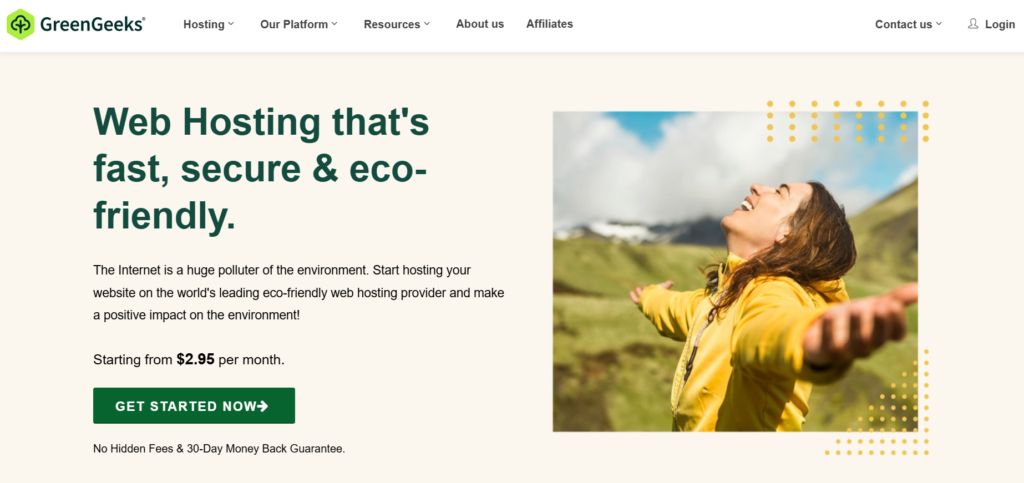
GreenGeeks is a good choice for website owners who want shared hosting with daily backups, cPanel access, WordPress support, free migration, professional email, and a sustainability focused company.
The Pro plan is the best overall choice. It gives you unlimited websites, 50 GB web space, unmetered traffic, unlimited email accounts, on demand backups, more CPU and memory than Lite, and room for several small to medium WordPress sites.
| Category | GreenGeeks Details |
|---|---|
| Best for | Bloggers, small businesses, affiliate websites, agencies, and WordPress users |
| Starting price | $2.95 per month |
| Best value plan | Pro |
| Hosting type | Shared hosting and WordPress ready hosting |
| Free domain | Included for the first year |
| Free SSL | Included on all plans |
| Email hosting | Included |
| Backups | Daily backups on all plans |
| On demand backups | Pro and Premium |
| Control panel | cPanel |
| Website migration | Included |
| Support | Chat available all day, phone support during extended daily hours |
| Refund policy | 30 day money back guarantee |
| Sustainability model | 300% renewable energy match and one tree planted for each hosting account |
GreenGeeks Pricing and Plans
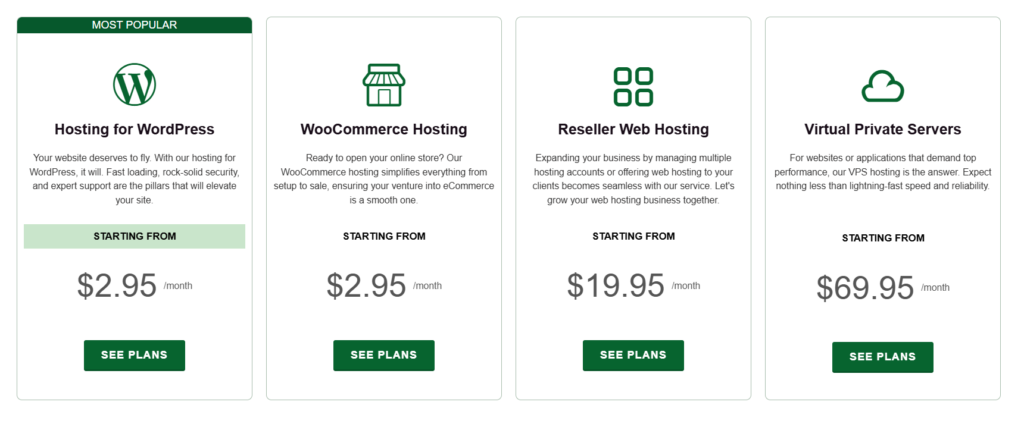
GreenGeeks offers three shared hosting plans called Lite, Pro, and Premium. The pricing below is based on the current prepaid 12 month term in US dollars.
| Plan | Intro Price Per Month | First Year Cost | Renewal Price Per Month | Renewal Cost Per Year | Websites | Web Space | Best For |
|---|---|---|---|---|---|---|---|
| Lite | $2.95 | $35.40 | $13.95 | $167.40 | 1 | 25 GB | One personal site or small blog |
| Pro | $4.95 | $59.40 | $18.95 | $227.40 | Unlimited | 50 GB | Multiple blogs, business sites, affiliate projects |
| Premium | $8.95 | $107.40 | $30.95 | $371.40 | Unlimited | 100 GB | Busy sites, agencies, and smaller online stores |
The first term prices are attractive, especially on Pro. However, the renewal price is much higher, so do not buy only based on the discounted rate.
For most users, Pro is the logical choice. It costs only $24 more than Lite over the first year, but it gives you unlimited websites, double the storage, unlimited email accounts, more server resources, and on demand backups.
GreenGeeks Lite Plan
GreenGeeks Lite is the entry plan. It supports one website and includes 25 GB web space, unmetered traffic, 50 email accounts, a free domain for the first year, free SSL, daily backups, a CDN integration option, and cPanel.
It is suitable for a personal blog, portfolio, freelancer site, or a basic local business website. The 25 GB storage limit is enough for many simple WordPress sites, but it can fill up faster than expected if you upload large images, store video files, keep old backups in your account, or install many plugins.
Lite includes two CPU cores, 1 GB physical memory, 200,000 inodes, and an email sending limit of 100 emails per hour. These limits are reasonable for one small site, but they are not ideal for a busy WooCommerce store, membership site, or publisher with several websites.
The major limitation is on demand backups. Lite includes daily backups, but you cannot rely on a manual restore point before making a major website update. That matters if you often update themes, test plugins, change forms, or edit WordPress code.
GreenGeeks Pro Plan
GreenGeeks Pro is the best plan for most users. It includes unlimited websites, 50 GB web space, unlimited email accounts, unmetered traffic, daily backups, and on demand backups.
The plan also comes with three CPU cores, 2 GB physical memory, 400,000 inodes, and a higher email sending allowance of 300 emails per hour.
This plan makes more sense for affiliate marketers running review sites, comparison sites, blogs, and niche websites. It is also useful for a freelancer or agency that needs to host several smaller client projects under one account.
The word unlimited needs some context. You can host unlimited websites, but all sites share the plan’s storage, CPU, memory, and inode limits. Ten lightweight websites may run comfortably on Pro. Ten WooCommerce stores with large image libraries and traffic spikes probably will not.
Pro also gives you on demand backups. This is a valuable feature because you can create a restore point before installing a new plugin, editing your theme, updating WordPress, or making a major website change.
GreenGeeks Premium Plan
GreenGeeks Premium is designed for busy business websites, growing agencies, and online stores that need more server resources.
It supports unlimited websites, includes 100 GB web space, unlimited email accounts, daily backups, on demand backups, four CPU cores, 3 GB physical memory, 600,000 inodes, and an email sending limit of 500 emails per hour.
GreenGeeks also describes Premium as including a dedicated IP address and stronger object caching through Memcached and Redis. These tools can be useful for database heavy WordPress sites, WooCommerce stores, and websites with more logged in users.
Premium is not necessary for a basic blog. It makes more sense when Pro starts feeling tight, your website receives regular traffic, you manage several client sites, or your store depends on fast database activity.
GreenGeeks Feature Comparison

| Feature | Lite | Pro | Premium |
|---|---|---|---|
| Websites | 1 | Unlimited | Unlimited |
| Web space | 25 GB | 50 GB | 100 GB |
| Traffic | Unmetered | Unmetered | Unmetered |
| Email accounts | 50 | Unlimited | Unlimited |
| Free domain for first year | Yes | Yes | Yes |
| Free SSL certificate | Yes | Yes | Yes |
| Free site migration | Yes | Yes | Yes |
| Daily backups | Yes | Yes | Yes |
| On demand backups | No | Yes | Yes |
| CPU cores | 2 | 3 | 4 |
| Physical memory | 1 GB | 2 GB | 3 GB |
| Inodes | 200,000 | 400,000 | 600,000 |
| Email sending limit per hour | 100 | 300 | 500 |
| Free CDN integration | Yes | Yes | Yes |
| Dedicated IP | No | No | Yes |
| Advanced object caching | No | Limited platform caching | Memcached and Redis |
GreenGeeks WordPress Hosting Experience
GreenGeeks is not a premium managed WordPress host in the same category as Kinsta or WP Engine. It is shared hosting that has been set up to work well with WordPress.
You can install WordPress with one click, activate SSL, create email accounts, connect a domain, manage files, access databases, and set up backups through cPanel. This is a familiar experience for users who have used traditional hosting before.
The company also offers free WordPress migration. That is helpful when you are moving an existing site from another host and do not want to copy files and databases manually.
GreenGeeks includes automatic WordPress updates, LiteSpeed Cache support, SSH, SFTP, Git, WP CLI, phpMyAdmin, and multiple PHP versions. These tools make the platform useful for both beginners and developers.
The company also says its WordPress platform supports staging. Staging lets you create a private copy of your site to test plugin updates, new themes, code edits, or design changes before they go live. Confirm the exact staging workflow in your account before relying on it for a critical business site.
GreenGeeks Performance and Speed
GreenGeeks uses LiteSpeed web servers, SSD based storage, MariaDB databases, HTTP/3, PHP support, caching technology, and a CDN integration option.
LiteSpeed is useful for WordPress because it works well with the LiteSpeed Cache plugin. The plugin can cache pages, optimize images, manage browser caching, minify files, and reduce repeated work for the server.
For a normal WordPress website, this can help improve page loading times without needing to install several separate caching plugins.
GreenGeeks also offers Redis and Memcached on higher resources, which can help database heavy sites. This matters more for WooCommerce stores, membership websites, directories, booking platforms, and sites with logged in users.
Still, hosting is only one part of performance. A site can remain slow if it uses a poor theme, oversized images, too many plugins, unnecessary tracking scripts, or a heavy page builder.
A good setup would include optimized images, a clean theme, a limited plugin stack, LiteSpeed Cache configured properly, and a server location close to your main audience.
GreenGeeks Data Centers and CDN
GreenGeeks has data centers in Phoenix, Chicago, Toronto, Montreal, Amsterdam, and Singapore. Choosing a location close to your audience can help reduce latency.
A website serving mostly United States visitors can use Phoenix or Chicago. A Canadian business can consider Toronto or Montreal. European sites may benefit from Amsterdam. Websites with an Asian audience can consider Singapore.
For an India focused audience, Singapore is usually the closest choice among GreenGeeks’ published locations. It is still a good idea to use a CDN when your visitors are spread across several countries.
GreenGeeks includes free CDN integration, which helps deliver cached website files from locations closer to visitors. This is useful for international traffic, image heavy blogs, affiliate sites, and ecommerce stores.
GreenGeeks Security Features
GreenGeeks includes several security features that are useful for shared hosting customers.
Every plan includes free Let’s Encrypt SSL certificates. SSL protects information sent between your website and visitors and allows your site to use HTTPS. It is essential for contact forms, logins, checkout pages, and user trust.
The platform also includes a firewall, DDoS protection, container based account isolation, security monitoring, and malware cleanup assistance. GreenGeeks says free malware cleanup is available when a site is infected, although restrictions may apply.
Account isolation matters because shared hosting places many customers on the same physical server. Isolation helps reduce the chance that a problem on another account affects your website.
These tools are useful, but they do not remove your own security responsibilities. You should still use strong passwords, enable two factor authentication where available, remove unused plugins, keep WordPress updated, and avoid pirated themes or plugins.
GreenGeeks Backups and Restore Options
GreenGeeks includes daily backups with every shared hosting plan. This is a major advantage over low cost hosts that only provide weekly backups on entry plans.
Daily backups can help when a plugin breaks your site, files are deleted, a theme update fails, or a developer change causes an error.
Pro and Premium also include on demand backups. This means you can manually create a backup before changing your site. For business websites and active WordPress sites, this is worth paying for.
Do not treat any host backup as your only backup. Keep an independent backup using a trusted WordPress backup plugin or cloud storage service. A second copy of your database and files gives you more control if you need to move hosts or restore a site quickly.
GreenGeeks Email Hosting and cPanel
GreenGeeks includes email hosting with its plans. Lite supports up to 50 email accounts, while Pro and Premium allow unlimited accounts within normal usage rules.
The platform uses cPanel, which is a major benefit for users who prefer a standard hosting control panel. You can manage domains, files, databases, email accounts, DNS settings, SSL certificates, backups, cron jobs, and applications from one place.
GreenGeeks also includes a one click installer for more than 150 applications. WordPress, Joomla, Drupal, and many other content management systems can be installed without manual database setup.
GreenGeeks Support
GreenGeeks offers chat support around the clock. Phone support is available from 9 AM to 12 AM Eastern Time, and you can also use its knowledge base and support request system.
This is a good support setup for a shared hosting provider. Users who want immediate help can use chat, while people with more complex questions can submit a request with screenshots and details.
Support can help with account issues, cPanel access, domain setup, migration, SSL, backups, and hosting related errors. However, it will not replace a developer for custom theme work, advanced code problems, or third party plugin conflicts.
The company also offers free migration assistance. This is useful if you are moving from Bluehost, HostGator, GoDaddy, SiteGround, or another standard host.
GreenGeeks and Its Environmental Claims
The environmental angle is the biggest difference between GreenGeeks and most hosting companies.
GreenGeeks says it matches its energy use at 300% through renewable energy certificates purchased through the Bonneville Environmental Foundation. It also says it plants one tree for every hosting account provisioned through One Tree Planted.
This is worth understanding properly. A renewable energy certificate match does not mean your individual website server is physically powered only by a dedicated wind or solar source. It means GreenGeeks purchases renewable energy credits that represent three times its reported energy use.
That is still a meaningful sustainability effort, especially compared with hosts that do not publish any renewable energy matching commitment. But it is better to describe GreenGeeks accurately as a hosting company using a 300% renewable energy certificate match rather than claiming every site runs directly on renewable electricity.
For eco conscious website owners, this can be a real reason to choose GreenGeeks. The company does not charge an extra premium for the sustainability program.
GreenGeeks Pros and Cons
GreenGeeks Pros
• Competitive first year pricing
• Free domain for the first year
• Free SSL certificates on every plan
• Daily backups included on all shared hosting plans
• On demand backups available on Pro and Premium
• cPanel access instead of a proprietary control panel
• Free website migration support
• LiteSpeed server stack and LiteSpeed Cache support
• Free email hosting included
• Pro plan allows unlimited websites
• Data center option in Singapore for Asian audiences
• 300% renewable energy matching and tree planting program
GreenGeeks Cons
• Renewal prices are much higher than the first year rates
• Lite only supports one website
• Lite does not include on demand backups
• Storage limits are shared across all sites on Pro and Premium
• Shared hosting has resource limits despite unmetered traffic
• Dedicated IP and higher level caching are mainly limited to Premium
• Phone support is not available all day
• Advanced ecommerce sites may outgrow shared hosting
GreenGeeks vs Hostinger vs DreamHost vs SiteGround
| Provider | Comparable Plan | Intro Price | Renewal Price | Websites | Storage | Backups | Best For |
|---|---|---|---|---|---|---|---|
| GreenGeeks | Pro | $4.95 per month for 12 months | $18.95 per month | Unlimited | 50 GB | Daily and on demand | Users who want cPanel, email, LiteSpeed, and sustainability |
| Hostinger | Business | $3.99 per month for 48 months | $16.99 per month | Up to 50 | 50 GB NVMe | Daily and on demand | Budget focused users managing multiple sites |
| DreamHost | Growth | $3.99 per month for first year | $12.99 per month | Up to 50 | 50 GB NVMe | Daily | Users wanting lower renewal pricing |
| SiteGround | GrowBig | $4.99 per month for 12 months | $29.99 per month | Unlimited | 50 GB | Daily and on demand | Users wanting staging, support, and advanced WordPress tools |
GreenGeeks Pro is a good middle ground. It costs more than Hostinger Business during the first term, but it includes cPanel, unlimited websites, email hosting, LiteSpeed tools, and an environmental focus.
Hostinger Business is better for users who want lower first term pricing, NVMe storage, and an easy custom dashboard. DreamHost Growth has a lower renewal price and is attractive for people who want daily backups and many websites.
SiteGround GrowBig is stronger for advanced WordPress workflows, staging, caching, and support, but its renewal price is far higher than GreenGeeks Pro.
Who Should Choose GreenGeeks?
GreenGeeks is a good choice for bloggers who want a simple WordPress hosting account with daily backups, email, cPanel, and a free domain for the first year.
It also works well for affiliate marketers. Pro can host multiple review sites, comparison websites, niche blogs, and lead generation pages under one account, as long as you keep an eye on resources.
Small businesses can use GreenGeeks for a service website, business email, appointment site, local SEO pages, and smaller WooCommerce stores.
Agencies and freelancers can use Pro or Premium for lightweight client sites. Premium makes more sense when client websites are busier, include WooCommerce, or need more memory and CPU resources.
GreenGeeks is also one of the better choices for people who want their hosting provider to have a transparent sustainability program.
Who Should Avoid GreenGeeks?
GreenGeeks may not be the best choice for a very large WooCommerce store, high traffic publisher site, membership platform, or custom application with heavy resource demands. Shared hosting can work well, but it has limits.
You may also prefer another host if you want the cheapest possible long term renewal price. DreamHost Growth is cheaper at renewal, while Hostinger can be less expensive during the first term.
Users who want a fully managed WordPress platform with advanced staging, deep performance monitoring, and hands off technical management may prefer Kinsta, WP Engine, Rocket.net, or Cloudways.
GreenGeeks Review FAQs
1. Is GreenGeeks good for WordPress?
Yes. GreenGeeks is a good shared hosting choice for WordPress users. It includes one click WordPress installation, LiteSpeed Cache support, automatic updates, free SSL, daily backups, migration assistance, and developer tools such as SSH, Git, and WP CLI.
2. Does GreenGeeks include a free domain?
Yes. GreenGeeks includes a free domain registration or domain transfer for the first year with its shared hosting plans. Domain renewals are billed separately after the free period.
3. Does GreenGeeks include daily backups?
Yes. Lite, Pro, and Premium include daily backups. Pro and Premium also include on demand backups, which let you create a manual restore point before making important site changes.
4. Is GreenGeeks Pro worth it?
Yes. Pro is the best plan for most users because it includes unlimited websites, 50 GB web space, unlimited email accounts, daily backups, on demand backups, and stronger server resources than Lite.
5. Is GreenGeeks really eco friendly?
GreenGeeks says it matches three times its energy use with renewable energy certificates and plants one tree for every hosting account provisioned. It is a meaningful sustainability program, but it should be understood as renewable energy matching rather than direct renewable power assigned to each individual website.
6. Does GreenGeeks offer a refund?
GreenGeeks offers a 30 day money back guarantee for eligible hosting plans. Domain registration fees, setup fees, and add ons are not refundable.
Is GreenGeeks Worth It?
GreenGeeks is worth considering if you want practical shared hosting with daily backups, cPanel, professional email, WordPress tools, free migration, and a sustainability focused company.
The Pro plan is the best overall option. It gives you enough space and resources for multiple websites while adding on demand backups, unlimited email accounts, and better capacity than the Lite plan.
The biggest issue is renewal pricing. The first year price is low, but the renewal rate is higher, so calculate the real long term cost before purchasing.
For bloggers, small businesses, affiliate publishers, freelancers, and eco conscious website owners, GreenGeeks is a strong choice. It is not the cheapest host after renewal and it is not a premium managed WordPress platform, but it offers a useful combination of features, support, speed tools, and sustainability at a reasonable first term price.