
Choosing a WordPress host is frustrating because two plans can both promise speed, backups, security, and support while delivering very different experiences once your site starts growing.
This DreamHost vs WP Engine comparison is most useful when you compare DreamHost’s managed WordPress product, DreamPress, against WP Engine’s managed WordPress plans. DreamHost’s basic web hosting is much cheaper, but DreamPress is the closer match because it includes WordPress-specific caching, staging, backups, CDN access, and specialist support.
DreamPress is the better value for bloggers, affiliate publishers, smaller WooCommerce stores, and business owners who want managed WordPress hosting without a premium bill. WP Engine is built for agencies, serious ecommerce brands, high-value publishers, and companies that need a more controlled WordPress workflow.
The main difference is simple. DreamPress gives you most of the managed WordPress essentials at a lower price. WP Engine costs more but provides stronger backup retention, more polished development workflows, a mature caching platform, and more detailed security controls.
DreamHost vs WP Engine: Quick Comparison
| Feature | DreamHost DreamPress | WP Engine |
|---|---|---|
| Starting price | DreamPress 1 starts at $14.99 per month for the first year | Startup starts at about $30 per month, with a first-year annual offer shown at $350 for eligible new customers |
| Renewal price | DreamPress 1 renews at $19.99 per month | Renewal pricing varies by plan and offer; WP Engine states it is subject to change |
| Hosting type | Managed WordPress hosting | Premium managed WordPress hosting |
| Sites included | 1 site on DreamPress 1 | 1 site on Startup |
| Monthly visit allowance | 40,000 monthly visitors | 25,000 estimated monthly visits |
| Storage | 15 GB NVMe SSD storage | 10 GB local storage |
| Performance stack | NGINX caching, Bunny CDN, NVMe storage, failover protection | EverCache, Cloudflare CDN, advanced network options, WordPress-focused stack |
| Backups | Daily, on-demand, and locked backups; 14-day retention on DreamPress 1 | Automatic and manual backups with 30-day retention |
| Support | 24/7 WordPress support through chat, email, and tickets | 24/7 WordPress support; Startup has chat only, higher plans add phone support |
| Email hosting | Unlimited mailboxes included | Separate email provider recommended |
| Best for | Bloggers, affiliate sites, small businesses, and value-focused WordPress users | Agencies, ecommerce sites, publishers, and high-value WordPress projects |
DreamPress 1 includes one website, 15 GB NVMe storage, a 40,000-visitor allowance, staging, CDN, one professional migration, unlimited mailboxes, and a 14-day backup history. WP Engine Startup includes one site, 25,000 estimated visits, 10 GB storage, and 75 GB monthly bandwidth.
DreamHost Review: Why DreamPress Is a Strong Value Option
DreamHost has two very different hosting paths. Its standard Web Hosting plans are low-cost shared hosting packages for basic websites. DreamPress is its managed WordPress platform, designed for users who want faster WordPress performance and less technical maintenance.
For this comparison, DreamPress is the important product. It is the plan that competes directly with WP Engine.
DreamPress uses NVMe storage, NGINX caching, Bunny CDN, daily backups, one-click staging, failover protection, and WordPress-focused support. That gives it a much stronger setup than basic shared hosting without pushing the entry price into WP Engine territory.
DreamHost Performance and Speed

DreamPress is built around NGINX caching rather than LiteSpeed Cache or a traditional plugin-only cache setup. NGINX can serve cached content efficiently and reduce repeated PHP and database work for pages that do not need to be generated again for every visitor.
This matters for affiliate websites, blogs, review sites, portfolios, and stores where most visitors browse public pages. Good caching can improve TTFB because the server does less work before sending the first response.
DreamHost also includes Bunny CDN with DreamPress. A CDN places cached content closer to visitors, helping images, scripts, CSS files, and other assets load faster for users outside your main server region.
DreamPress is not positioned as a server playground for advanced Linux users. You are paying for a managed WordPress environment where caching, backups, staging, migrations, and core infrastructure are handled for you.
DreamPress Backups, Staging, and Failover
DreamPress includes daily automated backups, on-demand backups, locked backups, and one-click staging. The entry DreamPress 1 plan retains backups for 14 days and includes three on-demand and three locked backups. Higher plans increase backup retention to 30 days.
Locked backups are useful before major changes, plugin updates, theme edits, checkout changes, or WordPress migrations. They give you a recovery point that is separate from normal automatic backup rotation.
DreamHost also says DreamPress uses redundant architecture and failover protection, with daily backups stored offsite on Amazon S3. That is a meaningful benefit for site owners who care about recovery after an infrastructure problem.
DreamHost Dashboard and Email
DreamHost uses its own custom control panel rather than cPanel. The dashboard is straightforward for website owners managing WordPress, domains, SSL, email accounts, backups, and support requests.
That may not matter to every agency or larger company. Many businesses prefer Google Workspace or Microsoft 365 anyway. But for smaller website owners, having email included can save money and simplify setup.
DreamHost Pros
- Lower managed WordPress entry price than WP Engine
- NVMe storage included
- NGINX caching and Bunny CDN
- Daily, on-demand, and locked backups
- One-click staging
- Unlimited email mailboxes
- Professional migration included
- Failover protection and redundant architecture
- Transparent renewal pricing on DreamPress plans
- Better value for small to mid-sized WordPress projects
DreamHost Cons
- Shorter backup retention on entry plans
- Fewer advanced agency workflows than WP Engine
- Less detailed public security tooling on the base managed plan
- Not ideal for very large ecommerce stores with complex requirements
- Fewer advanced performance controls for enterprise users
- Phone callbacks are limited by plan rather than included without limits
WP Engine Review: Why It Is Built for Professional WordPress Teams
WP Engine is one of the better-known premium managed WordPress platforms. It focuses only on WordPress, which means its dashboard, support, caching, backup system, development environments, and security tools are designed around WordPress websites.
It costs more than DreamPress, but it is not simply charging for server space. The extra cost is aimed at reducing technical maintenance, lowering deployment risk, and giving teams a more structured workflow.
WP Engine’s Startup plan is designed for one site, 25,000 estimated monthly visits, 10 GB storage, and 75 GB bandwidth. Professional, Growth, and Scale plans add more sites, storage, traffic capacity, and phone support.
WP Engine Performance and EverCache
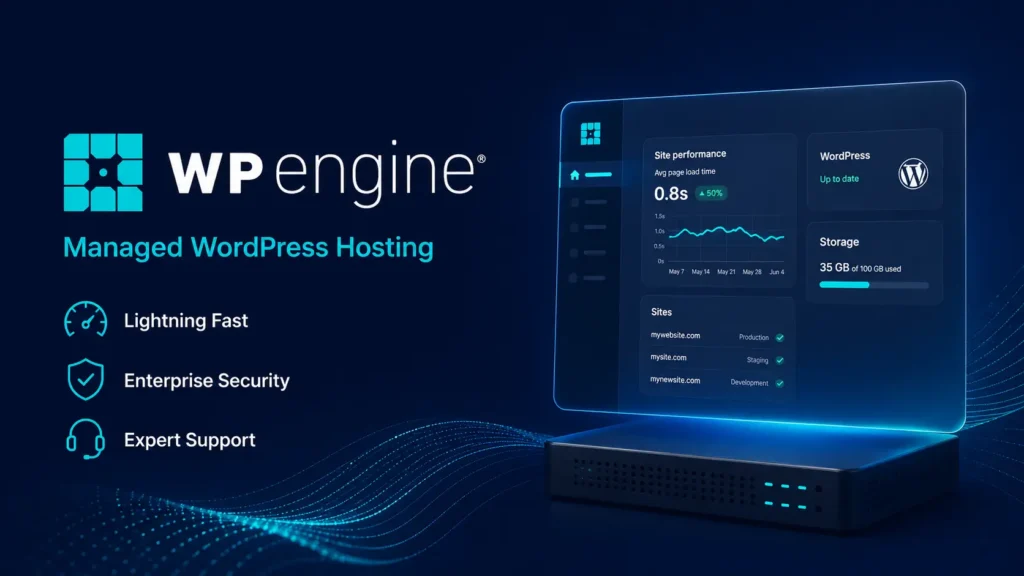
WP Engine’s performance stack is centered around EverCache, its caching system designed to reduce load on the origin server and improve scalability for cacheable WordPress traffic.
Caching is especially important when you run paid campaigns, publish viral content, launch promotions, or receive traffic spikes from search engines and social media. If pages are cacheable, the server does not have to run full WordPress and database processes for every visit.
WP Engine also uses Cloudflare for its CDN offering. Its CDN can serve assets from edge locations, apply image optimization, use WebP conversion, and reduce the number of requests sent to the origin server.
For a high-traffic publisher or ecommerce website, this can make a real difference. It does not mean every simple blog will load dramatically faster than DreamPress. It means WP Engine has a more mature performance environment when traffic and operational demands increase.
WP Engine Staging and Development Workflows
WP Engine is particularly strong for agencies, developers, and teams that make frequent changes.
Each site can use Production, Staging, and Development environments. You can copy a live site, test updates, troubleshoot plugins, adjust templates, or change code before pushing anything to the public site.
This reduces risk. A plugin update that breaks a checkout page is much easier to handle when it is tested in staging first.
WP Engine also supports transferable sites. This is useful for agencies building a client website before handing it over to the client’s own WP Engine account.
WP Engine Security and Backups
WP Engine includes auto-renewing SSL, SSH access, security patching, plugin risk scans, and Layer 3 and Layer 4 DDoS protection across its managed hosting plans. Advanced DDoS mitigation and managed WAF protection are available as paid add-ons.
Its backup system is one of its strongest points. WP Engine creates daily backup checkpoints and allows manual backups. It stores backups offsite on Amazon S3, encrypts them in transit and at rest, and retains 30 days of backups.
For a revenue-generating WordPress website, 30 days of backup history is useful. You may not notice a broken form, malware issue, bad plugin update, or accidental content deletion for several days. A longer recovery window gives you more options.
WP Engine Pros
- Mature managed WordPress platform
- EverCache helps improve cacheable traffic handling
- Cloudflare CDN integration
- Strong 30-day backup retention
- Automatic and manual backup checkpoints
- Production, Staging, and Development environments
- Better agency workflows and transferable sites
- Auto-renewing SSL, SSH access, security patching, and plugin risk scans
- Strong choice for high-value WordPress sites
- Higher plans include phone support
WP Engine Cons
- Much more expensive than DreamPress
- Startup only includes chat support
- Email hosting is not included
- Entry plan has lower storage and fewer estimated visits than DreamPress 1
- Advanced WAF and DDoS features are paid add-ons
- Not suitable for non-WordPress websites
- Can be unnecessary for a small blog or portfolio site
DreamHost vs WP Engine: Speed, TTFB, and Uptime
The question is not simply, “Is DreamHost faster than WP Engine?”
For a lightweight WordPress site with a clean theme, optimized images, a limited plugin stack, and mostly anonymous visitors, DreamPress can be very fast. Its NGINX caching, NVMe storage, and Bunny CDN are enough for many blogs, affiliate websites, and small business sites.
WP Engine becomes more attractive when the website has frequent traffic spikes, multiple team members, heavier plugins, many dynamic pages, or a business model where performance problems can affect sales.
TTFB, or Time to First Byte, measures how long a server takes to begin responding. It is important, but it does not tell the whole story.
TTFB can change based on:
- Server region
- Theme and page builder choice
- Number of active plugins
- Database size
- Cache setup
- Logged-in user traffic
- WooCommerce activity
- CDN configuration
- Third-party scripts
- Image size and optimization
- Traffic spikes
WP Engine has the more advanced caching and network stack. DreamPress has the better value-to-performance ratio for smaller sites.
A fair stress test should use the same WordPress theme, plugins, images, server region, cache status, and CDN settings. Comparing random public speed tests without matching the setup is rarely useful.
DreamHost Panel vs WP Engine User Portal
Both hosts avoid traditional cPanel, but they serve different types of users.
Choose DreamHost Panel if you want:
- Website, domain, and email management in one place
- Simple WordPress administration
- Included email mailboxes
- Easier hosting for smaller projects
- Lower monthly cost
- Straightforward backups and staging
Choose WP Engine User Portal if you want:
- Production, Staging, and Development environments
- Better workflows for agencies
- Transferable client sites
- Detailed backup checkpoints
- More structured team access
- WordPress-only management tools
DreamHost is easier for an individual running one or several smaller WordPress sites. WP Engine is better for a team managing websites as serious business assets.
Customer Support: Which Host Is Better?
Imagine a plugin update breaks your landing page while paid traffic is running. You need someone who can identify whether the issue is caching, PHP, a theme conflict, a plugin update, or a server-level problem.
DreamPress includes 24/7 WordPress expert support through chat, email, and tickets. Its managed WordPress plans also include scheduled phone callbacks, with the number of callbacks depending on the plan.
WP Engine provides 24/7 WordPress-specific support. Startup users receive chat support, while Professional and higher plans include chat and phone support.
For small sites, DreamPress support is more than enough. For agencies and higher-stakes websites, WP Engine’s support model and WordPress-focused workflow are usually more suitable.
Pricing and Renewal Secrets
DreamPress 1 starts at $14.99 per month for the first year and renews at $19.99 per month. DreamPress 2 starts at $17.99 and renews at $24.99, while DreamPress 3 starts at $20.99 and renews at $28.99.
WP Engine Startup is marketed from around $30 per month. Its official small-business pricing page also shows a first-year annual offer of $350 for eligible new customers, while noting that renewal pricing is subject to change.
DreamHost is more transparent here because it openly lists renewal pricing beside the introductory price.
WP Engine is more expensive, but the price includes more mature agency tooling, longer backup retention, a stronger development workflow, and a more detailed security stack.
The right question is not, “Which one is cheaper?” DreamPress is clearly cheaper.
The better question is, “Will WP Engine’s extra workflow and risk reduction save enough time or revenue to justify the higher monthly cost?”
Best For Scenarios
| Situation | Better Choice | Why |
|---|---|---|
| New WordPress blogger | DreamPress | Lower cost, managed caching, staging, backups, and email |
| Affiliate review site | DreamPress | Better value for content-focused WordPress websites |
| Small business website | DreamPress | Included mailboxes, lower renewal cost, and managed tools |
| Portfolio website | DreamPress | Enough performance without premium pricing |
| WooCommerce startup | DreamPress | Managed WordPress features at a more accessible price |
| Busy WooCommerce store | WP Engine | Better backup history, stronger workflow, and support structure |
| Digital agency | WP Engine | Transferable sites, multiple environments, and team-friendly tools |
| High-traffic publisher | WP Engine | Better cache scalability and advanced network options |
| Site owner who needs email hosting | DreamPress | Unlimited mailboxes included |
| Business with in-house developers | WP Engine | Better staging, development, and deployment workflow |
Final Verdict: DreamHost vs WP Engine
For most bloggers, affiliate marketers, portfolio owners, and smaller businesses, DreamPress is the better value.
It includes managed WordPress features that matter: NVMe storage, NGINX caching, Bunny CDN, staging, daily backups, on-demand backups, locked backups, professional migration, and unlimited email mailboxes. Its entry plan also supports more estimated monthly visitors than WP Engine Startup at a much lower price.
For agencies, ecommerce brands, established publishers, membership sites, and WordPress projects where downtime or deployment mistakes can cost real money, WP Engine is the stronger premium platform.
Its 30-day backup retention, staging and development workflow, EverCache system, Cloudflare CDN integration, security patching, plugin risk scans, and agency features make it easier to justify when the website is a serious business asset.
Choose DreamPress when you want managed WordPress hosting with better pricing, included email, and enough performance for most small to mid-sized websites.
Choose WP Engine when you need stronger WordPress operations, more advanced development environments, deeper backup coverage, and a platform built for teams.
DreamHost vs WP Engine FAQs
Is DreamHost faster than WP Engine?
WP Engine usually has the more advanced performance environment because of EverCache and Cloudflare CDN integration. DreamPress can still be very fast for blogs, affiliate sites, and smaller businesses because it uses NGINX caching, NVMe storage, and Bunny CDN.
Is DreamPress better than WP Engine for beginners?
DreamPress is usually better for beginners because it costs less, includes email hosting, has a simple dashboard, and still provides caching, staging, backups, and WordPress support.
Is WP Engine worth the higher price?
WP Engine is worth the higher price for agencies, ecommerce stores, publishers, membership sites, and businesses that depend heavily on WordPress performance and safe deployment workflows.
Does DreamPress include email hosting?
Yes. DreamPress includes unlimited mailboxes, which is useful for users who want professional email addresses connected to their domain.
Does WP Engine include email hosting?
WP Engine is focused on managed WordPress hosting. Most users connect a separate provider such as Google Workspace or Microsoft 365 for professional email.
Which host has better backups?
WP Engine has the stronger default backup retention, with 30 days of automated and manual backup checkpoints. DreamPress includes daily, on-demand, and locked backups, with 14-day retention on its lower plans and 30 days on higher tiers.