
Choosing cloud hosting gets confusing because DigitalOcean and Cloudways appear to offer similar things at first. Both can host WordPress, WooCommerce, Laravel applications, agency sites, and high-traffic projects. But they are built for very different users.
This DigitalOcean vs Cloudways comparison comes down to one main question: do you want full control of a cloud server, or do you want someone else to handle the server work for you?
DigitalOcean gives you direct cloud infrastructure. You create a Linux virtual machine, choose the server size, install your software, configure security, and manage performance yourself. Cloudways is a managed platform that can deploy servers on DigitalOcean and other cloud providers, while handling much of the technical setup, security configuration, backups, caching, and server management.
For developers, DigitalOcean is usually the better value. For WordPress users, agencies, affiliate marketers, and business owners who do not want to manage Linux servers, Cloudways is often the easier choice.
DigitalOcean vs Cloudways: Quick Comparison
| Feature | DigitalOcean | Cloudways |
|---|---|---|
| Starting price | Droplets start at $4 per month | Managed DigitalOcean hosting starts around $11 per month |
| Hosting type | Direct cloud infrastructure and virtual machines | Managed cloud hosting platform |
| Server management | You manage the operating system, web server, security, updates, and stack | Cloudways manages server setup, performance stack, backups, and core maintenance |
| Root access | Yes | No root access |
| Performance setup | Depends on your own Nginx, Apache, PHP, database, cache, CDN, and server configuration | Preconfigured stack with Nginx, Apache, PHP-FPM, Varnish, Memcached, Redis, and caching tools |
| Backups | Optional and configured separately | Managed backup tools and one-click restores |
| Support | Free ticket support, with paid plans for live chat and faster responses | 24/7 live chat and ticket support included |
| Best for | Developers, custom applications, DevOps teams, and technical users | WordPress users, agencies, ecommerce stores, and nontechnical website owners |
DigitalOcean describes Droplets as Linux-based virtual machines where customers manage the operating system, applications, and data. Cloudways adds a managed layer that handles server management, performance optimization, security monitoring, backups, and support.
DigitalOcean Review: Why Developers Still Prefer It
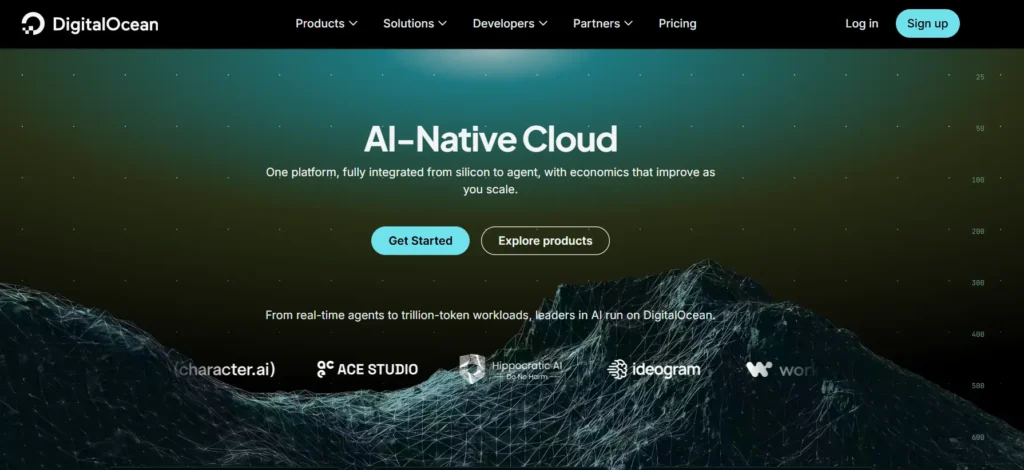
DigitalOcean is one of the most straightforward cloud infrastructure providers for developers and businesses that need flexible virtual servers without the complexity of AWS, Google Cloud, or Microsoft Azure.
Instead of purchasing a traditional hosting plan, you create a Droplet. A Droplet is a Linux virtual machine that can run WordPress, Node.js, Python, Laravel, Docker, databases, APIs, staging environments, VPNs, and custom applications.
DigitalOcean is not managed WordPress hosting. You can install WordPress through a marketplace image, but you are still responsible for keeping the server secure, optimized, updated, and backed up.
DigitalOcean Performance and Speed
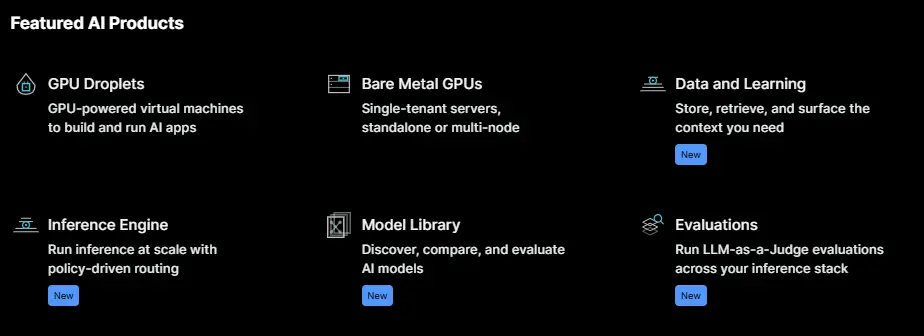
DigitalOcean can be extremely fast when configured properly. The issue is that DigitalOcean does not automatically give you a fully optimized WordPress or WooCommerce environment.
You need to choose and configure your own stack, including:
- Nginx or Apache
- PHP-FPM
- MySQL or MariaDB
- Redis object caching
- Varnish or full-page caching
- Cloudflare or another CDN
- Firewall rules
- SSL certificates
- Backup schedule
- Server monitoring
- Security updates
This level of control is the reason technical users prefer DigitalOcean. You are not limited by another host’s dashboard, plugin restrictions, or server policies.
DigitalOcean Droplets start at $4 per month and include SSD storage, compute resources, and bandwidth based on the selected server size. The platform bills Droplets per second, with a minimum charge and monthly cap, which is useful for testing environments, temporary servers, and projects that do not need to run every hour of the month.
DigitalOcean Dashboard and Developer Tools
DigitalOcean has a clean cloud control panel, but it is not designed like cPanel, hPanel, or a beginner WordPress dashboard.
You can create Droplets, configure cloud firewalls, attach block storage, deploy managed databases, create snapshots, manage DNS, monitor resources, and use APIs or Terraform. This makes it useful for developers who want infrastructure flexibility without moving to a more complex enterprise cloud provider.
DigitalOcean also supports multiple management methods:
- Web dashboard
- Command-line interface
- API
- Terraform provider
- SSH access
- Marketplace applications
- Kubernetes
- Managed databases
- Load balancers
- Object storage
The platform supports 14 data centers across 11 regions, giving users options in North America, Europe, Asia-Pacific, and other global markets.
DigitalOcean Security and Backups
DigitalOcean gives you the tools to secure your server, but it does not fully manage your server security for you.
Its free Cloud Firewalls are stateful, network-based firewalls that block traffic unless you specifically allow it through a rule. That is a strong foundation, but you still need to configure SSH access, database ports, application security, fail2ban, updates, and server hardening yourself.
Backups are optional. DigitalOcean supports automated Droplet backups at intervals ranging from every four hours to weekly, depending on the backup configuration. You can also create manual snapshots before major server changes.
DigitalOcean Pros
- Very low entry pricing
- Full root access and complete server control
- Suitable for nearly any Linux-based workload
- Good choice for WordPress, Laravel, Node.js, Python, Docker, and APIs
- Per-second billing is useful for temporary environments
- Free cloud firewalls and monitoring tools
- Strong API and automation options
- Easy to scale into managed databases, Kubernetes, storage, and load balancers
DigitalOcean Cons
- Not beginner friendly
- You are responsible for software updates and server security
- No preconfigured WordPress optimization stack
- You must configure backups and monitoring yourself
- Support is mainly ticket-based unless you pay for a higher plan
- Troubleshooting server errors requires Linux knowledge
- A cheap server can become expensive if you add backups, CDN, storage, databases, and managed services
Cloudways Review: Why It Is Easier for WordPress Users
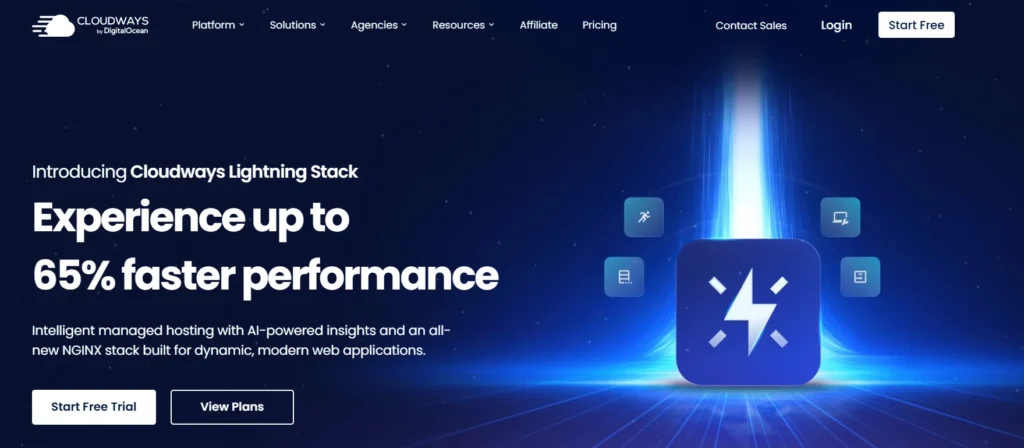
Cloudways is built for people who want cloud performance without becoming a Linux server administrator.
It is not a direct replacement for DigitalOcean infrastructure. It is a managed platform that can deploy servers from DigitalOcean, Vultr, Linode, AWS, and Google Cloud. Cloudways is part of DigitalOcean, but it operates as a separate managed hosting service with separate billing and support.
This distinction matters. When you host a website through Cloudways on a DigitalOcean server, you are paying for DigitalOcean infrastructure plus Cloudways’ managed hosting layer.
Cloudways Performance and Speed
Cloudways gives users a preconfigured application environment rather than an empty Linux server.
Its stack includes Nginx, Apache, PHP-FPM, Memcached, Varnish, and Redis. This means a WordPress website can be launched with server-level caching and performance tools already in place instead of requiring hours of manual setup.
For WordPress, this is a major advantage. A user can launch WordPress, connect a domain, activate SSL, add a staging environment, configure backups, enable caching, and begin publishing without writing server commands.
Cloudways has also introduced its Lightning Stack, which uses an optimized Nginx and PHP-FPM setup for modern PHP applications. The company positions it as a performance-focused option for WordPress and other hosted applications.
Cloudways Control Panel
Cloudways does not use cPanel. It has its own management dashboard for servers and applications.
The dashboard allows you to:
- Launch WordPress, Magento, Laravel, PHP, and other supported applications
- Create staging environments
- Clone websites and servers
- Scale server resources
- Set backup schedules
- Restore backups
- Install SSL certificates
- Manage Redis, Varnish, and Memcached
- Monitor server metrics
- Manage teams and project access
- Use SSH and SFTP
- Deploy websites through Git
Cloudways gives you SSH and SFTP access, but it does not provide root access. This is intentional because Cloudways manages the server environment and needs to protect its software stack, security policies, and platform-level configurations.
Cloudways Security and Backups
Cloudways includes a server-level firewall, free Let’s Encrypt SSL certificates, automated backup tools, application monitoring, and a WordPress vulnerability scanner. It also provides one-click restore options and staging environments for safely testing changes before pushing them live.
For website owners, this is one of the biggest reasons to choose Cloudways. You do not need to manually configure cron-based backups, server snapshots, cache layers, PHP packages, or server firewalls.
That does not mean you should ignore website security. You still need to update WordPress, themes, plugins, payment plugins, and user passwords. Managed hosting reduces server work, but it does not remove every security responsibility.
Cloudways Pros
- Easier than managing a direct DigitalOcean Droplet
- Optimized server stack for WordPress and PHP applications
- Built-in Varnish, Redis, Memcached, and caching options
- Staging environments and server cloning
- Automated backup and restore tools
- Free SSL certificates
- Managed firewall and monitoring
- 24/7 chat and ticket support
- Good for agencies hosting multiple client websites
- Supports multiple cloud providers
Cloudways Cons
- Costs more than direct DigitalOcean hosting
- No root access
- You cannot use your own DigitalOcean account credentials
- Some advanced features and add-ons increase costs
- Less suitable for custom system-level configurations
- Not as flexible for unusual workloads and custom Linux software
- Beginners may still need help understanding server sizing and caching settings
DigitalOcean vs Cloudways: Speed, TTFB, and Uptime
The question “is Cloudways faster than DigitalOcean?” is slightly misleading.
Cloudways can run on DigitalOcean servers. So the physical infrastructure can be similar when you choose DigitalOcean as your Cloudways provider. The real difference is the server setup, caching layer, software tuning, monitoring, and operational management.
A raw DigitalOcean server can outperform Cloudways if it is configured by an experienced system administrator. You can install OpenLiteSpeed, Nginx FastCGI Cache, Redis, a custom MariaDB setup, Cloudflare Enterprise, and performance monitoring tools.
However, that setup takes knowledge and time.
Cloudways gives you a ready-to-use stack with Nginx, Apache, PHP-FPM, Varnish, Redis, and Memcached. For a normal WordPress site, this often produces better results than an unoptimized DigitalOcean Droplet because Cloudways has already completed much of the initial server configuration.
TTFB, or Time to First Byte, depends on more than the host. It is affected by:
- Server location
- PHP version
- Cache configuration
- Database size
- Theme quality
- Number of plugins
- WooCommerce activity
- Logged-in visitors
- CDN status
- Image optimization
- External scripts
- Traffic load
For a fair stress test, both platforms should use the same region, same server resources, same WordPress theme, same plugins, same CDN, and the same caching status.
DigitalOcean publishes a 99.99% SLA for Droplets. Cloudways also markets high availability and managed monitoring, but your actual uptime will still depend on the chosen cloud provider, application configuration, DNS setup, caching, plugin quality, and traffic spikes.
DigitalOcean Dashboard vs Cloudways Dashboard
DigitalOcean is better for users who want direct infrastructure control.
Cloudways is better for users who want a website management dashboard.
Choose DigitalOcean if you need:
- Root access
- Custom Linux packages
- Docker containers
- Custom web server configuration
- Python, Go, Ruby, Node.js, or custom backend applications
- Direct API and Terraform control
- Full ownership of your cloud setup
- Custom databases and networking
Choose Cloudways if you need:
- Easy WordPress deployment
- Staging sites
- One-click backups and restores
- Server cloning
- Managed caching
- Easy SSL installation
- Agency access controls
- Managed security settings
- Less server maintenance
For most WordPress publishers, Cloudways is easier. For developers building applications beyond WordPress, DigitalOcean gives more freedom.
Customer Support: Managed Help vs Infrastructure Support
Imagine your WordPress site goes down after a plugin update during a paid campaign. You see a 502 error, sales stop coming in, and you need help immediately.
With DigitalOcean, the platform can help with infrastructure issues, but you are still responsible for application-level troubleshooting. If Nginx is misconfigured, PHP-FPM crashes, your database locks, or a plugin creates high CPU usage, you need to diagnose and fix the issue.
DigitalOcean provides free ticket-based support to all customers. Paid support plans add faster response times, live chat, and other support channels.
Cloudways is more helpful for website owners because its standard plans include 24/7 live chat and ticket support. Higher support plans add priority handling, deeper troubleshooting, private Slack, and phone access.
Cloudways is the better choice when you want someone to help you manage the hosting environment. DigitalOcean is better when you already have technical staff or are comfortable managing the infrastructure yourself.
Pricing and Renewal Secrets
DigitalOcean has a simpler pricing model. You pay for resources.
Droplets begin at $4 per month, with pricing based on CPU, RAM, SSD storage, and bandwidth. You can resize, destroy, or replace servers as your needs change. There is no traditional promotional price followed by a high renewal charge.
Cloudways starts at around $11 per month for managed DigitalOcean hosting. That higher price includes the managed platform, support, preconfigured stack, server monitoring, backups, security tools, and easier workflows.
The important point is this: Cloudways is not overpriced when you compare it to the cost of your time.
A $4 DigitalOcean server may sound cheaper, but you may need to spend hours setting up a web stack, optimizing WordPress, configuring Redis, installing SSL, setting backups, securing SSH, creating staging sites, and troubleshooting server problems.
Cloudways costs more, but it replaces much of that setup work.
Watch for these costs with DigitalOcean:
- Backups
- Snapshots
- Block storage
- Managed databases
- Load balancers
- CDN services
- External monitoring
- Paid support
- Developer or sysadmin time
Watch for these costs with Cloudways:
- Higher server tiers as traffic grows
- Cloudflare Enterprise add-ons
- Advanced or Premium Support
- Extra backup storage
- Additional migrations
- More powerful server resources
Neither company uses the usual shared-hosting renewal trap. Both are usage-based cloud services. The difference is whether you want to pay more in money for managed hosting or more in time for direct infrastructure control.
Best For Scenarios
| Situation | Better Choice | Why |
|---|---|---|
| New WordPress blogger | Cloudways | Easier launch process, caching, backups, SSL, and managed support |
| Affiliate website | Cloudways | Good performance stack without needing server administration |
| Technical affiliate marketer | DigitalOcean | Lower long-term cost with full control over the server stack |
| Small WooCommerce store | Cloudways | Better for nontechnical users handling orders and checkout pages |
| Large WooCommerce store | Cloudways or DigitalOcean | Cloudways for ease; DigitalOcean if you have a DevOps team |
| Laravel application | DigitalOcean | More control over queues, databases, workers, deployment, and infrastructure |
| Node.js or Python application | DigitalOcean | No server-level restrictions and full root access |
| Web development agency | Cloudways | Staging, cloning, team access, backups, and faster client onboarding |
| SaaS startup with developers | DigitalOcean | Better infrastructure flexibility and API access |
| Portfolio website | Cloudways | Less technical work and reliable website management |
| High-traffic content site | Cloudways | Managed caching and easier scaling for publishers |
Final Verdict: DigitalOcean vs Cloudways
For developers and technical teams, DigitalOcean is the better choice.
You get direct cloud infrastructure, root access, flexible server setup, API access, automation, custom applications, and lower starting prices. It is ideal when you know how to manage Linux servers or have someone on your team who does.
For WordPress users, agencies, affiliate marketers, ecommerce owners, and businesses that want cloud hosting without server headaches, Cloudways is the better choice.
Cloudways costs more, but it saves time. You get a managed stack, caching, backups, staging, SSL, monitoring, security tools, and 24/7 support without needing to configure everything manually.
For the best cloud hosting in 2026, DigitalOcean wins on flexibility and price. Cloudways wins on convenience, managed performance, and ease of use.
Choose DigitalOcean when you want control.
Choose Cloudways when you want results without becoming a server administrator.
DigitalOcean vs Cloudways FAQs
Is Cloudways faster than DigitalOcean?
Cloudways can be faster than an unoptimized DigitalOcean server because it includes a preconfigured web stack, caching, Redis, Varnish, and performance tools. A properly optimized DigitalOcean Droplet can match or exceed Cloudways, but it requires technical skill.
Is Cloudways owned by DigitalOcean?
Cloudways operates as a DigitalOcean subsidiary, but the platforms are separate. You can use Cloudways to deploy managed DigitalOcean servers, or you can create and manage DigitalOcean Droplets directly.
Can I use my own DigitalOcean account with Cloudways?
No. Cloudways does not let users connect their own cloud provider account credentials to its managed platform. Cloudways provisions and manages the infrastructure through its own accounts.
Does Cloudways provide root access?
No. Cloudways provides SSH and SFTP access but does not allow root-level access because it manages the server environment and platform configuration.
Is DigitalOcean good for WordPress?
Yes, DigitalOcean can run a very fast WordPress website. However, you need to install and manage the web server, database, caching, security, backups, SSL, and updates yourself.
Which is better for agencies, DigitalOcean or Cloudways?
Cloudways is usually better for agencies because it includes staging, cloning, team collaboration, managed backups, monitoring, and an easier dashboard. DigitalOcean is better for agencies with in-house developers who need complete infrastructure control.