
Finding the right web host is not only about choosing the cheapest plan. A low monthly price can look attractive, but storage limits, renewal costs, backup options, site migration, support quality, and WordPress tools matter just as much once your website starts growing.
Bluehost has been one of the most recognized names in web hosting for years. It is popular with beginners because it makes it easy to register a domain, install WordPress, build a website, manage security, and contact support from one account. Its current plans also include NVMe storage, a free CDN, managed WordPress updates, free SSL, malware protection, and guided website creation tools.
The main thing to understand before purchasing Bluehost is its pricing structure. The best introductory rates require a longer term, usually 36 months. Renewal prices are lower on a longer renewal term than on monthly billing, but they are still higher than the first term price. That does not make Bluehost a poor choice. It simply means you should know the complete cost before committing.
This Bluehost review covers pricing, features, security, WordPress tools, ecommerce options, support, renewals, and how Bluehost compares with other popular hosting providers.
Bluehost Review at a Glance
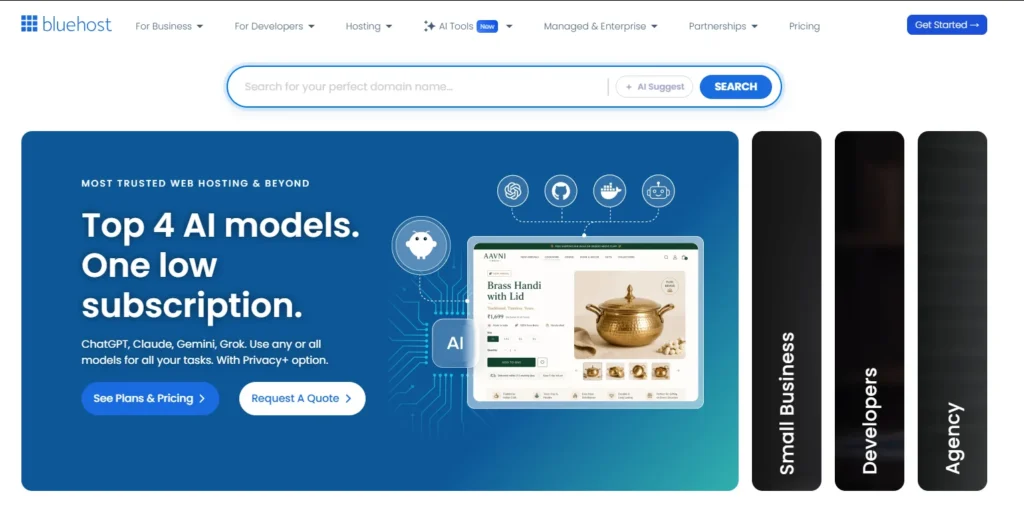
Bluehost is a good choice for beginners, small businesses, bloggers, portfolio websites, affiliate publishers, and WordPress users who want hosting, domain registration, security tools, and support in one place.
The Business plan offers the best balance for most users. It includes 50 websites, 50 GB of NVMe storage, a free domain for the first year, free SSL, CDN access, malware protection, domain privacy for the first year, phone support, and WordPress staging.
The Starter plan works for smaller websites, while eCommerce Essentials is designed for people building WooCommerce stores, membership sites, course platforms, or subscription businesses.
| Category | Bluehost details |
|---|---|
| Best for | Beginners, bloggers, businesses, WordPress users, and smaller ecommerce stores |
| Starting price | $3.99 per month on a 36 month term |
| Best value plan | Business |
| Websites on Starter | Up to 10 |
| Websites on Business | Up to 50 |
| Websites on eCommerce Essentials | Up to 100 |
| Storage type | NVMe SSD storage |
| Free domain | Included for the first year on eligible 12 or 36 month terms |
| Free SSL | Included |
| CDN | Included |
| Backups | Weekly backups |
| Customer support | 24 hour chat support, phone support on Business and eCommerce Essentials |
| Refund period | 30 days for eligible hosting purchases |
Bluehost Pricing and Plans
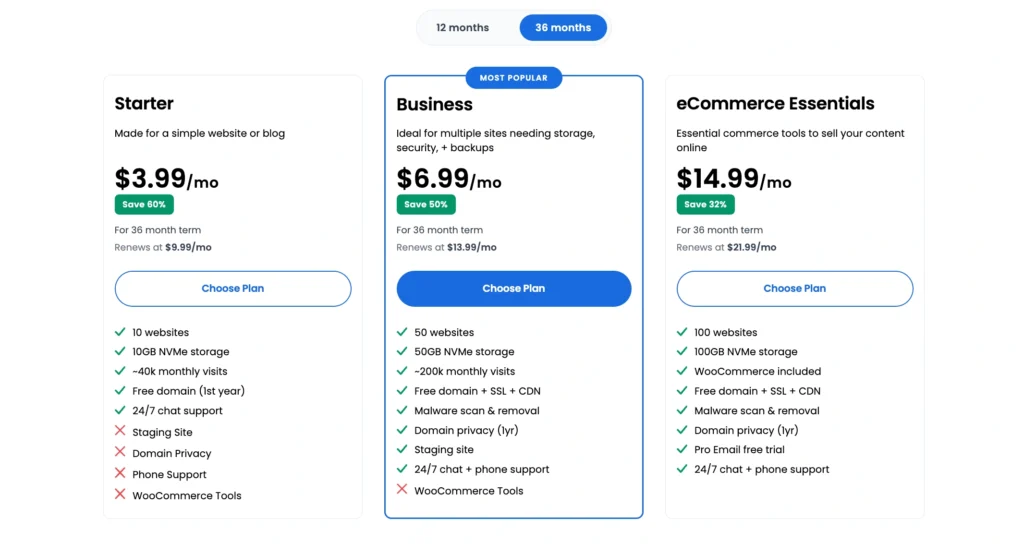
Bluehost offers three main web hosting plans that suit different types of users. The prices below are based on the current 36 month introductory term in USD, excluding taxes and optional extras.
| Bluehost plan | Intro price per month | First term cost for 36 months | Renewal price per month on 36 months | Websites | NVMe storage | Estimated monthly visits | Best for |
|---|---|---|---|---|---|---|---|
| Starter | $3.99 | $143.64 | $9.99 | Up to 10 | 10 GB | Around 40,000 | Personal sites, blogs, small portfolios |
| Business | $6.99 | $251.64 | $13.99 | Up to 50 | 50 GB | Around 200,000 | Small businesses, affiliate sites, growing WordPress projects |
| eCommerce Essentials | $14.99 | $539.64 | $21.99 | Up to 100 | 100 GB | Around 400,000 | WooCommerce stores, memberships, subscriptions, online courses |
The important part is the renewal price. Bluehost is affordable during the first term, but the renewal total should be part of your decision. Buying three years upfront makes sense only when you are comfortable using the host for that period.
Bluehost Starter Plan
Bluehost Starter is made for people launching their first website or blog. It supports up to 10 websites, which is more generous than many entry level hosting plans. Still, 10 GB of storage may feel limiting if you run image heavy sites, large blogs, video focused websites, or multiple WordPress installs with several plugins.
The plan includes a free domain for the first year, free SSL, a CDN, website migration tools, managed WordPress updates, static caching, object caching, SSH access, WP CLI, and a staging environment.
Starter also includes weekly backups. That may be enough for a personal blog that is updated occasionally. It is less ideal for a business website, an active content site, or an ecommerce store where new leads, orders, products, and content are added regularly.
Bluehost Business Plan
The Business plan is the strongest option for most users. It gives you 50 websites, 50 GB of NVMe storage, support for around 200,000 monthly visits, free CDN access, malware scanning, malware detection and removal, domain privacy for the first year, and phone support.
The extra storage is useful for publishers, agencies, affiliate marketers, and small businesses managing several websites. It also gives you more room to install WordPress plugins, store media files, create staging versions, and manage website backups.
Business includes the same core WordPress tools as Starter, but the better support access and expanded resources make it a more practical long term plan. For a serious content website or small business site, the additional cost is usually worth it.
Bluehost eCommerce Essentials Plan
eCommerce Essentials is built for people who need more than basic web hosting. It supports up to 100 websites, includes 100 GB of NVMe storage, and is designed for around 400,000 monthly visits.
The main reason to choose this plan is the included commerce tools. Bluehost includes WooCommerce installation, secure payment processing, product subscriptions, memberships, paid course tools, affiliate program features, customer email templates, social logins, advanced reviews, product filters, wishlists, product add ons, booking tools, subscriptions, and points and rewards features.
This plan is not necessary for every WooCommerce store. A small store with a few products can start on Business. eCommerce Essentials makes more sense when you want to sell subscriptions, memberships, digital products, courses, appointment services, or a larger product catalog.
One important detail is that Bluehost states its Commerce Solution applies to one website on the account. Additional websites that need the full commerce package may require additional add ons.
Bluehost Features Explained
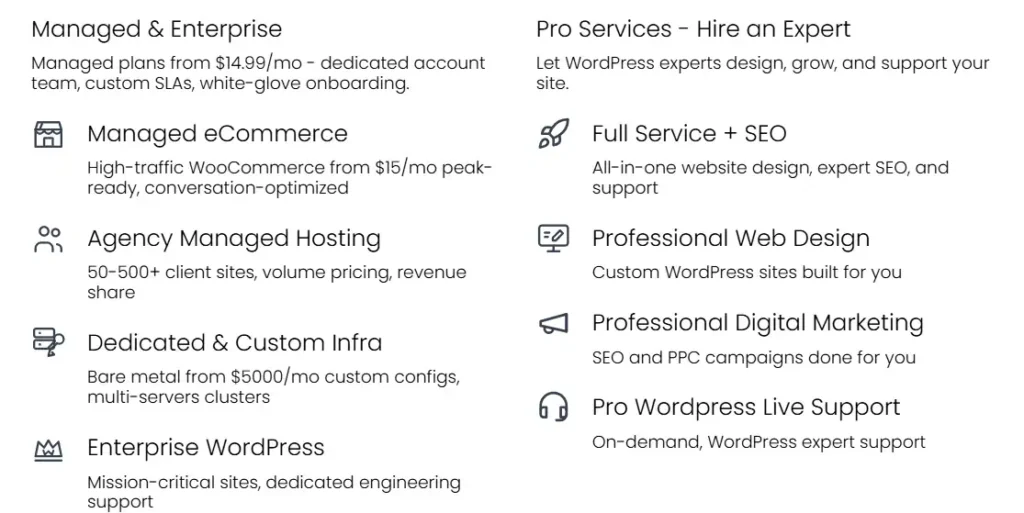
Bluehost includes a broad range of tools, but each plan is designed for a different level of website growth.
| Feature | Starter | Business | eCommerce Essentials |
|---|---|---|---|
| Free domain for first year | Yes | Yes | Yes |
| Free SSL certificate | Yes | Yes | Yes |
| Free CDN | Yes | Yes | Yes |
| Free site migration tool | Yes | Yes | Yes |
| Managed WordPress updates | Yes | Yes | Yes |
| WordPress staging | Yes | Yes | Yes |
| Static and object caching | Yes | Yes | Yes |
| Malware scanning | Yes | Yes | Yes |
| Malware removal | Yes | Yes | Yes |
| Web application firewall | Yes | Yes | Yes |
| DDoS protection | Yes | Yes | Yes |
| Domain privacy for first year | No | Yes | Yes |
| Phone support | No | Yes | Yes |
| WooCommerce tools | Limited | Limited | Included |
| Weekly backups | Yes | Yes | Yes |
Bluehost WordPress Hosting Experience
Bluehost is closely associated with WordPress hosting because the setup process is simple. You can install WordPress during account creation, connect your domain, choose a design, and begin publishing without dealing with server files or manual database setup.
The Bluehost dashboard brings hosting, domains, backups, WordPress settings, email, security, and billing into one place. This is useful for beginners who do not want to learn several different systems just to run a website.
Bluehost also includes managed WordPress updates. This helps keep the WordPress core software updated without requiring manual work every time a new version is released. You should still review plugin and theme updates carefully, especially on active sites, since a poorly coded plugin can create problems after an update.
The staging feature is another useful tool. It lets you create a copy of your WordPress site where you can test theme changes, plugin updates, design edits, and code changes before applying them to the live website. This is valuable for businesses, stores, and publishers who cannot afford to break their main site.
Bluehost Performance and Speed
Bluehost now uses NVMe SSD storage across its current web hosting plans. NVMe storage is faster than traditional hard drives and can help websites process files and database activity more efficiently.
That said, hosting alone does not decide website speed. A slow WordPress site can still happen when you use oversized images, too many plugins, a heavy page builder, unnecessary tracking scripts, poor quality themes, or external tools that delay page loading.
Bluehost includes a CDN, static caching, and object caching. These features can help improve delivery speed, particularly for visitors located away from the primary server location.
For a normal WordPress blog, local business site, landing page, or affiliate content website, Bluehost has enough performance features to get started. For very high traffic publishers, large WooCommerce stores, membership sites with thousands of users, or websites using heavy custom applications, a cloud or VPS plan may become necessary later.
Bluehost Security Features
Security is one of the areas where Bluehost has improved its current plan structure. All web hosting plans include free SSL certificates, malware scanning, malware detection and removal, a web application firewall, and DDoS protection.
An SSL certificate is necessary because it secures the connection between your website and visitors. It also allows your website to load through HTTPS, which is expected by browsers, customers, and search engines.
The web application firewall helps filter suspicious requests before they reach your WordPress site. DDoS protection helps reduce the impact of traffic floods intended to overwhelm a website.
Business and eCommerce Essentials also include domain privacy for the first year. Domain privacy helps hide the personal information normally shown in public domain registration records.
Security tools are helpful, but they should not replace good website management. Use strong passwords, enable two factor authentication where available, remove unused plugins, update WordPress regularly, and keep an independent copy of your website files and database.
Bluehost Backups and Recovery
Bluehost includes weekly website backups on its web hosting plans. Weekly backups are better than having no backup system at all, but they are not enough for every website.
A personal portfolio site may be fine with weekly backups because the content does not change every day. A business website, ecommerce store, blog that publishes regularly, or affiliate site with frequent updates should keep more regular external backups.
A good approach is to use Bluehost backups as one layer of protection while also maintaining your own independent backup. Many WordPress backup plugins can save files and database copies to a cloud storage service.
Before installing a new theme, changing payment settings, editing code, or updating several plugins at once, create a backup first. That single habit can save hours of recovery work.
Bluehost Domain and Email Features
Bluehost offers a free domain for the first year when you choose an eligible 12 or 36 month hosting term. The domain must be claimed within 90 days of purchase, and only eligible extensions qualify.
After the first year, the domain renews at the current listed domain rate. That renewal cost is separate from the hosting renewal cost.
Bluehost also offers a professional email trial. The current promotion includes one month free, but the email service renews at $2.99 per month unless you cancel before the trial ends. It is worth checking the checkout page carefully so you do not keep an add on you do not need.
Business and eCommerce Essentials include domain privacy free for the first year. This can be useful for solo business owners and small website operators who want to reduce spam and avoid publishing personal contact details in public domain records.
Bluehost Customer Support
Bluehost provides 24 hour chat support across its web hosting plans. Starter users receive chat support, while Business and eCommerce Essentials users also receive phone support.
Phone support can matter when you are dealing with a complicated issue involving billing, domain transfers, DNS, failed migrations, or a website outage. Some users prefer a live conversation over a support ticket or chat session.
The knowledge base is also useful for basic tasks such as connecting a domain, setting up SSL, installing WordPress, creating email accounts, restoring backups, and changing PHP settings.
The main point is simple. Starter is suitable for users comfortable with chat support. Business is better for people who want the option to call when something needs urgent attention.
Bluehost Pros and Cons
Bluehost Pros
• Affordable introductory pricing on longer terms
• Up to 10 websites even on the Starter plan
• NVMe storage on all current web hosting plans
• Free domain for the first year on eligible terms
• Free SSL and CDN included
• WordPress staging, caching, SSH, and WP CLI access
• Malware scanning, firewall protection, DDoS protection, and malware removal tools
• Phone support included with Business and eCommerce Essentials
• Useful WooCommerce and commerce features on eCommerce Essentials
Bluehost Cons
• Introductory pricing requires a 36 month commitment for the lowest rates
• Renewal rates are higher than first term prices
• Weekly backups may not be enough for active business websites
• Starter does not include phone support
• Domain privacy is not included with Starter
• Ecommerce tools are mainly useful on the most expensive plan
• High traffic websites may eventually need cloud, VPS, or dedicated hosting
Bluehost vs SiteGround vs DreamHost
Bluehost is not the only option for WordPress hosting. SiteGround and DreamHost are also popular choices, but they have different pricing structures and strengths.
| Provider and plan | Intro price | Renewal price | Websites | Storage | Backups | Best for |
|---|---|---|---|---|---|---|
| Bluehost Business | $6.99 per month for 36 months | $13.99 per month on 36 months | Up to 50 | 50 GB NVMe | Weekly | Multiple websites, small businesses, WordPress users wanting phone support |
| SiteGround GrowBig | $4.99 per month for 12 months | $29.99 per month | Unlimited | 50 GB | Daily plus on demand | Users who value daily backups, staging, and advanced WordPress tools |
| DreamHost Web Hosting Launch | $2.89 per month for one year | $10.99 per month | Up to 25 | 25 GB NVMe | Daily | Budget users who want more websites and daily automated backups |
Bluehost Business is more affordable at renewal than SiteGround GrowBig and offers phone support, but SiteGround provides daily backups and on demand backups, which can be important for active sites.
DreamHost Web Hosting Launch is attractive for users who want daily backups, 25 websites, and a lower first year price. Bluehost is more suitable for users who want phone support, commerce tools, and a familiar WordPress focused setup.
Who Should Choose Bluehost?
Bluehost is a good fit for several types of website owners.
Beginners Building Their First Website
The setup process is simple, WordPress installation is easy, and the dashboard keeps most website tasks in one place. Starter can work well for a simple site, although Business is safer for people who expect to grow.
Bloggers and Affiliate Marketers
Business is a practical choice for affiliate websites because it supports up to 50 sites, includes 50 GB of NVMe storage, and provides enough room for content sites, comparison pages, reviews, and smaller niche projects.
Small Business Owners
Local businesses, consultants, service providers, freelancers, and agencies can use Bluehost Business to host websites, create a branded email address, manage domains, and use WordPress staging for changes.
Ecommerce Store Owners
eCommerce Essentials is worth considering when you need subscriptions, memberships, paid courses, bookings, product filters, gift cards, advanced WooCommerce features, and customer management tools.
Who Should Avoid Bluehost?
Bluehost may not be the best option for every project.
You may want another host if you need daily backups as a standard feature and do not want to set up your own external backup system. You may also need cloud or VPS hosting if you run a large store, receive major traffic spikes, or use demanding custom applications.
Users who only need one small website may find Bluehost Starter more than enough. Users who need stronger resources and more regular backups may prefer Bluehost Business, SiteGround GrowBig, DreamHost, or a managed WordPress provider.
Bluehost Review FAQs
Is Bluehost good for WordPress?
Yes. Bluehost is a good option for WordPress beginners because it includes managed WordPress updates, free SSL, site migration tools, staging, caching, SSH access, WP CLI, and support resources.
Does Bluehost include a free domain?
Yes. Bluehost includes one free domain for the first year on eligible 12 or 36 month web hosting plans. The domain renews at the normal rate after the first year.
Does Bluehost offer a money back guarantee?
Bluehost offers a 30 day money back guarantee for eligible shared, VPS, and dedicated hosting purchases. Domain registration fees, add ons, monthly plans, and some other products are excluded.
Is Bluehost Business better than Starter?
For most serious website owners, yes. Business includes more websites, more storage, phone support, domain privacy for the first year, and more resources for growing sites.
Are Bluehost backups enough?
Weekly backups are useful, but active websites should also use an independent backup solution. This is especially important for stores, businesses, and sites that publish content regularly.
Is Bluehost Worth It?
Bluehost is worth considering when you want a beginner friendly hosting provider with WordPress tools, security features, a free domain for the first year, NVMe storage, and support in one place.
The Business plan is the best option for most users because it gives you room to grow without the higher cost of an ecommerce package. It works well for bloggers, affiliate marketers, small businesses, service providers, and users managing several websites.
The biggest thing to remember is renewal pricing. Bluehost can be a good value during the introductory period, but you should calculate the renewal cost before choosing a long contract. When you do that, Bluehost remains a solid option for website owners who want practical WordPress hosting without making the setup process complicated.