
Namecheap is widely known for affordable domain names, but its hosting plans have become a practical option for bloggers, small businesses, freelancers, affiliate marketers, and anyone who wants a simple cPanel hosting account without paying premium prices.
Its shared hosting plans are called Stellar, Stellar Plus, and Stellar Business.
All three include unmetered bandwidth, email hosting, cPanel, WordPress installation, free SSL setup, migration assistance, and access to a website builder. The difference comes down to website limits, storage, backup access, and security features.
The biggest reason people consider Namecheap is cost. It is one of the lowest priced hosting companies for users who need basic hosting with several useful features.
The free 30 day trial is also helpful because you can test the dashboard, install WordPress, and see whether the service feels right before paying for a longer term.
Still, Namecheap is not the best host for every website. A busy WooCommerce store, large membership platform, high traffic publisher site, or resource heavy web application may need VPS, cloud, or managed WordPress hosting. Shared hosting has limits, even when the plan says unmetered bandwidth or unlimited websites.
For most small and medium sites, however, Namecheap offers strong value. The Stellar Plus plan is usually the best option because it supports unlimited websites, includes unmetered SSD storage within normal usage rules, offers unlimited mailboxes, and gives you AutoBackup protection.
This Namecheap review covers pricing, features, performance, backups, security, WordPress tools, support, EasyWP managed WordPress hosting, and how Namecheap compares with similar hosting providers.
Namecheap Overview
Namecheap is a good choice for people who want affordable hosting, cPanel access, business email, WordPress tools, and the option to host more than one website.
Stellar is suitable for a small blog or portfolio. Stellar Plus is the best plan for most users. Stellar Business is useful for websites that need stronger security and cloud storage options.
| Category | Namecheap Details |
|---|---|
| Best for | Bloggers, small businesses, affiliate websites, freelancers, and beginners |
| Hosting type | Shared hosting, managed WordPress, VPS, reseller hosting, and dedicated servers |
| Entry plan | Stellar |
| Best overall plan | Stellar Plus |
| Website limit | 3 websites on Stellar, unlimited on Stellar Plus and Stellar Business |
| Storage | 20 GB SSD, unmetered SSD, or 50 GB cloud storage |
| Email hosting | Included on all shared hosting plans |
| Control panel | cPanel |
| Backups | AutoBackup on Stellar Plus and Stellar Business |
| Support | 24 hour live chat and help desk support |
| Free migration | Included for cPanel based hosting transfers |
| Refund policy | 30 day money back guarantee for eligible first time shared hosting accounts |
Namecheap Pricing and Plans
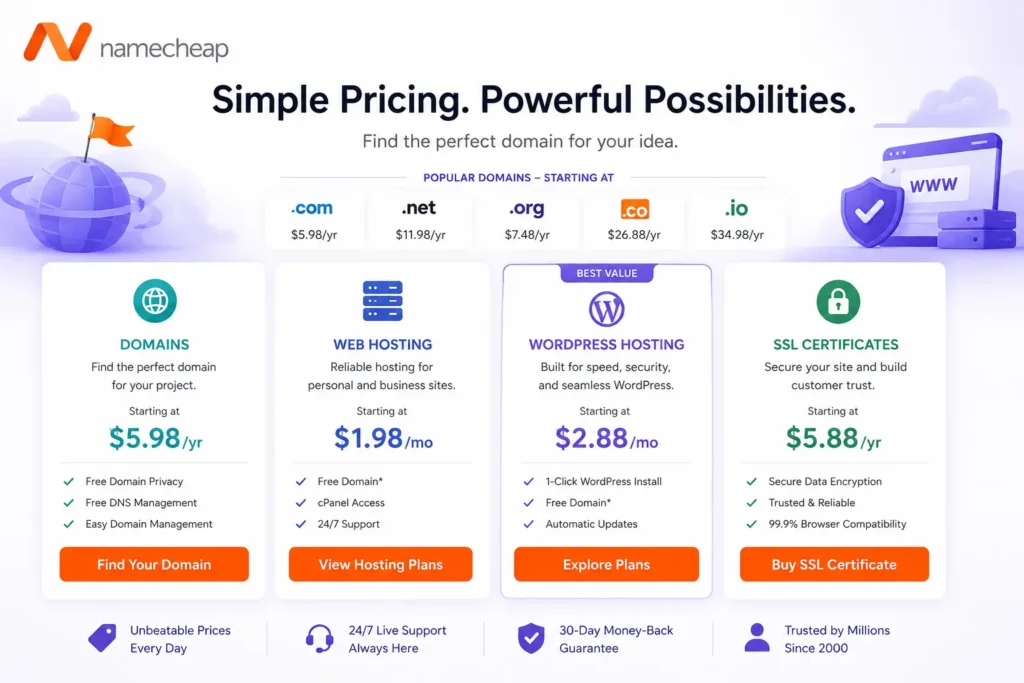
Namecheap offers monthly, yearly, and two year shared hosting billing options. The website displays promotional pricing that can change depending on the billing term and current campaign.
At the time of writing, Namecheap advertises a 30 day free trial for all shared hosting plans. After the trial, the promotional display shows rates from $2.28 per month for Stellar, $2.98 per month for Stellar Plus, and $4.98 per month for Stellar Business.
The more useful numbers to consider are the published standard prices, especially if you plan to keep the hosting account for more than one year.
| Plan | Free Trial | Published Monthly Price | Published Annual Price | Published Two Year Price | Websites | Storage |
|---|---|---|---|---|---|---|
| Stellar | 30 days | $5.88 per month | $55.88 per year | $102.88 for two years | 3 | 20 GB SSD |
| Stellar Plus | 30 days | $7.88 per month | $85.44 per year | $146.44 for two years | Unlimited | Unmetered SSD |
| Stellar Business | 30 days | $11.88 per month | $128.88 per year | $251.88 for two years | Unlimited | 50 GB cloud storage |
The price difference between Stellar and Stellar Plus is small compared with the extra features you receive. For this reason, Stellar Plus is the better choice for most people.
Namecheap Stellar Plan
Stellar is the entry level shared hosting plan. It supports up to three websites, includes 20 GB SSD storage, up to 30 email mailboxes, 50 MySQL databases, unmetered bandwidth, and cPanel access.
This plan works well for a personal blog, portfolio site, basic landing page, local service website, or a small WordPress project. It also makes sense for people who want to host a few simple websites without paying for a larger plan.
The biggest limitation is backups. Namecheap says internal Stellar backups are ideally performed twice per week, but they are not guaranteed. You can create your own cPanel backups, but the plan does not include the full AutoBackup system available on higher plans.
For a website that publishes content often, receives business leads, or earns affiliate income, this backup limitation matters. A serious site should not rely only on occasional internal backups.
Namecheap Stellar Plus Plan
Stellar Plus is the most practical Namecheap plan for most website owners. It supports unlimited websites, unlimited email mailboxes, unlimited databases, unmetered SSD storage under the acceptable use policy, and unmetered bandwidth.
The major advantage is AutoBackup. It stores six daily backups, three weekly backups, and five monthly backups. You can use cPanel to restore or download a full backup that includes website files, databases, email accounts, and settings.
This plan is a good fit for affiliate marketers managing several review sites, bloggers running multiple niche sites, freelancers hosting portfolio websites, and small businesses with a main site plus landing pages.
The word unlimited does not mean unlimited server resources. All websites on the account share the same server environment, storage policy, CPU capacity, memory, and inode limits. It is suitable for several lightweight WordPress websites, but not for dozens of busy ecommerce stores.
Namecheap Stellar Business Plan
Stellar Business is built for people who need more protection and a more stable storage setup. It supports unlimited websites and email mailboxes, includes 50 GB cloud storage, and offers a larger 600,000 inode limit.
It also includes AutoBackup and Imunify360 security. Imunify360 adds protection against malware, bots, denial of service attacks, and known threats at the server level.
Stellar Business is a better fit for growing businesses, agencies with several client websites, larger WordPress sites, and small WooCommerce stores. It is still shared hosting, so it is not a replacement for a VPS or managed WordPress platform when you have heavy traffic or high database activity.
Namecheap Features Compared
| Feature | Stellar | Stellar Plus | Stellar Business |
|---|---|---|---|
| Websites | 3 | Unlimited | Unlimited |
| Storage | 20 GB SSD | Unmetered SSD | 50 GB cloud storage |
| Inode limit | 300,000 | 300,000 | 600,000 |
| Bandwidth | Unmetered | Unmetered | Unmetered |
| Email mailboxes | 30 | Unlimited | Unlimited |
| MySQL databases | 50 | Unlimited | Unlimited |
| Free SSL setup | Yes | Yes | Yes |
| Supersonic CDN | Yes | Yes | Yes |
| Free migration | Yes | Yes | Yes |
| AutoBackup | No | Yes | Yes |
| Imunify360 security | No | No | Yes |
| cPanel | Yes | Yes | Yes |
| 24 hour live chat support | Yes | Yes | Yes |
Namecheap WordPress Hosting Experience
Namecheap shared hosting works well with WordPress. You can install WordPress through Softaculous in a few clicks, connect your domain, activate SSL, create email accounts, and manage your database through cPanel.
The platform supports more than WordPress. You can also install Joomla, Drupal, Magento, PrestaShop, phpBB, MediaWiki, and many other applications through Softaculous.
For a normal WordPress site, the setup process is simple. You select your domain, choose WordPress from the installer, set an administrator username and password, and finish the setup. Once WordPress is installed, you can manage content through the WordPress dashboard and manage hosting settings through cPanel.
Namecheap also includes its own AI for WordPress tool and Sitejet website builder. These can help beginners build a simple website faster, but WordPress remains the better choice for users who want more control over design, SEO plugins, content publishing, ecommerce features, and long term flexibility.
The standard shared hosting plans are not fully managed WordPress hosting. You are still responsible for plugin updates, theme updates, WordPress security, and site optimization. That is normal for affordable shared hosting.
Namecheap Performance and Speed
Namecheap uses SSD storage on its shared hosting plans. Stellar and Stellar Plus use SSD storage, while Stellar Business includes cloud storage in selected data center locations.
The hosting stack supports Apache and LiteSpeed, PHP, Node.js, Python, Ruby, MariaDB, SSH access, cron jobs, and common developer tools. This makes the platform more flexible than a basic beginner only hosting product.
Every shared hosting plan includes Supersonic CDN. A CDN helps deliver static site files such as images, CSS, JavaScript, and cached content from servers closer to visitors. This can improve loading times for users in different countries.
There is one condition. Supersonic CDN is available only when your domain uses Namecheap shared hosting nameservers. That may not be a problem for most beginners, but it matters if you use a separate DNS provider.
Namecheap offers data center choices in the United States, Europe, and Singapore. Choosing a location close to your main visitors can improve loading times. For an India focused website, Singapore is often the most practical option.
Performance still depends on your website setup. A lightweight theme, optimized images, sensible plugin use, and proper caching will do more for speed than changing hosts every few months.
Backups and Security
Backups are one of the most important differences between Namecheap plans.
Stellar users should create and download their own backups regularly. The company says internal backups are ideally performed twice each week, but they are not guaranteed. This is not enough for a business critical website.
Stellar Plus and Stellar Business include AutoBackup. This is much better because it gives you daily, weekly, and monthly restore points. You can restore a backup directly through cPanel or download a copy for external storage.
Even with AutoBackup, keep an independent backup of important websites. A WordPress backup plugin connected to Google Drive, Dropbox, or Amazon S3 gives you another recovery option if you need to move hosts or restore a site quickly.
Security features are stronger on Stellar Business because it includes Imunify360. All plans also include free SSL setup, account isolation, firewall protection, cPanel two factor authentication, and server monitoring.
For WordPress websites, you should still use strong passwords, enable two factor authentication, remove unused plugins, keep themes updated, and avoid pirated plugins or themes.
Email, Domains, and cPanel
Namecheap includes professional email hosting with shared hosting plans. Stellar supports up to 30 mailboxes, while Stellar Plus and Stellar Business offer unlimited mailboxes within fair usage limits.
One advantage of Namecheap is cPanel. It is one of the most familiar hosting panels in the industry. You can manage files, databases, domains, DNS, SSL certificates, email accounts, cron jobs, PHP settings, and backups from one dashboard.
Namecheap is also a domain registrar, but shared hosting does not automatically mean you receive a permanently free domain name. The company often provides discounted domain offers with hosting plans, and the exact deal depends on the domain extension, billing term, and current promotion.
Always check the domain renewal cost before completing checkout.
Namecheap Support and Migration
Namecheap offers support through 24 hour live chat and a help desk system. There is no standard phone support, which may be a disadvantage for users who prefer speaking directly with an agent.
Live chat is useful for common issues such as cPanel access, domain connection, SSL setup, email configuration, migration requests, and billing questions.
Namecheap offers free cPanel to cPanel migrations. This is helpful if you are moving from another traditional shared host. You provide access to the old hosting account, and Namecheap can transfer the website files, databases, email accounts, and basic settings.
Complex websites may need more care. A WooCommerce store, membership site, booking platform, or site with frequent customer activity should be tested carefully before changing DNS records.
EasyWP Managed WordPress Hosting
Namecheap also offers EasyWP, a separate managed WordPress hosting service.
EasyWP is designed for people who only need WordPress and want a simpler dashboard than cPanel. WordPress is installed quickly, and the service includes managed hosting tools, free SSL, CDN access, automatic WordPress updates, backups, and cloud infrastructure.
| EasyWP Plan | First Month Price | Renewal Price | Storage | Best For |
|---|---|---|---|---|
| EasyWP Starter | Free | $9.88 per month | 10 GB NVMe | One simple WordPress website |
| EasyWP Turbo | $13.88 per month | $18.88 per month | 50 GB NVMe | Growing blogs and business websites |
| EasyWP Supersonic | $20.88 per month | $26.88 per month | 100 GB NVMe | Ecommerce and higher demand WordPress sites |
EasyWP Starter is a good choice for someone who only wants one WordPress site and does not need cPanel email hosting or several applications.
EasyWP Turbo is the better choice for most serious WordPress users because it includes more storage, added malware protection, and stronger resources. Supersonic is built for stores and websites that need more CPU and memory resources.
For multiple websites, Namecheap Stellar Plus is usually more cost effective. For one important WordPress site, EasyWP can be simpler.
Namecheap Pros and Cons
Namecheap Pros
• Very affordable shared hosting plans
• Free 30 day trial on shared hosting
• cPanel included on every shared hosting plan
• Business email included
• Stellar Plus supports unlimited websites
• AutoBackup included with Stellar Plus and Stellar Business
• Free cPanel migration assistance
• Free SSL setup and Supersonic CDN
• Data center option in Singapore
• WordPress, Node.js, Python, Ruby, and developer tools supported
• 30 day refund policy for eligible first time accounts
Namecheap Cons
• Stellar backup coverage is limited and not guaranteed
• No phone support
• Unlimited plans still have shared server resource limits
• Stellar Business has a 50 GB storage limit
• Free domain is not automatically included as a standard permanent benefit
• Shared hosting may not suit large stores or high traffic sites
• Managed WordPress plans cost more and only support one website each
Namecheap vs DreamHost vs GreenGeeks
| Provider | Comparable Plan | Introductory Price | Renewal Price | Websites | Storage | Best For |
|---|---|---|---|---|---|---|
| Namecheap | Stellar Plus | Free trial, then from $2.98 per month | $85.44 per year | Unlimited | Unmetered SSD | Budget users who need multiple sites, cPanel, email, and backups |
| DreamHost | Growth | $3.99 per month for the first year | $12.99 per month | 50 | 50 GB NVMe | Users who want daily automated backups and lower long term renewal costs |
| GreenGeeks | Pro | $4.95 per month for 12 months | $18.95 per month | Unlimited | 50 GB | Users who want cPanel, email, migration help, and a sustainability focused host |
Namecheap Stellar Plus is the better value when you want several smaller sites at the lowest practical cost. Its AutoBackup system gives it an advantage over many entry level plans.
DreamHost Growth is stronger for users who want daily automated backups included from the start and more predictable limits. GreenGeeks Pro is a useful option for users who value its environmental positioning and traditional cPanel hosting setup.
Who Should Choose Namecheap?
Namecheap is a good choice for bloggers, portfolio owners, freelancers, local businesses, and affiliate marketers who want to manage multiple small websites at a reasonable cost.
Stellar Plus is ideal for users who need several WordPress websites, professional email accounts, AutoBackup, cPanel, and unmetered SSD storage.
Namecheap can also suit developers who want SSH, PHP, Node.js, Python, Ruby, and database tools without paying for a VPS immediately.
Who Should Avoid Namecheap?
Namecheap may not be the best option for a high traffic WooCommerce store, a large membership platform, a busy booking website, or a publisher with heavy traffic spikes.
You may also prefer another host if you need phone support, fully managed WordPress maintenance, advanced staging workflows, or deep performance monitoring.
Kinsta, WP Engine, Cloudways, and premium managed WordPress hosts cost more, but they can be a better fit for business critical WordPress websites.
Namecheap Review FAQs
Is Namecheap good for WordPress?
Yes. Namecheap shared hosting supports WordPress through Softaculous and includes cPanel, SSL setup, email accounts, backups on higher plans, and CDN access. EasyWP is a separate option for managed WordPress hosting.
Does Namecheap include free email?
Yes. Stellar includes 30 mailboxes. Stellar Plus and Stellar Business include unlimited mailboxes within normal usage rules.
Does Namecheap include free backups?
Stellar Plus and Stellar Business include AutoBackup with daily, weekly, and monthly restore points. Stellar has internal backups that are ideally performed twice weekly but are not guaranteed.
Is Stellar Plus worth it?
Yes. Stellar Plus is the best option for most people because it supports unlimited websites, includes unlimited mailboxes, provides AutoBackup, and costs only a little more than Stellar.
Does Namecheap offer a free domain?
Namecheap may offer domain discounts or promotional domain offers with hosting purchases, but you should check the current checkout page for the exact extension, discount, and renewal price.
Does Namecheap offer a refund?
Eligible first time shared hosting accounts can receive a refund within 30 days. Accounts started through the 30 day trial have different eligibility rules, so check the current refund policy before purchasing.
Is Namecheap Worth It?
Namecheap is worth it for users who want affordable shared hosting with cPanel, email, WordPress tools, SSL, migration support, and useful backup options on higher plans.
Stellar Plus is the plan most people should choose. It provides unlimited websites, unmetered SSD storage, unlimited mailboxes, and AutoBackup without moving into a much higher price range.
The biggest issue is the Stellar plan. Its backup protection is limited, so it is not the right option for a serious business website. Paying a little extra for Stellar Plus is the safer choice.
For personal sites, blogs, affiliate projects, portfolios, local businesses, and small website portfolios, Namecheap remains one of the better budget hosting providers available.