
Choosing between SiteGround and Kinsta is not as simple as comparing two hosting prices. One is a high-quality shared hosting platform built for beginners, small businesses, and growing WordPress sites. The other is a premium managed WordPress host designed for businesses that want a more hands-off, performance-first environment.
This SiteGround vs Kinsta comparison looks beyond homepage claims. It focuses on the factors that matter once your site has been live for months: TTFB, caching, server locations, backups, traffic handling, support quality, security, dashboard experience, and the real cost after the introductory offer ends.
SiteGround is usually the better value for bloggers, affiliate marketers, portfolios, and small businesses. Kinsta is the stronger choice for high-value WordPress sites, WooCommerce stores, agencies, and companies where downtime or slow backend performance can cost real money.
SiteGround vs Kinsta: Quick Comparison
| Feature | SiteGround | Kinsta |
|---|---|---|
| Starting price | Starts around $2.99 per month on a promotional 12-month term | First month free on eligible plans, then $35 monthly or $350 annually for the entry single-site plan |
| Renewal pricing | StartUp renews around $17.99 per month, GrowBig at $29.99, and GoGeek at $44.99 | No large promotional-to-renewal price jump, but standard pricing is much higher from the beginning |
| Hosting type | Shared hosting with managed WordPress tools | Premium managed WordPress hosting |
| Performance stack | Google Cloud, custom PHP and MySQL, multilevel caching, CDN | Isolated site containers, Cloudflare Enterprise integration, Edge Caching, HTTP/3 CDN |
| Storage | 10 GB, 50 GB, or 100 GB depending on plan | 10 GB storage on the Single 20GB entry plan |
| Dashboard | Site Tools | MyKinsta |
| Support | 24/7 chat, tickets, and phone support | 24/7 expert chat support only |
| Best for | Budget-conscious WordPress users and smaller sites | High-traffic, business-critical, and agency-managed WordPress sites |
SiteGround’s current web hosting plans include free CDN, SSL, daily backups, managed WordPress updates, and storage tiers from 10 GB to 100 GB. Kinsta’s entry plan includes one WordPress install, 10 GB storage, 125 GB CDN bandwidth, free migrations, and a first-month-free offer for qualifying new customers.
SiteGround Review: Why It Is Still a Strong Value Choice

SiteGround has moved beyond being a basic shared hosting provider. It still has shared hosting pricing, but its platform includes managed WordPress updates, built-in caching, a CDN, automated backups, staging on higher plans, and a custom dashboard that is easier to use than traditional cPanel.
The main reason SiteGround remains popular is simple: it gives smaller websites a good balance of performance, support, and convenience without forcing them into a $30-plus monthly managed WordPress plan.
SiteGround Performance and Speed

SiteGround runs on Google Cloud infrastructure and uses distributed SSD storage. Its performance stack includes custom PHP and MySQL optimizations, multilevel caching, and optional Memcached for database-driven websites.
This is not a LiteSpeed hosting platform. You do not get LiteSpeed Cache or the LiteSpeed server stack that some budget WordPress hosts promote. Instead, SiteGround relies on its own SuperCacher technology, dynamic caching, browser caching, and SiteGround Optimizer plugin.
For a normal WordPress blog, affiliate website, company site, or portfolio, that setup works well. The SiteGround Optimizer plugin can handle dynamic caching, image optimization, database cleanup, PHP changes, and frontend performance settings without needing several separate plugins.
SiteGround also offers free CDN access and describes its hosting stack as Google Cloud-based with custom PHP and MySQL optimizations.
SiteGround Site Tools Dashboard
SiteGround does not use cPanel anymore. It replaced cPanel with its own dashboard, called Site Tools.
Site Tools is website-focused, which means you manage each domain from its own control area. You can handle backups, SSL, email accounts, DNS records, file management, databases, staging, cache settings, and security tools without jumping between multiple dashboards.
For a beginner, Site Tools is easier than cPanel. For a developer who has spent years working with cPanel, there may be a short adjustment period. Still, Site Tools is clean, fast, and practical once you know where everything is.
SiteGround Security and Backups
SiteGround includes free SSL, daily backups, a web application firewall, bot protection, proactive monitoring, and security tools for WordPress. Its WordPress hosting stack also includes geo-distributed daily backups, so backup copies are stored separately from the main site location.
GrowBig and GoGeek users also get staging tools. That matters when you are changing a WordPress theme, editing WooCommerce settings, adding a checkout plugin, or testing a major redesign.
SiteGround Pros
- Strong value for WordPress hosting
- Google Cloud infrastructure and SSD storage
- Free CDN, SSL, daily backups, and email hosting
- Multilevel caching and SiteGround Optimizer plugin
- Site Tools is beginner friendly
- 24/7 chat, ticket, and phone support
- Staging and on-demand backups on higher plans
- Good choice for multiple smaller websites
SiteGround Cons
- Renewal prices are much higher than introductory prices
- Not as isolated or resource-heavy as Kinsta
- No LiteSpeed server stack
- StartUp plan supports only one website
- Advanced staging and faster PHP features require GrowBig or GoGeek
- Large WooCommerce sites may outgrow shared hosting
Kinsta Review: Why It Is Better for High-Value WordPress Sites

Kinsta is a different type of product. It is not cheap shared hosting with a few WordPress tools added on. It is managed WordPress hosting built for site owners who want strong infrastructure, performance tuning, backups, security, staging, monitoring, and expert support handled at the hosting level.
That is why Kinsta costs more. The entry plan starts with a free first month, then costs $35 per month or $350 annually.
For a small personal blog with little traffic, Kinsta may be unnecessary. For a business site generating leads, a successful affiliate site, a busy WooCommerce store, or an agency managing client websites, it can make more financial sense.
Kinsta Performance and Infrastructure
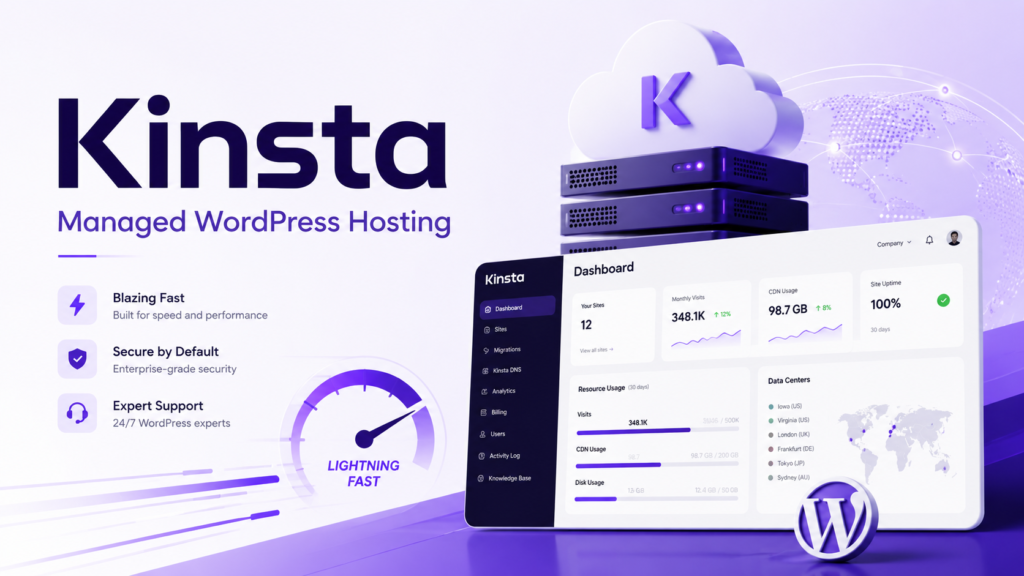
Kinsta has upgraded its infrastructure to Oracle Cloud Infrastructure, and its current WordPress platform offers 27 available data center locations. When you create a site, you can choose the location closest to your core visitors to reduce latency and improve TTFB.
Kinsta uses isolated site containers rather than placing every account into a typical shared hosting environment. Its documentation states that standard live site containers have access to 12 CPUs and 8 GB RAM by default.
That does not mean every small site needs those resources. It does mean Kinsta is built to give websites more predictable performance when traffic rises, background tasks run, or WordPress plugins create heavier database activity.
Kinsta Edge Caching and CDN
Kinsta’s biggest performance advantage is its Cloudflare integration. Every plan includes Cloudflare-based Edge Caching, a CDN, enterprise firewall coverage, and DDoS protection.
Edge Caching stores cacheable WordPress HTML closer to visitors. Kinsta says its internal testing found that this reduced the time to serve cached WordPress HTML by more than 50 percent on average.
This is especially useful for international traffic. A visitor in the United States, Europe, India, Australia, or Singapore does not always need to wait for the request to travel back to the origin server when a page can be served from the edge network.
Kinsta’s CDN is powered by Cloudflare, supports HTTP/3, and uses a network with more than 300 cities worldwide.
MyKinsta Dashboard
Kinsta does not provide cPanel. Instead, it uses MyKinsta, a purpose-built WordPress hosting dashboard.
MyKinsta is more polished than a normal shared hosting panel. You can manage backups, staging sites, domains, redirects, PHP settings, cache clearing, site analytics, user access, logs, database tools, and application performance monitoring from one place.
It is especially useful for agencies because you can give different levels of access to developers, clients, marketing teams, or freelancers. Kinsta also includes an in-house APM tool that helps identify slow plugins, database queries, PHP bottlenecks, and external requests.
Kinsta Security and Backups
Kinsta includes a managed web application firewall, Cloudflare Enterprise DDoS protection, malware removal, automatic security patching, and daily backups. Daily backups include files and databases, with a minimum 14-day retention period.
You can also add six-hour or hourly backups if your website changes frequently. This is useful for busy WooCommerce stores, membership websites, course platforms, or websites publishing new customer data all day.
Kinsta Pros
- Premium managed WordPress environment
- Isolated site containers for better resource stability
- 27 data center choices
- Cloudflare Enterprise security and DDoS protection
- Edge Caching and HTTP/3 CDN included
- Free expert migrations
- Daily backups and optional hourly backups
- Built-in APM monitoring tool
- Strong dashboard for agencies and developers
- No major introductory-to-renewal price shock
Kinsta Cons
- Much more expensive than SiteGround
- Only suitable for WordPress websites
- No phone support
- Lower entry-level storage than many shared hosting plans
- Not ideal for a simple hobby blog with limited budget
- Some advanced features and add-ons cost extra
SiteGround vs Kinsta: Speed, TTFB, and Uptime
The question is not simply, “Is SiteGround faster than Kinsta?”
For a lightweight WordPress blog with a fast theme, optimized images, and a cache plugin, SiteGround can be very fast. You may not see enough difference to justify paying several times more for Kinsta.
For a WooCommerce store, membership site, lead-generation business, agency website, or affiliate site making serious revenue, Kinsta is more likely to deliver steadier performance under pressure.
TTFB matters because it measures how long the server takes to begin responding. A low TTFB helps page speed, but it is only one part of the picture. Your theme, plugins, database size, image weight, JavaScript, third-party tracking scripts, CDN configuration, and visitor location all affect final load time.
A proper stress test should use:
- The same WordPress theme
- The same page builder and plugins
- The same server region
- The same image sizes
- The same CDN status
- Warm-cache and cold-cache tests
- Simulated concurrent visitors
Kinsta has a more premium speed setup because its Edge Caching can serve full cached WordPress pages near visitors, while its isolated containers reduce the risk that other shared accounts affect your site. SiteGround is still fast, but it is built around shared hosting economics.
For global traffic, Kinsta has more data center choices. Kinsta currently lists 27 locations, while SiteGround operates 11 data centers across four continents and a CDN network with 170 edge points.
Site Tools vs MyKinsta
Neither SiteGround nor Kinsta uses traditional cPanel.
Choose SiteGround Site Tools if you want:
- A simple dashboard for websites, email, DNS, backups, and WordPress
- Easier management for several small websites
- Built-in email hosting
- Basic developer tools without a steep learning curve
- More affordable hosting plans
Choose MyKinsta if you want:
- Advanced WordPress-focused controls
- Detailed site analytics and logs
- Application performance monitoring
- Strong staging and backup workflows
- User permissions for teams and clients
- Better tools for professional WordPress management
SiteGround is simpler for general website ownership. Kinsta is better when WordPress is central to your business.
Customer Support: Phone Access vs WordPress Specialists
Imagine your site goes down after a plugin update, your checkout page stops working, or your homepage starts returning a 502 error during a paid campaign.
SiteGround gives users more support channels. It offers 24/7 support through live chat, tickets, and phone.
Kinsta provides 24/7 support only through chat inside MyKinsta. Its support team says it does not use entry-level support tiers and focuses on WordPress developers and Linux engineers.
The better option depends on how you prefer to solve problems.
Choose SiteGround if you like phone support and want someone available for general hosting questions.
Choose Kinsta if you are comfortable with chat and care more about getting a technically strong WordPress answer than getting someone on a phone call.
Pricing and Renewal Secrets
SiteGround wins easily on introductory price. Its StartUp plan begins around $2.99 per month on a 12-month term, GrowBig starts around $4.99, and GoGeek begins around $7.99.
The catch is renewal pricing. StartUp renews around $17.99 per month, GrowBig around $29.99, and GoGeek around $44.99 per month.
Kinsta costs much more at the beginning, but the pricing is more predictable. Its entry single-site plan is free for the first month for eligible customers, then costs $35 monthly or $350 annually.
This makes SiteGround better for users starting a new project on a limited budget. Kinsta is better for users who already know their website is valuable enough to justify premium hosting from day one.
Best For Scenarios
| Situation | Better Choice | Why |
|---|---|---|
| New blogger | SiteGround | Affordable plans and easy Site Tools dashboard |
| Affiliate niche site | SiteGround GrowBig or GoGeek | Good speed tools, staging, backups, and lower cost |
| High-revenue affiliate site | Kinsta | Better TTFB potential, edge caching, and isolated resources |
| Portfolio website | SiteGround | More than enough power at a lower price |
| WooCommerce startup | SiteGround GrowBig or GoGeek | Lower cost while validating the business |
| Busy WooCommerce store | Kinsta | Better infrastructure for dynamic traffic and frequent updates |
| Digital agency | Kinsta | Strong user controls, APM, staging, analytics, and migrations |
| Website owner who prefers phone support | SiteGround | Chat, tickets, and phone channels available |
| International WordPress audience | Kinsta | More data center options and Cloudflare Edge Caching |
Final Verdict: SiteGround vs Kinsta
For most beginners, bloggers, affiliate marketers, and small businesses, SiteGround is the better value. It is easier to afford, includes useful WordPress tools, has good security, offers daily backups, and provides phone support alongside chat and tickets.
For business-critical WordPress websites, high-traffic stores, agencies, membership platforms, and websites where performance directly affects income, Kinsta is the stronger platform. Its isolated containers, Cloudflare Enterprise integration, Edge Caching, global locations, backups, and technical WordPress support make the higher price easier to justify.
The simple answer is this:
Choose SiteGround when you need fast, reliable WordPress hosting without paying premium managed WordPress prices.
Choose Kinsta when your site is already valuable enough that stronger infrastructure, performance consistency, and professional WordPress management are worth the investment.
For users looking for the best managed WordPress hosting in 2026, Kinsta is the more powerful option. For users looking for the best balance between price, support, and performance, SiteGround remains one of the strongest choices.
SiteGround vs Kinsta FAQs
Is SiteGround faster than Kinsta?
Kinsta is usually faster for demanding WordPress websites because it uses isolated containers, Cloudflare Edge Caching, and a premium managed WordPress infrastructure. SiteGround can still be very fast for smaller blogs, business sites, and affiliate websites with good optimization.
Is Kinsta worth the higher price?
Kinsta is worth it when your website generates revenue, receives consistent traffic, runs WooCommerce, depends on memberships, or needs reliable staging, backups, and technical support. It is often unnecessary for a simple personal blog.
Does SiteGround use cPanel?
No. SiteGround uses its own Site Tools dashboard instead of cPanel. Site Tools lets you manage domains, backups, email, WordPress, DNS, SSL, databases, and file management.
Does Kinsta include email hosting?
Kinsta focuses on managed WordPress hosting. You should plan to use a separate provider for professional email hosting rather than treating Kinsta as an all-in-one hosting and email platform.
Which is better for WooCommerce, SiteGround or Kinsta?
SiteGround is a good choice for a smaller WooCommerce store that needs a lower monthly cost. Kinsta is better for a busy store with frequent orders, logged-in users, larger product catalogs, and higher traffic.
Does Kinsta offer phone support?
No. Kinsta provides 24/7 support through chat inside MyKinsta. SiteGround offers chat, ticket, and phone support.